

AI Supplement Label Design Generator

Describe the supplement, type the words to print, and compare AI supplement label design options for bottles, tubs and pouches in about a minute.

  • Five image models
  • Bottle, tub, pouch and stick pack labels
  • Front labels, no claims added
  • Credits shown before you start

AI Supplement Label Design

Supplement label designAI enhance
0 / 4000

Supplement label design ideas made with AI

Real AI-generated examples, each made with this generator. Click one to fill in its prompt, text and settings, then make it yours.

  • Gummy bottle label for MOONLIT LABS Magnesium Glycinate Gummies, an AI-generated example made with GPT Image 2.5 Flare
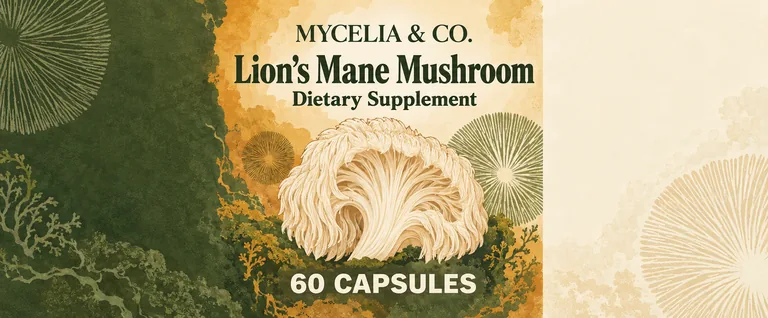
  • Mushroom capsules for MYCELIA & CO. Lion's Mane Mushroom, an AI-generated example made with GPT Image 2.5 Sunburst
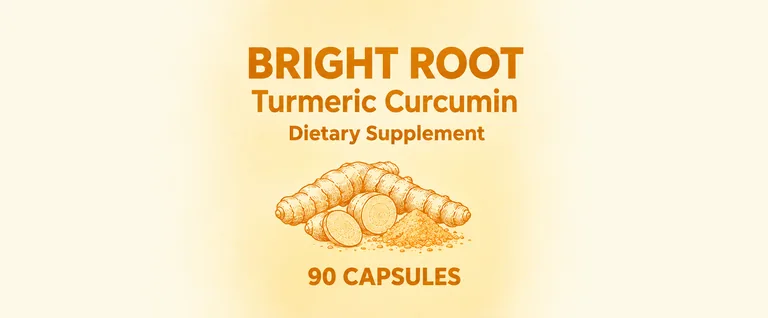
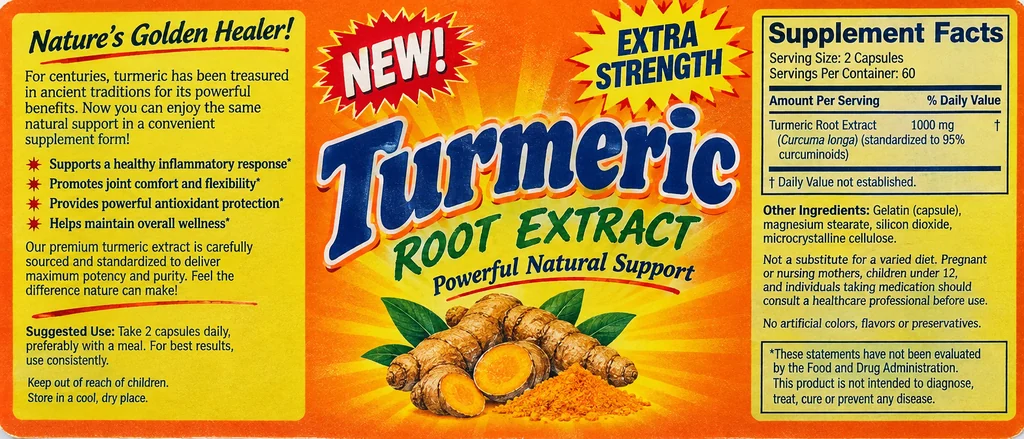
  • Supplement label redesign for BRIGHT ROOT Turmeric Curcumin, an AI-generated example made with GPT Image 2.5 Flare
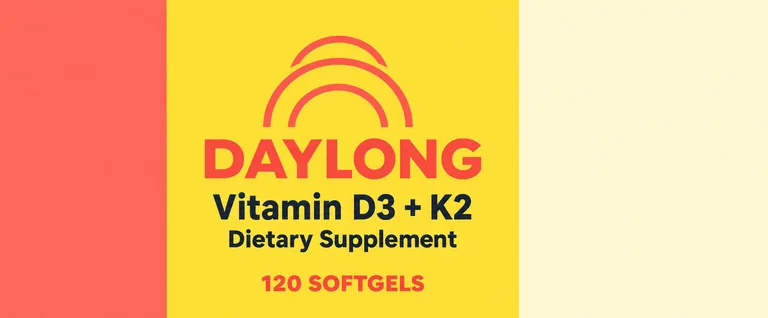
  • Series bottle label for DAYLONG Vitamin D3 + K2, an AI-generated example made with GPT Image 2.5 Sunburst
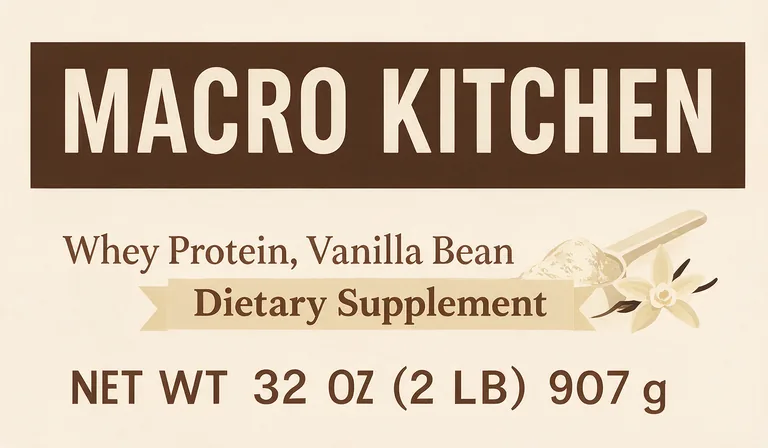
  • Protein tub label for MACRO KITCHEN Whey Protein, Vanilla Bean, an AI-generated example made with Seedream 5.0 Pro
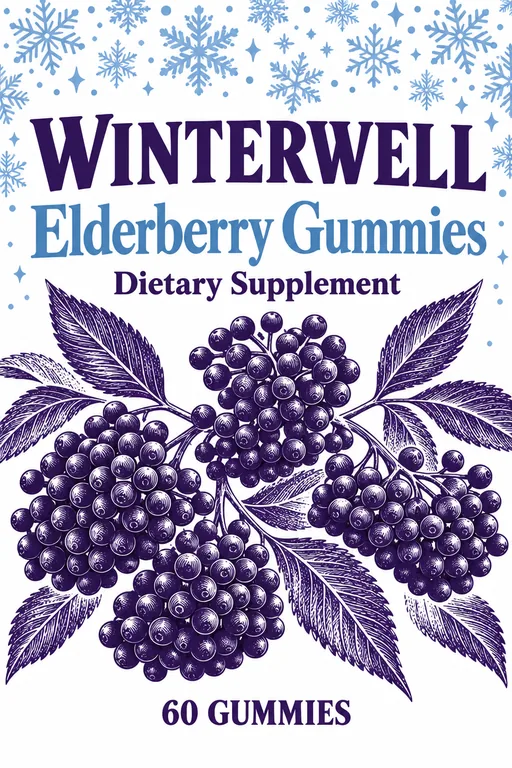
  • Pouch front label for WINTERWELL Elderberry Gummies, an AI-generated example made with GPT Image 2.5 Sunburst
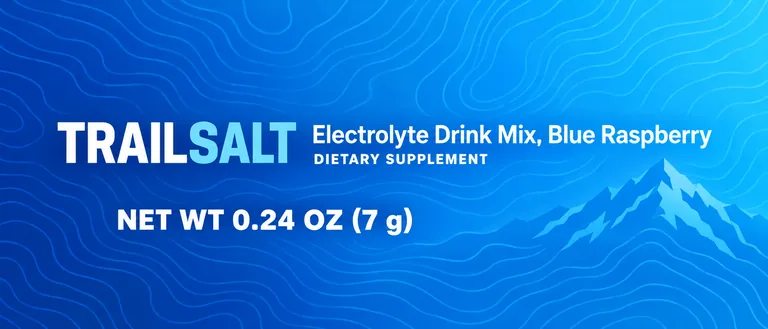
  • Stick pack for TRAILSALT Electrolyte Drink Mix, Blue Raspberry, an AI-generated example made with GPT Image 2.5 Sunburst
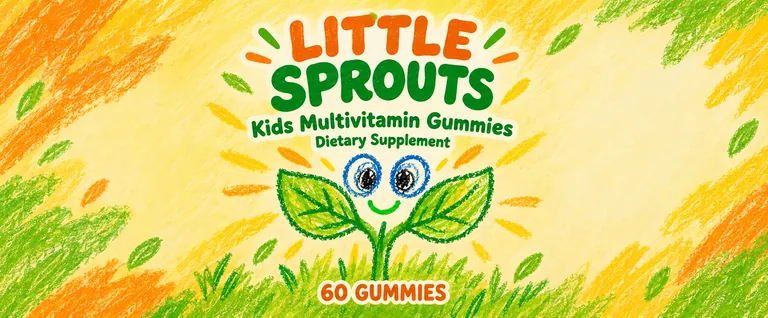
  • Kids' gummy label for LITTLE SPROUTS Kids Multivitamin Gummies, an AI-generated example made with GPT Image 2.5 Sunburst

AI supplement label design is part of the paid plans; the free tools stay free. It makes front labels only: no Supplement Facts panel and no health claims beyond the text you type. Credits for a run that fails are returned automatically. Image models can still misspell, so check every word and number before you print.

image models, drafts from 2 credits
5
designs in one run
1 to 4
text fields printed word for word
4
bleed and cut line in the print PDF
1/8 in

How AI supplement label design works

Three steps take you from a formula to a finished supplement label design, and the Generate button shows the credits before you press it.

What this supplement label design generator does for you

Made for brands that want a supplement label design with shelf appeal and no words they did not approve.

Mushroom capsules for MYCELIA & CO. Lion's Mane Mushroom, an AI-generated example made with GPT Image 2.5 Sunburst
AI-generated example · GPT Image 2.5 Sunburst

Front labels with your words only

The generator is set up for front labels: product name, count or net weight and flavor, with no Supplement Facts panel and no health claims beyond the text you type. Each field goes to the model in quotes and AI enhance keeps it word for word.

  • GPT Image 2.5 FlarePrecise text, fasterfrom 10 credits
  • GPT Image 2.5 SunburstPrecise text, finer detailfrom 10 credits
  • Nano Banana 2.1Many references, extra widefrom 8 credits
  • Seedream 5.0 ProPhoto real, high resolutionfrom 11 credits
  • Muse ImageLow cost draftsfrom 2 credits

Five models in one menu

GPT Image 2.5 Sunburst (the default here) and Flare for precise small text, Nano Banana 2.1 for many references, Seedream 5.0 Pro for textures and illustration, and Muse Image for 2 credit drafts. The button shows the total for 1 to 4 designs.

You type

A magnesium gummy bottle: a glacier blue gradient with glossy jelly star and moon shaped gummies floating, dreamy and calm.

AI enhance writes

Flat print artwork of a wide horizontal supplement bottle wrap label, 6 by 2.5 inches, edge to edge with a glacier blue gradient background, pale ice blue at top fading to deeper blue at bottom, with glossy jelly star and moon shaped gummies floating softly across the background, dreamy and calm. No photo, no mockup, no product in a scene, no border, no card edge, no shadow, no lines. Center front panel occupies the middle 40 percent of the width: the brand "MOONLIT LABS" in bold white capitals near the top of the front, the product name "Magnesium Glycinate Gummies" in clean dark navy typography beneath it, and the statement "Dietary Supplement" in bold right under the product name. In the bottom quarter of the front, the net quantity "60 GUMMIES" in bold capitals, about one eighth inch tall, spanning roughly a quarter of the label width, sitting above the safe area. Right third is a plain light panel with no words. Left quarter is plain with no words. Clean, trustworthy layout with color coding. The image is the label itself: its four edges are the cut lines. Fill it edge to edge with the label's background and artwork. The first reference image shows the label's safe area as a dashed line: put every word, number and logo inside it, at least 4% of the width in from the left and right edges and 8% of the height in from the top and bottom edges (0.187 in inside the cut); the last line of text, such as the volume, sits above the dashed line. The band between the dashed line and the edges holds background only, no words. Do not draw the lines, a border hugging the edges, or a card edge or shadow. Put the net quantity in the bottom quarter of the label, but above the dashed safe line, never at the bottom edge. Set it in bold capitals at least 1/8 in tall when printed, so the line spans about a quarter of the label's width: a bold line, not fine print.

AI enhance for a clean layout

A short line becomes a full supplement label design brief: label proportions, a clean and trustworthy layout, color coding, icons, type and where the name, count and flavor sit. Turn it off to send your own prompt as written.

Protein tub label for MACRO KITCHEN Whey Protein, Vanilla Bean, an AI-generated example made with Seedream 5.0 Pro
AI-generated example · Seedream 5.0 Pro

Bottle, tub, pouch or stick pack, at print size

Four label types at real sizes you can change: a 6 × 2.5 in wrap for a 150 cc bottle with the right third kept plain for the Supplement Facts, a 6 × 3.5 in tub front, a 4 × 6 in pouch label and a 5.125 × 1.375 in stick pack. Open a design to see its cut line, then download a print PDF with 1/8 in bleed and a CutContour cut line, or a 300 dpi PNG.

What the front of a supplement label must say

The front of the label is the principal display panel, and US rules put two items there. The first is the statement of identity: the product’s name with the words dietary supplement, or with dietary replaced by the ingredient, as in magnesium supplement, or by a descriptive term such as herbal supplement (21 CFR 101.3(g)). FDA asks for it in bold type, sized in relation to the most prominent text and in lines parallel to the base (FDA labeling guide).

The second is the net quantity: a count such as 60 capsules or 90 gummies, or a weight such as NET WT 10 OZ (283 g) for a powder. It sits as a separate item in the bottom 30 percent of the front, with a minimum letter height that grows with the panel area (21 CFR 101.7). In a supplement label design here, type both into the text fields (the Statement of identity field takes the words Dietary Supplement) so the AI prints them exactly.
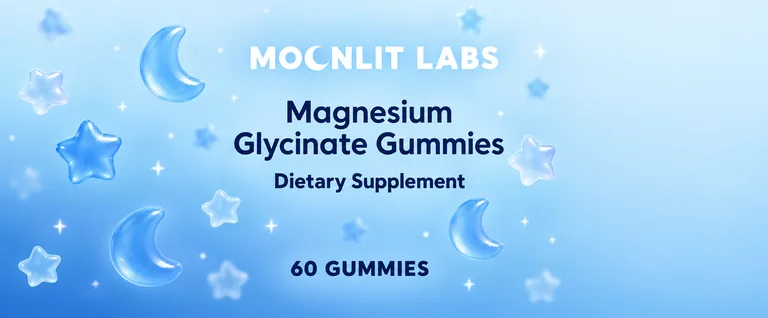
Gummy bottle label for MOONLIT LABS Magnesium Glycinate Gummies, an AI-generated example made with GPT Image 2.5 Flare
AI-generated example · GPT Image 2.5 Flare

The Supplement Facts panel goes on the side

The Supplement Facts panel follows 21 CFR 101.36: the title Supplement Facts larger than any other text in the panel, the serving size, each dietary ingredient with its amount per serving and its % Daily Value where one exists, all inside a hairline box. It goes on the information panel, the panel immediately to the right of the front, with the name and address of the maker, packer or distributor (21 CFR 101.2). The ingredient list sits right below the panel, headed Other ingredients when sources are named inside it (101.4(g)).

Our AI does not draw this panel, on purpose: an image model cannot be trusted with amounts and percentages. Have it set from your formula by your manufacturer or a label specialist and place it next to the artwork. The label also needs a US address or a phone number with area code where people can report serious adverse events (FDA guidance).

Claims in supplement label design: what you can and cannot say

A structure/function claim describes how a nutrient or ingredient affects the body’s normal structure or function; FDA’s own example is “calcium builds strong bones” (FDA). On a supplement, each such claim needs this disclaimer in bold type at least 1/16 inch tall: “This statement has not been evaluated by the Food and Drug Administration. This product is not intended to diagnose, treat, cure, or prevent any disease.” It sits next to the claim or is linked to it with an asterisk, on every panel where a claim appears, and the company must notify FDA no later than 30 days after first marketing the product with the claim (21 CFR 101.93).

Disease claims are a different matter. A label that says, through words, the product name or pictures, that a supplement treats, cures, mitigates or prevents a disease makes it a drug in FDA’s eyes, unless the claim is an authorized health claim (101.93(f) and (g)). That is why this supplement label design tool adds no claims of its own: the only claims on the image are the ones you type, so keep them to wording you can support. This is a summary of the federal rules as of October 2026, not legal advice; a regulatory review before printing is worth it.

Label sizes for common supplement bottles

Measure before you start a supplement label design. A wrap label’s width is the bottle’s diameter times pi, minus a small gap so the ends do not overlap, and its height stays on the straight part of the bottle, below the shoulder. Bottle suppliers and contract manufacturers publish label sizes for their stock bottles; one lists 2.5 by 6 inches for a 150 cc bottle and 2.75 by 7 inches for a 200 cc bottle (Nutracap), so ask yours for the exact panel.

On a round bottle only part of the label faces the shopper: FDA counts 40 percent of the circumference as the front (21 CFR 101.1), so keep the name, the words dietary supplement and the count in that section, and the panel to its right for the Supplement Facts.

Then pick the type here and set its size. The bottle wrap starts at 6 × 2.5 in, sized for a 150 cc packer bottle with a 6.23 × 2.75 in label panel (The Cary Company): its middle 40 percent is the front and its right third stays plain for the panel. The tub front starts at 6 × 3.5 in for a 1.5 L powder jar, whose whole wrap is too long for an image model to draw without stretching. The pouch label is 4 × 6 in, the size printers suggest for a 6 × 9 in stand-up pouch (4OVER4), and the stick pack is 5.125 × 1.375 in, a 35 × 130 mm stick laid along its length (Nutra Connection).

Supplement label redesign for BRIGHT ROOT Turmeric Curcumin, an AI-generated example made with GPT Image 2.5 Flare
AI-generated example · GPT Image 2.5 Flare

Color coding a supplement line

When a brand sells several products, color does the sorting: one color per product, flavor or goal, with the same layout, logo position and type on every label, so shoppers find the right one fast. A good supplement label design system changes as little as possible from one product to the next.

Make the first label, then reuse its prompt and add it as a reference image for the next, changing only the color, the product name and the count. Nano Banana 2.1 takes up to 9 references next to the label outline, which helps a long line stay consistent; GPT Image 2.5 takes up to 3.

Series bottle label for DAYLONG Vitamin D3 + K2, an AI-generated example made with GPT Image 2.5 Sunburst
AI-generated example · GPT Image 2.5 Sunburst

Briefs, models and printing for supplement label design

Describe the form and the container, the feeling you want (clinical, natural, sporty or playful) and two or three colors. GPT Image 2.5 Sunburst (10 credits at 1K) is the default and the safest for small text such as counts; Flare is a little faster at the same price, Seedream 5.0 Pro (11 credits) is good at textures and illustration, and Muse Image drafts at 2 credits with up to three short lines of text. This page makes the flat label; a photo of the bottle in a scene is a mockup, which it leaves out.

Each label comes at its type and size: open it to download a print PDF at the trim size plus 1/8 in bleed, with a TrimBox and a CutContour cut line on its own layer, or a 300 dpi PNG. A designer or your label printer adds the Supplement Facts panel in the plain panel you kept for it and checks the size against the bottle. Already laid out a supplement label design in our free label maker? Its Design with AI button sends it here at its own size: keep your layout and restyle it, or ask for background art only and keep your text and barcode as exact vectors on top. Selling in stores? Add a barcode from the free UPC barcode generator. Designs cost 2 to 22 credits each by model and resolution, plans start at 800 credits a month (pricing), and a failed run returns its credits. For other products, try AI candle label design, AI food packaging design or AI packaging design for the box.

Who uses AI supplement label design

Brands that want to see a supplement label design before the printer does.

New supplement brands

Try front label directions for a first product, then hand the favorite to a designer with the Supplement Facts from your manufacturer.

Private label sellers

Give a stock formula from a contract manufacturer its own look, with your brand spelled the way you type it.

Sports nutrition lines

Design tubs, gummies and powders with bold color coding by flavor across the whole range.

Wellness and beauty brands

Make calm, clean labels for pouches and tubs of powders such as collagen and greens.

Supplement label design questions

What brands ask before their first supplement label design.

Design a supplement label with AI

What has to be on the front of a supplement label?

The statement of identity with the words dietary supplement (or, for example, magnesium supplement) and the net quantity, such as 60 capsules, under 21 CFR 101.3(g) and 101.7. The brand name, flavor and design are up to you.

Does the AI make the Supplement Facts panel?

No. AI supplement label design here makes front labels only, because an image model cannot be trusted with amounts and % Daily Values. Have the panel set from your formula and place it on the side panel next to the artwork.

Can my supplement label say what the product does?

A structure/function claim is allowed with the FDA disclaimer and a notice to FDA within 30 days of marketing (21 CFR 101.93). A claim that it treats, cures or prevents a disease makes the product a drug, apart from authorized health claims.

Will the AI add health claims to my label?

It is told not to: the label gets only the words you type in the fields. Models can still slip, so read every line before printing.

What size label does a supplement bottle need?

Width is about the bottle’s diameter times pi, minus a small gap, and the height stays below the shoulder. A 150 cc capsule bottle takes a 6 × 2.5 in wrap, the bottle wrap type here; ask your bottle supplier for the exact panel of larger bottles.

Is AI supplement label design free?

No. It is part of the paid plans because every design calls a paid image model, from 2 credits a draft. Our label, barcode and dieline tools stay free.

Can I sell products with these labels?

Yes. Paid plans include a commercial license for what you make, and the Business plan covers a company.

Start your supplement label design

Describe the product, type the words to print and pick a model. The AI supplement label design generator shows the credits before it starts.