
Sign In

3D Box Model Generator

Make a 3D box model of the box you will print: this generator folds it from its own dieline at the size you type, lays your artwork on every panel and saves the model as a file for your store, for AR on a phone or for a 3D app.

  • Free, no sign-up, no watermark
  • GLB, USDZ and OBJ
  • Any box style and size
  • Your artwork, 1:1

3D Box Model Generator

files: GLB, USDZ and an OBJ with its materials
3
box styles, plus bags, cans, bottles and pouches
6
textures, the store and AR limit
2048 px
real size, in metres, standing on the floor
1:1

How to make a 3D box model

Four steps from a flat design to a model file.

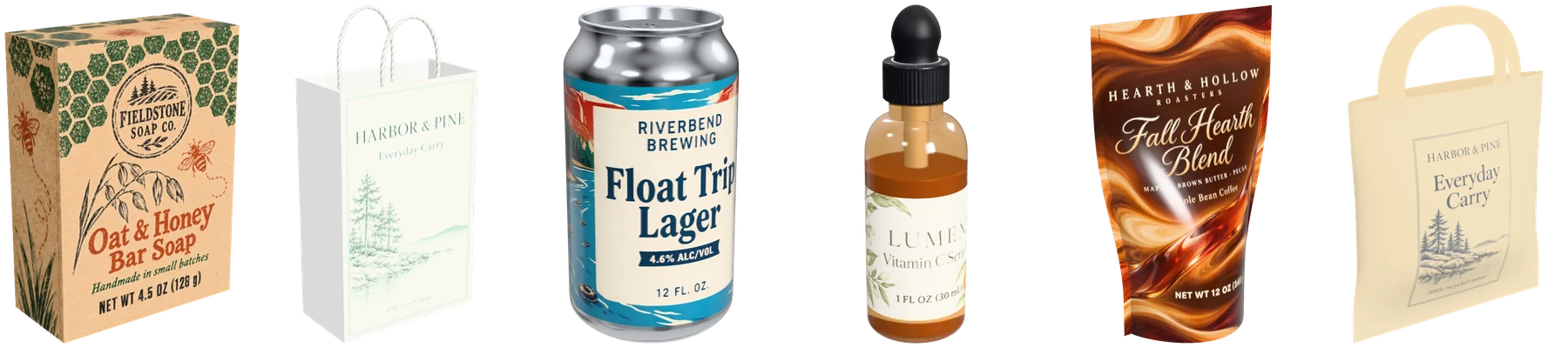
A box, a paper bag, a can, a bottle, a coffee pouch and a tote bag, each a 3D model file opened again with its design on it

A 3D box model made from the box itself

Every model here is built from how the box is made, so the file matches the box a printer will cut, fold and glue.

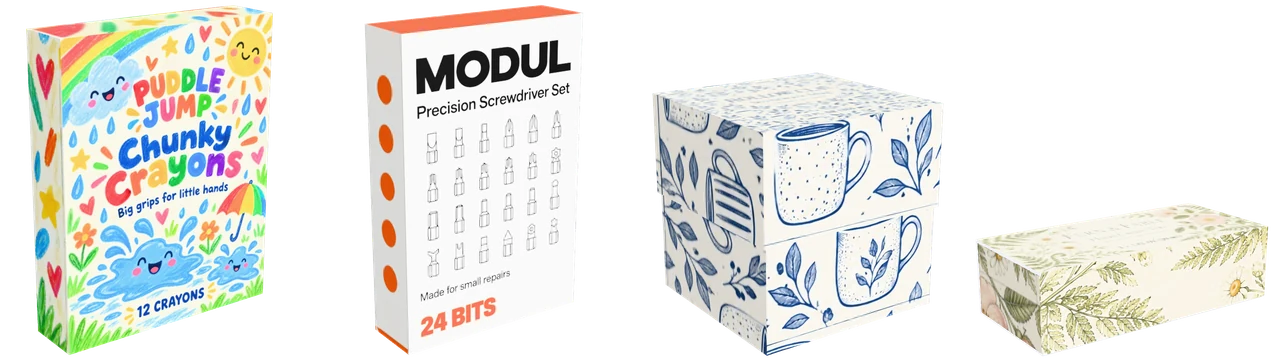
A reverse tuck end, a straight tuck end, a box with lid and a drawer box, each a 3D model with its own design

Every box style, any size

Reverse and straight tuck end boxes, a box with lid, a drawer box, a pizza box and a mailer box, folded from the dieline generator’s own dieline at the size you type. A folded box is under 300 triangles, light enough for any viewer.

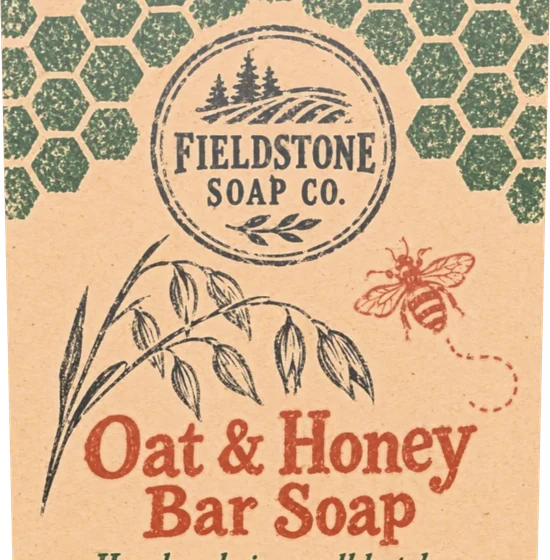
The front of the soap box model up close: the brand, the bee and the oat drawing as sharp as the print file

Your artwork exactly as printed

The model carries your file as its texture, panel by panel, the way the print file lies on the flat sheet. Every word stays as sharp as the file, with nothing redrawn.

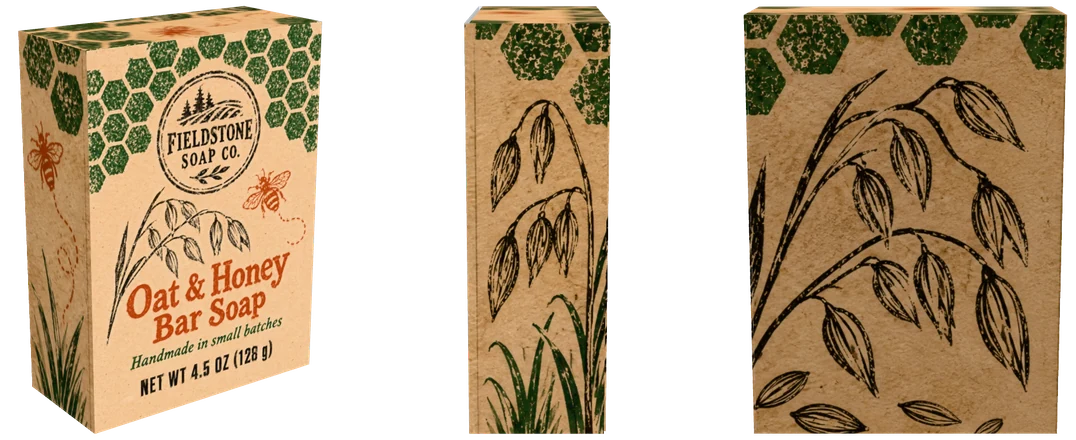
The soap box’s OBJ opened with its materials and texture, from the front, the side and the back

Files for every app

GLB keeps the model, its materials and the artwork in one file for the web. USDZ is the file iPhones and iPads open in AR. OBJ comes in a zip with its MTL material file and its textures for 3D apps.

What a 3D box model is

A 3D box model is the box itself as a file: its panels in their real places, its board and finish as materials, and your artwork wrapped round it as a texture. Any 3D viewer can turn it, light it and show it at any angle, so the model can stand on a product page, appear on a table through a phone camera, or go into a scene in a 3D app.

A mockup picture is one view, fixed by whoever rendered it. A model keeps every view: a shopper can turn the box to read the side panel, and a designer can drop the same file into a shelf scene or a packaging 3D model library and render it again.

GLB, USDZ or OBJ: which file to use

GLB is the common file for the web and online stores. It holds the model, the materials and the artwork in a single binary file, it is the format web 3D viewers and Android AR read, and it is the file to use when a store asks for a 3D model.

USDZ is the file Apple devices open in AR Quick Look: tap it on an iPhone or iPad and the box appears on the table at its real size. OBJ is the oldest of the three and opens in almost every 3D app; it comes zipped with its MTL file and the texture pictures, so the colors and the print load with it.

A box 3D model for Shopify and phone AR

Shopify takes GLB and USDZ files on product pages, and its 3D modeling checklist asks for a model built to real-world scale, a file of about 4 MB and textures no larger than 2048 x 2048 px. Google’s guide for phone AR asks for under 100,000 triangles and a file under 10 MB.

Each model from this page is in metres, stands on the floor at the centre, and keeps its textures at 2048 px at most. A box is a few hundred triangles at most and about 1 MB as a GLB with a full design, so the panel says it is ready for Shopify and phone AR; the bigger packages say so too when they fit.

Real size from the dieline

The box is folded from the same dieline the dieline generator draws, with the board’s thickness, so the model is exactly the box that dieline folds into, at the size you typed. A print file made on the dieline lands on the model where it prints.

Type inches or millimetres, change the style, and the model refolds at once. Each page also gives a template at the size on screen, so a design made on it goes straight back on the box.

Bags, cans, bottles and pouches too

The same 3D model download sits on every free 3D mockup, so a packaging 3D model is one click away for the whole range: a paper bag with its handle at any size, a can in eight standard sizes, six bottles in glass or PET, three coffee bags and pouches, and three tote bags.

Pick the package above to use it here, or open its own page from the link under the tool. Your settings are kept for each package, so a bag set up here is the same bag on its page.

From 3D packaging design to a model

No design yet? Start in AI box design, which makes the artwork for a whole box from your brief, or AI packaging design for a pouch, a label or a box front, then bring the result here and download it as a model.

For pictures rather than files, the 3D mockup generator renders the same package up to 8192 px or as a turntable video, and AI box mockup sets it on a shelf, in a hand or at an unboxing.

Who uses a box model

One file, opened in very different places.

Online sellers

Add a box 3D model to a Shopify product page so shoppers can turn the box and see it on their own table in AR.

Packaging designers

Send a client the box as a file they can turn on any phone, and keep the same model for the next round of 3D packaging design.

Brands and makers

Check the size and the look of a new box in AR before ordering a run, then use the same model in the launch post.

3D artists and studios

Drop an exact box with its real print into a scene or a game instead of modelling it by hand.

3D box model FAQ

Short answers to the questions the generator raises most.

Make a 3D box model

Is this 3D box model generator free?

Yes. Every style, size and file is free, with no sign-up and no watermark, and the models are yours to use in a store, an app or a project.

Which file should I upload to Shopify?

The GLB. Shopify takes GLB and USDZ files for 3D models on product pages, and the GLB from this page is in metres, under 2048 px textures and a few hundred triangles for a box.

Can I see the model in AR on my phone?

Yes. On an iPhone or iPad, View in AR opens the model in AR Quick Look on the spot; on any phone, a GLB added to a web page or store with AR shows the box on your table.

Is the model the real size of the box?

Yes. The box is folded from its dieline at the size you type and saved in metres, so a viewer shows it at its true size, standing on the floor.

Is my artwork uploaded?

No. The box is folded and the file is made in your browser, and your artwork stays on your device.

Can I make a 3D model of a bag, a can or a bottle?

Yes. Pick the paper bag, the can, the bottle, the coffee bag or the tote above, and download its model the same way.

Make your 3D box model

Type the size, drop in your artwork and download it as GLB, USDZ or OBJ, free.