
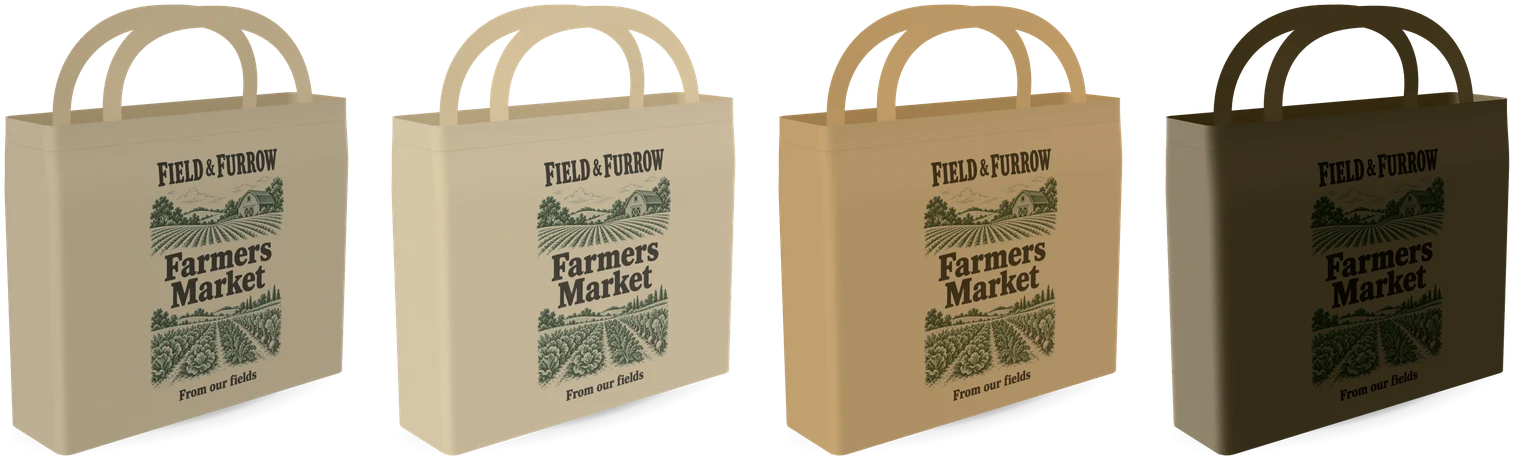
Free Tote Bag Mockup in 3D

This free tote bag mockup prints your artwork on a woven canvas tote at the size it will print, so the weave, the fabric color and the handles look the way they will when the tote is in your hand.

  • Free, no sign-up, no watermark
  • 3 tote sizes with their print areas
  • 5 fabric colors, 2 kinds of handle
  • PNG, JPG and WebP up to 8K

Free Tote Bag Mockup

Tote

Print area 12 in × 12 in, centred across the front, 2.5 in under the top edge.

Artwork

PNG, JPG or WebP, or drop it on the tote

Samples

Artwork from AI tote bag mockup

300 dpi PNG of the print area at this tote’s size, its centre line marked.

Fabric and handles

Short webbing handles for carrying in hand, rising 4.4 in over the top.

Download

1638 × 2048 px

Put this tote in an AI scene

Send your artwork and this tote to AI tote bag mockup: a photo-real scene at a market stall, on a shoulder or at a café table, made from your words.

Loading the 3D viewer…
totes, from 13 × 13 in to 18 × 15 in
3
the longest side of a download
8192 px
fabric colors, natural to olive
5
one full turn in the turntable video
6 s

How to make a free tote bag mockup

Four steps from a flat artwork to a picture of the tote.

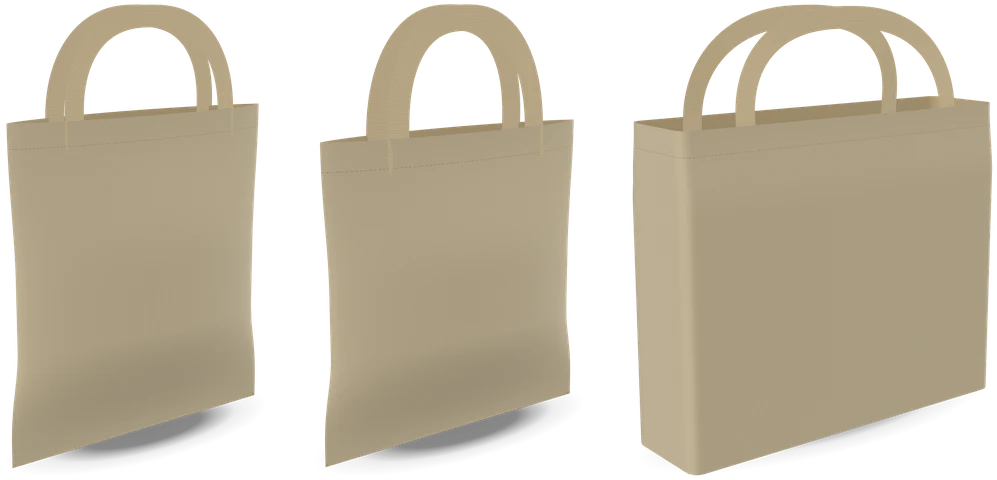
A blank standard tote, a small tote and a large tote with a gusset in natural canvas

What this 3D tote mockup does differently

It starts from the tote itself, so every picture shows a print you can actually order.

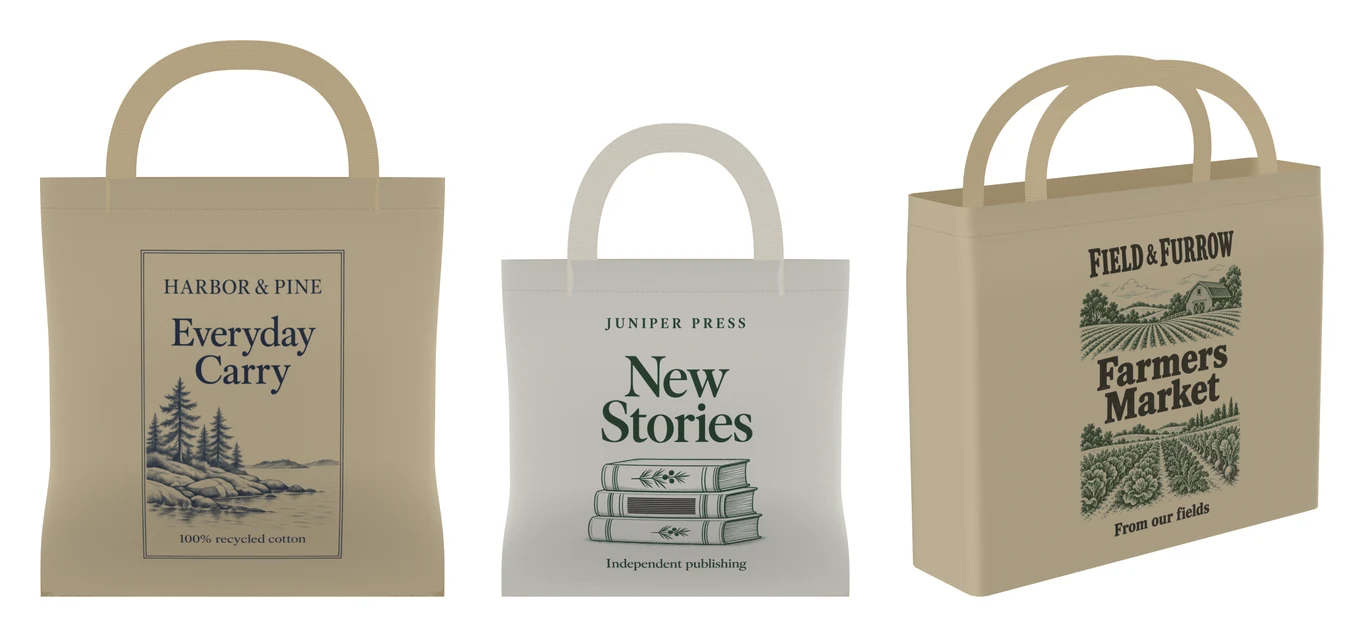
A standard tote, a small tote and a large tote with a gusset to scale, each with its print

Three real totes, lightly filled

Each tote is built from its front panel: two canvas panels sewn at the sides and the bottom, rounded as if something is inside, or a tote with a 5 in gusset that stands like a soft box. The open top shows the inside.

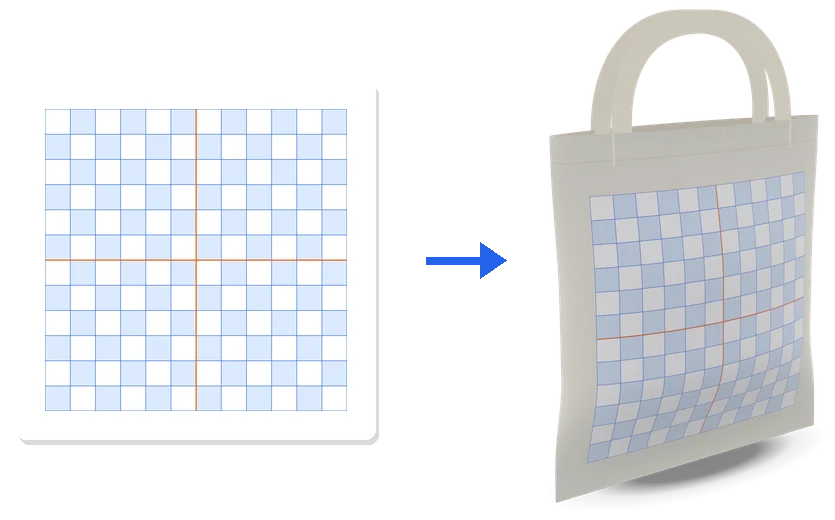
A flat grid of one inch squares and the same grid across the front of a filled tote

Your print on the cloth, inch for inch

The canvas keeps its width as the tote fills, so a 12 in print area is 12 in of cloth across the front, and your artwork sits on it at the size it will print.

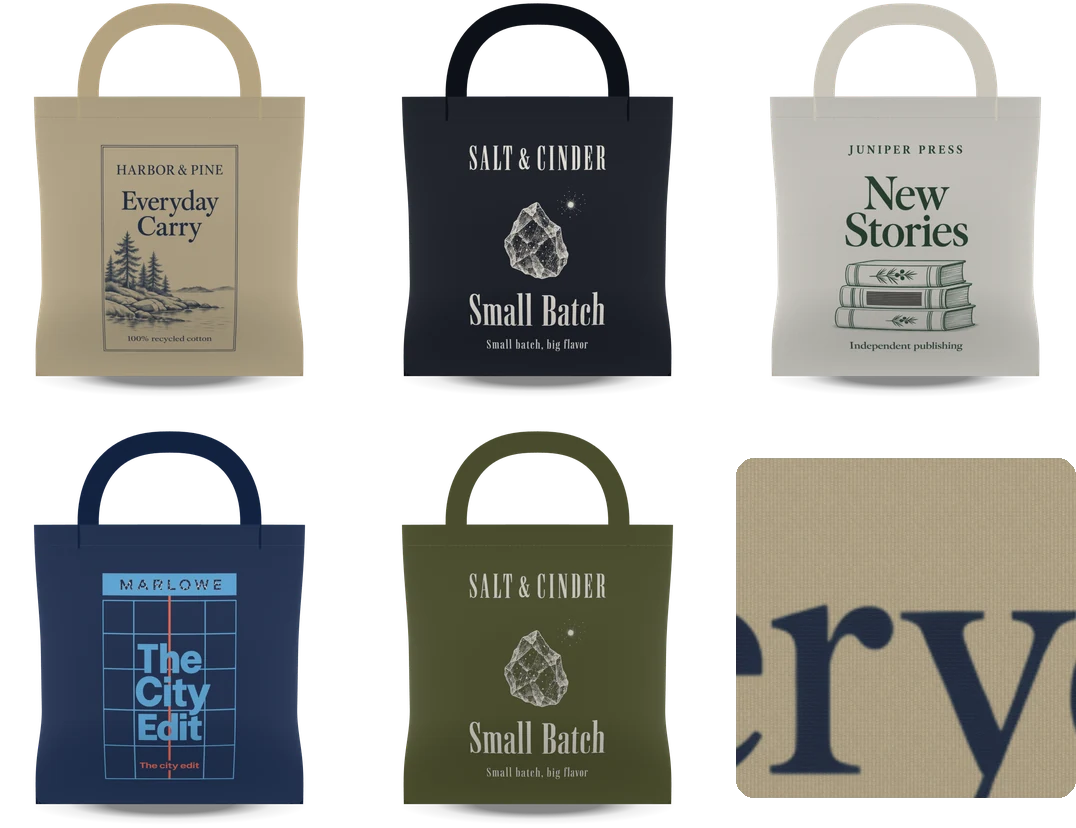
Prints on natural, black, white, navy and olive canvas totes and a close view of the weave

Woven canvas in five colors

A woven texture runs under the ink as it does on real canvas, with the soft sheen of cotton. Natural, black, white, navy and olive each show your colors as they will print.

One natural canvas tote in the soft, bright, warm and dark studios

Studio light and a real lens

Four studios bring out the weave and the folds, the light turns around the tote, and the lens runs from 24 to 100 mm. A view you like is saved for later.

What a free tote bag mockup shows that a flat file can’t

A flat artwork shows every line at the same weight. On a filled tote the canvas rounds out, the weave shows through thin lines and pale colors, and the handles frame the print, so a design that looks balanced on screen can sit too high or read too small on the bag.

A 3D tote answers what the flat file leaves open: how large the print really is, whether it sits well under the handles, and how the colors read on natural or dark canvas.

The three totes and their print areas

The standard tote is 15 × 16 in with a 12 × 12 in print area 2.5 in under its top edge; the small tote is 13 × 13 in with a 10 × 10 in print area 2 in down; the large tote is 18 × 15 in with a 5 in gusset and a 14 × 12 in print area 2 in down. These are the totes AI tote bag mockup uses, so a tote set up here is the same tote there.

A filled tote stands a little lower than its flat panel, because the canvas rounds over what is inside. The panel gives each tote’s width, height and gusset.

A free tote mockup that prints like a screen print

Screen printing lays ink only inside the print area, so the free tote mockup does the same: whatever runs past the print area is cut off, and the panel says when it happens. The canvas weave shows through the ink, as it does on a printed tote.

Your artwork fits inside the print area as soon as it loads. A clear PNG prints only its ink on the canvas; an artwork with its own background prints that background as a block, the way a digital print would.

Making artwork that fits: the print area template

Start from the template: the print area at 300 dpi, 3600 × 3600 px for the standard tote, with its centre line marked. Keep a little room at the edges, since a tote is printed flat and the canvas rounds once it is filled.

Artwork from AI tote bag mockup and from the AI sticker generator works well here: both come as clear pictures that print as ink on the canvas.

Fabric and handles for a free canvas bag mockup

Natural canvas is the classic cotton tote, warm and slightly flecked; white suits bright colors; black, navy and olive carry light inks and metallic tones. The free canvas bag mockup keeps the cloth’s own color under the ink, so a pale print on dark canvas looks as it will.

Hand handles rise about 4.4 in over the top edge, and shoulder straps about 9.2 in. Both are flat webbing sewn inside the top hem, front and back.

Light, camera and export for a free tote bag mockup

The soft studio keeps colors true, bright suits white and pastel totes, warm flatters natural canvas, and dark draws the folds on a black or navy tote. A lens of 70 mm and up keeps the tote straight like a catalog shot, and the low view makes it look bold.

The stage takes the shape of the picture: square for a shop’s main image, 4:5 for a feed, 16:9 for a slide and 9:16 for a story. PNG and WebP keep a transparent background with the contact shadow, JPG takes the background color you pick, and the turntable video records one full turn at 1080 px.

From a free tote bag mockup to a photo scene

When the tote looks right, Put this tote in an AI scene sends your artwork with the fabric and the handles to AI tote bag mockup, which sets the same tote at a market stall, on a shoulder or at a café table.

To design the artwork itself, try the AI sticker generator for a clear print, then check it on the tote here.

Who uses a free tote bag mockup

One tote, a different question for each person who opens it.

Shops, cafés and bookstores

Check a branded tote before ordering a run, then post the launch picture the same day.

Artists and print on demand sellers

Show one design on five fabric colors and pick the ones worth listing.

Event and merch teams

Send a client a square picture and a turntable video of the conference tote from the same file.

Screen printers

Show a customer how large the print really is on the tote they ordered, before the screens are made.

Free tote bag mockup FAQ

Short answers to the questions the panel raises most.

Make a tote mockup

Is this free tote bag mockup really free?

Yes. Every tote, setting and download is free, with no sign-up and no watermark, and the pictures are yours to use anywhere.

Which totes are there?

A 15 × 16 in standard tote, a 13 × 13 in small tote and an 18 × 15 in large tote with a 5 in gusset, in natural, black, white, navy or olive canvas, with hand handles or shoulder straps.

What size should my tote artwork be?

The template gives the print area of the tote on screen. For the standard tote it is 12 × 12 in, 3600 × 3600 px at 300 dpi. Any shape fits inside it, and the panel says how large it prints.

Should my artwork have a clear background?

For a screen printed look, yes: a clear PNG prints only its ink on the canvas. An artwork with a background prints that background as a block on the tote.

Can I download a transparent PNG?

Yes. Turn the background off and choose PNG or WebP: the tote, its handles and its soft shadow come out on a clear background.

Is my artwork uploaded?

No. The tote is drawn in your browser and your file stays on your device. It is uploaded only if you sign in and send it to AI tote bag mockup.

Make your free tote bag mockup

Pick a tote, drop in your artwork and download the picture or a turntable video. Then put the same tote in a photo scene with AI tote bag mockup.