
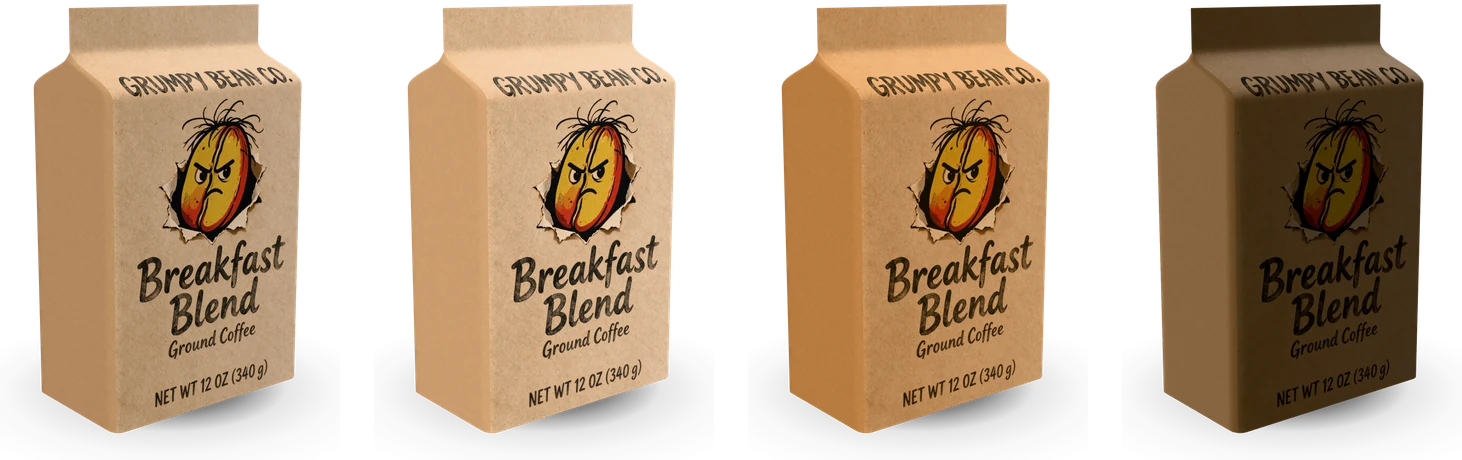
Free Coffee Bag Mockup in 3D

This free coffee bag mockup fills three real coffee bags and lays your front on at its print size, so the curve of the pouch, the valve and the kraft or film finish look the way they will on the shelf.

  • Free, no sign-up, no watermark
  • 3 bags at real sizes
  • Your bag front placed 1:1
  • PNG, JPG and WebP up to 8K

Free Coffee Bag Mockup

Bag

A rounded pouch with a zipper under the top seal and a gusset folded into its base.

Print

Your file covers the whole front, 6.125 in × 9.5 in, from the bottom edge to the top seal.

Artwork

PNG, JPG or WebP, or drop it on the bag

Samples

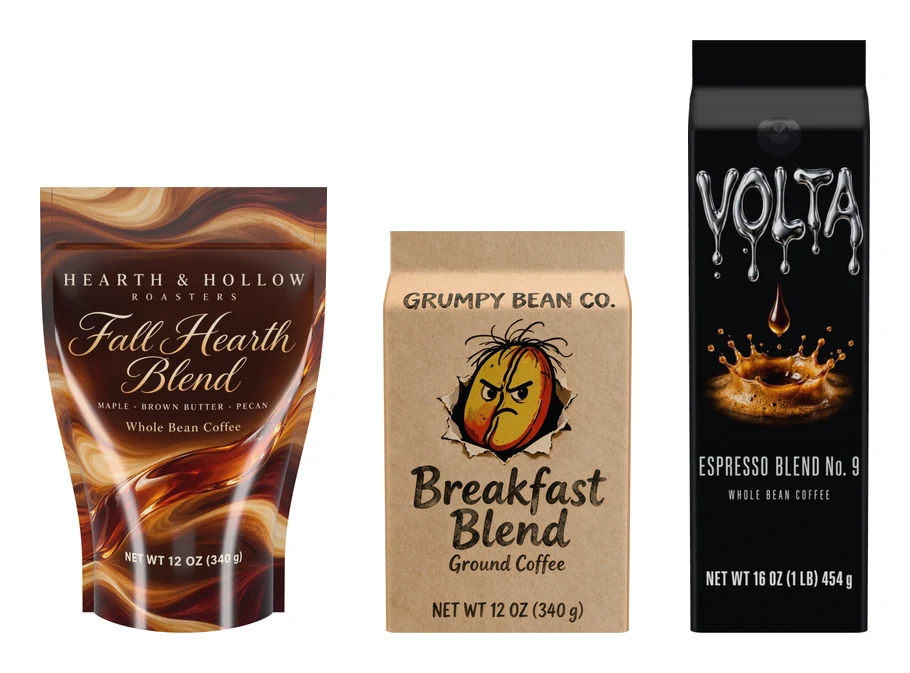
Fronts made with AI coffee bag design

300 dpi PNG of the front with the trim, the 1/8 in bleed, the seal and gusset bands and the valve.

Bag stock

Download

1638 × 2048 px

Put this bag in an AI scene

Send your front and this bag to AI coffee bag mockup: a photo-real scene on a café counter, a kitchen shelf or a gift table, made from your words.

Loading the 3D viewer…
bags: stand-up pouch, flat-bottom, side gusset
3
the longest side of a download
8192 px
stocks: kraft paper, matte film, gloss film
3
one full turn in the turntable video
6 s

How to make a free coffee bag mockup

Four steps from a flat bag front to a picture of the bag.

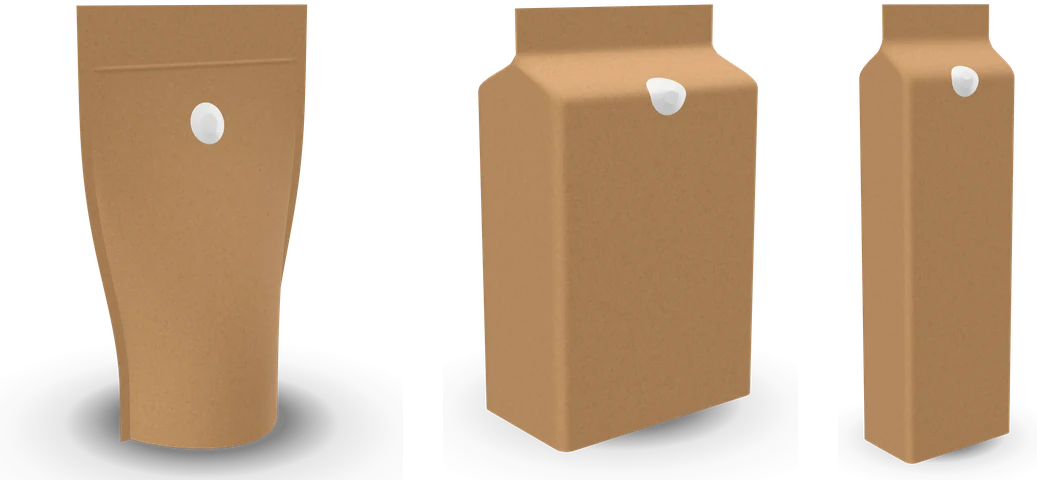
A blank kraft stand-up pouch, flat-bottom bag and side gusset bag, each with a one-way valve

What this free coffee bag mockup does differently

It starts from the bag itself, so every picture shows a front you can actually print.

A stand-up pouch, a flat-bottom bag and a side gusset bag to scale, each with its printed front

Three real coffee bags, filled

Each bag is built from its printed front and its depth: a 6.125 × 9.5 in pouch on a 3.5 in gusset, a 5 × 9.25 in flat-bottom bag 3 in deep, a 3.625 × 12.85 in side gusset bag 2.375 in deep. Filled, the pouch rounds out and the block bags stand square.

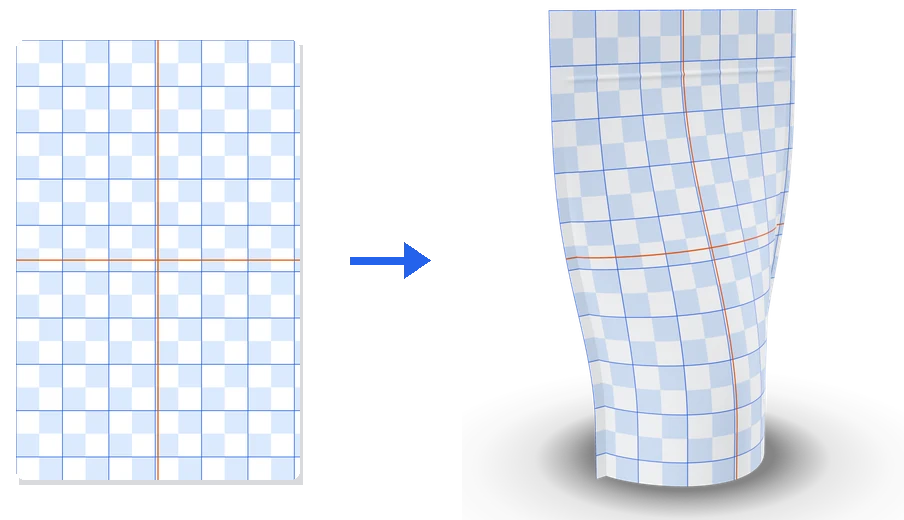
A flat grid of half-inch squares and the same grid on a filled stand-up pouch

Your print on the film, millimeter for millimeter

The front’s film keeps its printed width and height as the bag fills, so your artwork sits on it 1:1 and curves the way the printed film does. Nothing is stretched to fit the bulge.

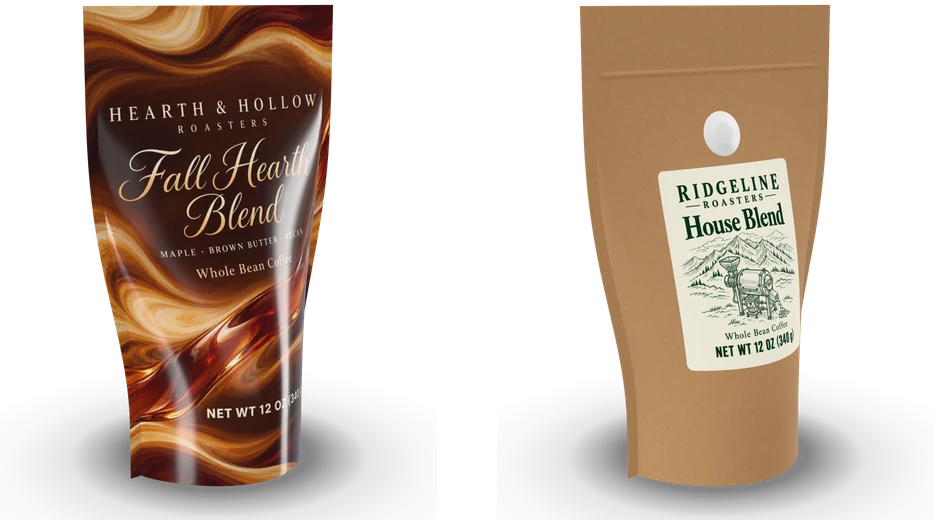
A fully printed gloss pouch next to a kraft pouch with a sticker below its valve

A printed bag or a sticker on a stock bag

Print the whole front, or put a sticker on a plain kraft, black or white bag. The sticker sits below the valve at 3.25 × 4 in, or any size the front holds, with a white base and rounded corners.

One kraft flat-bottom coffee bag in the soft, bright, warm and dark studios

Studio light and a real lens

Four studios bring out kraft’s fibers, a matte film’s soft sheen or a gloss film’s highlights, the light turns around the bag, and the lens runs from 24 to 100 mm. A view you like is saved for later.

What a free coffee bag mockup shows that a flat front can’t

A flat front shows every word at the same size. On a filled bag the front curves away at the sides, the top bends back under the seal, and the valve sits over part of the design, so a name set too wide or too high reads differently.

A free coffee bag mockup answers what the flat file leaves open: what the shopper reads first, whether the roast name clears the valve, and how the colors sit on kraft paper or film.

The three bags and where their sizes come from

The 12 oz stand-up pouch has a 6.125 × 9.5 in front on a 3.5 in bottom gusset, the 12 oz flat-bottom bag a 5 × 9.25 in front with 3 in sides, and the 1 lb side gusset bag a 3.625 × 12.85 in front with 2.375 in folded sides. These are the fronts AI coffee bag design makes, so a front from there fits the same bag here.

A filled bag stands a little lower than its flat front, because the film bends back toward the seal. The panel gives each bag’s width, standing height and depth.

A free stand-up pouch mockup that fills like the real pouch

A stand-up pouch is two sheets of film sealed at the sides with a gusset folded into its base. Filled, it rounds out most near the bottom and flattens toward the zipper and the top seal. Its sides pull in as it rounds, so from the front it looks narrower than the flat sheet.

This free stand-up pouch mockup builds that shape from the film: each slice across the pouch keeps the printed width, the side seals stand out as thin fins, and the zipper shows as a slight ridge 1 1/4 in under the top edge.

Making a front that fits: template, bleed and bands

Start from the template: the front at 300 dpi with the trim, a 1/8 in bleed, the top seal and zipper band, the bottom gusset band and the valve circle 2.5 in under the top edge. Keep the brand name, the roast and the net weight inside the safe area. A front with words in the valve’s spot takes the valve on the back, as many roasters do.

Fronts from AI coffee bag design land 1:1 on their bags, with or without bleed, as does any file at the template’s shape. The panel says whether a file matches, or by how much it is wider or narrower.

Kraft paper, matte film and gloss film

Kraft paper shows its fibers on the bare bag and, lightly, through the print, as ink on paper does. Matte film gives a soft, even sheen, and gloss film a clear coat with sharp highlights along the curve.

Pick natural kraft, black or white, or any color for the bag itself. The side, back and base take the bag’s color, and the valve turns dark on a black bag and white on a light one, as stock valves do.

Light, camera and export for a free pouch mockup

The soft studio keeps colors true, bright suits white and pastel bags, warm flatters kraft and earthy roasts, and dark draws thin highlights along a black film. A lens of 70 mm and up keeps the bag straight like a catalog shot, and a free pouch mockup from the low view makes a small bag look bold.

The stage takes the shape of the picture: square for a shop’s main image, 4:5 for a feed, 16:9 for a slide and 9:16 for a story. PNG and WebP keep a transparent background with the contact shadow, JPG takes the background color you pick, and the turntable video records one full turn at 1080 px.

From a free coffee bag mockup to a photo scene

When the bag looks right, Put this bag in an AI scene sends your front with the bag type, stock, color and valve to AI coffee bag mockup, which sets the same bag on a café counter, a kitchen shelf or a gift table.

To design the front itself, start in AI coffee bag design, then check the file on the bag here.

Who uses a free coffee bag mockup

One bag, a different question for each person who opens it.

Small roasters

Check a new roast’s front on a 12 oz pouch before the print run, then post the launch picture the same day.

Private label coffee brands

Put one sticker on a plain kraft, black and white bag and pick the stock bag that suits the brand.

Online coffee shops

Make square main images and portrait feed pictures of every roast on the same bag, at the same angle and light.

Packaging designers

Send the client a turntable video and a transparent PNG from the same file, at the bag’s true proportions.

Free coffee bag mockup FAQ

Short answers to the questions the panel raises most.

Make a coffee bag mockup

Is this free coffee bag mockup really free?

Yes. Every bag, setting and download is free, with no sign-up and no watermark, and the pictures are yours to use anywhere.

Which bags are there?

A 12 oz stand-up pouch, a 12 oz flat-bottom bag and a 1 lb side gusset bag, each in kraft paper, matte film or gloss film and any color, with or without a one-way valve.

What size should my coffee bag front be?

The template button gives the exact size for the bag on screen. The stand-up pouch’s front is 6.125 × 9.5 in, 1838 × 2850 px at 300 dpi, plus 1/8 in bleed on each side if your printer asks for it.

Can I show a sticker on a plain bag?

Yes. Switch Artwork on the bag to Sticker, set its size and upload the sticker: it sits on the front of a plain bag in the color you pick, below the valve.

Can I download a transparent PNG?

Yes. Turn the background off and choose PNG or WebP: the bag, its highlights and its soft shadow come out on a clear background.

Is my bag front uploaded?

No. The bag is drawn in your browser and your file stays on your device. It is uploaded only if you sign in and send it to AI coffee bag mockup.

Make your free coffee bag mockup

Pick a bag, drop in your front and download the picture or a turntable video. Then put the same bag in a photo scene with AI coffee bag mockup.