
AI Beer Can Design Generator

Pick the can, describe the beer, type the words to print, and get a beer can design laid flat as a print-ready wrap in about a minute.

  • Five image models
  • 16 oz, 12 oz and sleek can wraps
  • Room kept for the government warning
  • Credits shown before you start

AI Beer Can Design

Beer can designAI enhance
0 / 4000

Beer can design ideas made with AI

Real AI-generated examples, each made with this generator. Click one to fill in its prompt, text, can and settings, then make it yours.

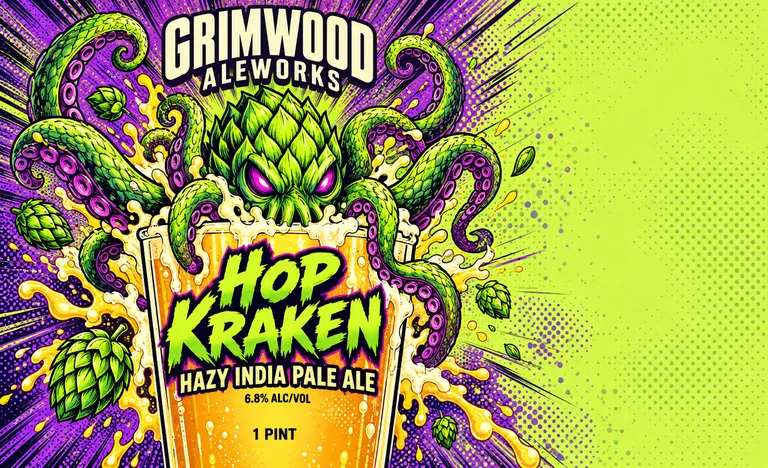
  • Hazy IPA can for GRIMWOOD ALEWORKS Hazy India Pale Ale, an AI-generated example made with GPT Image 2.5 Sunburst
  • Holiday stout can for KETTLE & KILN Holiday Imperial Stout, an AI-generated example made with Seedream 5.0 Pro
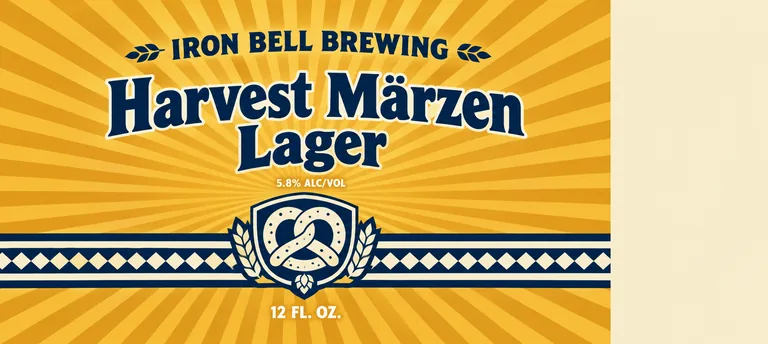
  • Oktoberfest can for IRON BELL BREWING Harvest Märzen Lager, an AI-generated example made with GPT Image 2.5 Flare
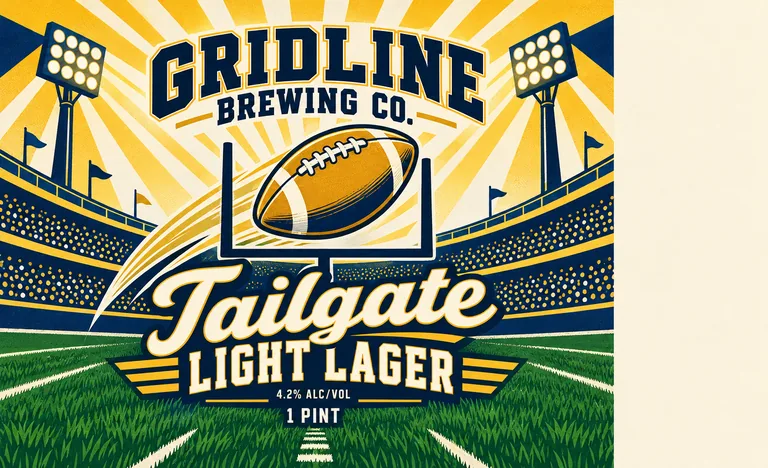
  • Game day can for GRIDLINE BREWING CO. Tailgate Light Lager, an AI-generated example made with GPT Image 2.5 Sunburst
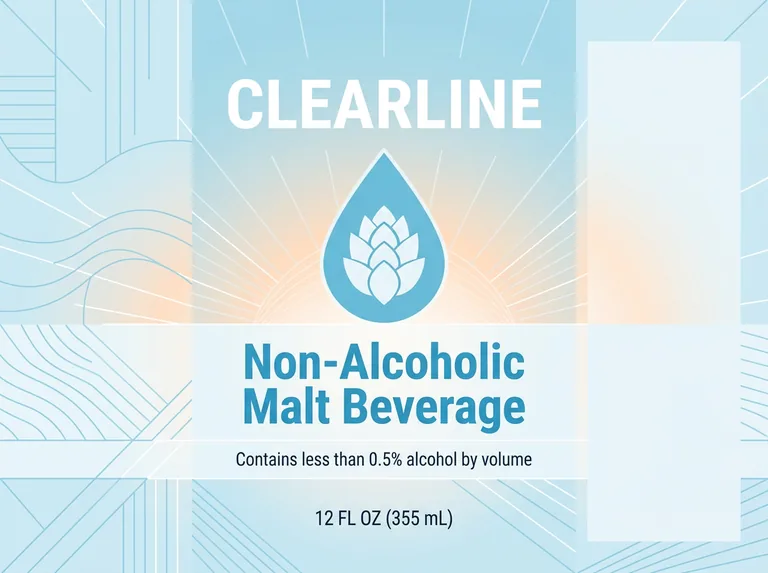
  • Non-alcoholic can for CLEARLINE Non-Alcoholic Malt Beverage, an AI-generated example made with Nano Banana 2.1
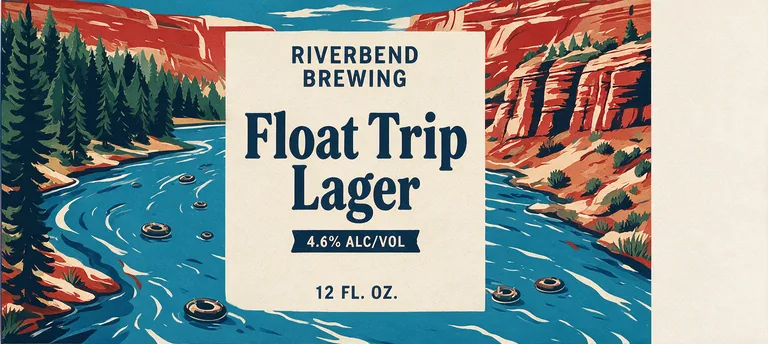
  • Summer river can for RIVERBEND BREWING Float Trip Lager, an AI-generated example made with Seedream 5.0 Pro
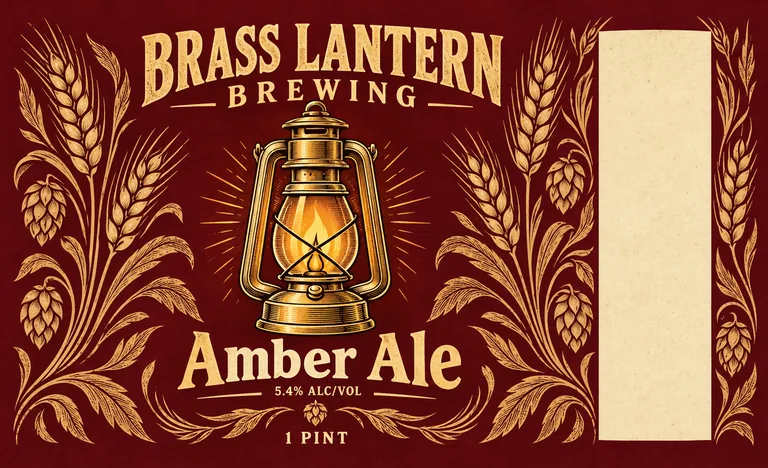
  • Beer label redesign for BRASS LANTERN BREWING Amber Ale, an AI-generated example made with GPT Image 2.5 Sunburst
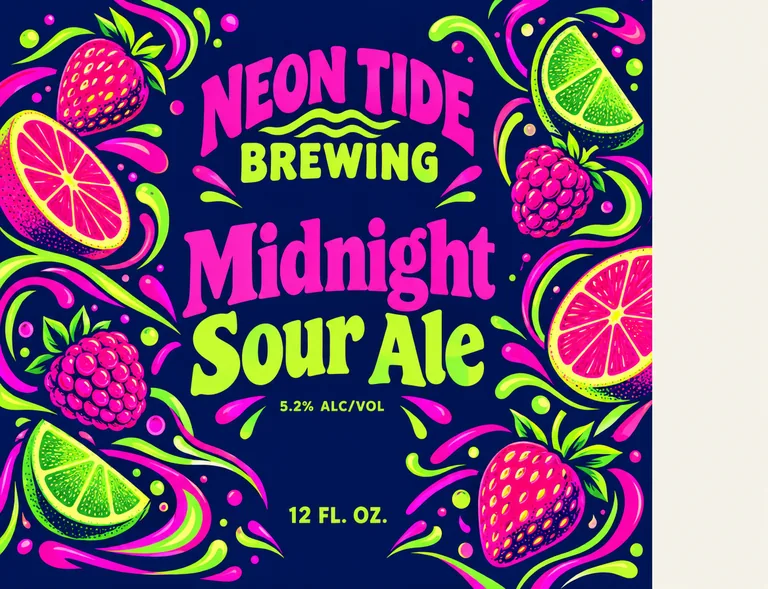
  • Glow sour ale can for NEON TIDE BREWING Midnight Sour Ale, an AI-generated example made with GPT Image 2.5 Flare

AI beer can design is part of the paid plans; the free tools stay free. Credits for a run that fails are returned automatically. Image models can still misspell, so check every word and number before you print.

image models, drafts from 2 credits
5
can wraps at real sizes
3
alcohol content cap, asked for
3 mm
bleed in the print PDF
1/8 in

How AI beer can design works

Three steps take you from a recipe to a print-ready beer can design, and the Generate button shows what a run costs before you press it.

What this beer can design generator does for you

Made for brewers who want to see the can before they order labels.

Hazy IPA can for GRIMWOOD ALEWORKS Hazy India Pale Ale, an AI-generated example made with GPT Image 2.5 Sunburst
AI-generated example · GPT Image 2.5 Sunburst

Three can wraps, at print size

An 8.125 × 5 in wrap for a 16 oz tallboy, 8.125 × 3.625 in for a 12 oz can and 7 × 5.31 in for a 12 oz sleek can, each a size you can change. Open a beer can design to see the outline over it, then download a print PDF with 1/8 in bleed and a CutContour line, or a 300 dpi PNG.

Beer label redesign for BRASS LANTERN BREWING Amber Ale, an AI-generated example made with GPT Image 2.5 Sunburst
AI-generated example · GPT Image 2.5 Sunburst

Room for the government warning

The front sits in the middle third of the wrap, and the outer third at the right end stays a plain, light panel for the government warning and your name and city. No words land within a quarter inch of the ends, where they meet at the back.

Oktoberfest can for IRON BELL BREWING Harvest Märzen Lager, an AI-generated example made with GPT Image 2.5 Flare
AI-generated example · GPT Image 2.5 Flare

The alcohol content kept small

On a can of 40 fl oz or less, TTB caps the alcohol content at 3 mm tall, and image models like to make it a headline. Every can label design here asks for it small, under the cap, with the beer name and the net contents at least 2 mm.

Game day can for GRIDLINE BREWING CO. Tailgate Light Lager, an AI-generated example made with GPT Image 2.5 Sunburst
AI-generated example · GPT Image 2.5 Sunburst

Your words, printed as typed

Long brewery names, beer names with umlauts and net contents are where general image tools slip. Here each field goes to the model in quotes, and AI enhance keeps it word for word.

  • GPT Image 2.5 FlarePrecise text, fasterfrom 10 credits
  • GPT Image 2.5 SunburstPrecise text, finer detailfrom 10 credits
  • Nano Banana 2.1Many references, extra widefrom 8 credits
  • Seedream 5.0 ProPhoto real, high resolutionfrom 11 credits
  • Muse ImageLow cost draftsfrom 2 credits

Five models in one menu

GPT Image 2.5 Sunburst (the default here) and Flare for precise text, Nano Banana 2.1 for many references, Seedream 5.0 Pro for textures and illustration and Muse Image for 2 credit drafts. The button shows the total for 1 to 4 designs.

Choose the can before the beer can design

Most US craft beer goes into 211 cans, 2 11/16 inches across, in two heights: the 12 oz standard and the 16 oz tallboy. Label printers cut most full wraps at 8.125 by 3.625 inches for a 12 oz can and 8.125 by 5 inches for a 16 oz can, a little short of the 8.44 inch circumference so the ends meet neatly (Craft Brew Labels). A 12 oz sleek can is slimmer and taller, and takes a 7 by 5.31 inch wrap with a small gap (KegCollar).

Pick that can here and the beer can design is drawn at its wrap size, so it fits the printer’s template without rework. Can sizes vary between makers, so measure yours and type the exact size if it differs.

The format sets how far the art can reach. A pressure sensitive label prints only on the straight wall, not above the shoulders, and that is what this page makes. A shrink sleeve covers the whole can, and a printed can carries the art on the metal itself, but offset printing comes in very large minimum runs (one co-packer lists 204,225 cans for 12 oz), so many small breweries start with labels on blank cans (The Nations Brewing Co).
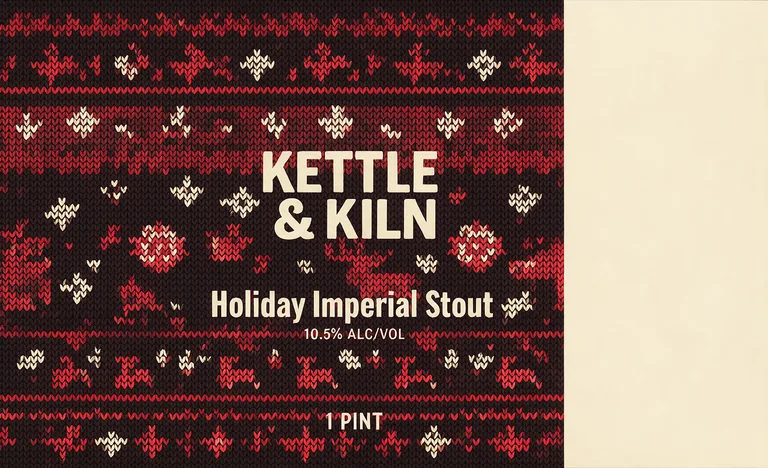
Holiday stout can for KETTLE & KILN Holiday Imperial Stout, an AI-generated example made with Seedream 5.0 Pro
AI-generated example · Seedream 5.0 Pro

Laying out a can label design that reads on the shelf

On a shelf a shopper sees one side of the can, and the curve bends the rest away. So the generator puts the brand, the beer name and the style in the middle third of the wrap, about 2.7 inches of an 8.125 inch label, and lets the illustration carry on round the back.

The two ends of a label meet at a gap, so faces, words and logos stay a quarter inch off that line. The plain panel at one end is the home for the required statements, a barcode from our free UPC barcode generator and the story of the beer.

Then look at the beer can design from a few steps away, or shrink it on screen to the size of a can across the aisle. The brand and the style should still read, which usually takes two or three strong colors, big simple type and high contrast. Keep fine linework in the art, not in the beer name.

Non-alcoholic can for CLEARLINE Non-Alcoholic Malt Beverage, an AI-generated example made with Nano Banana 2.1
AI-generated example · Nano Banana 2.1

Label rules your beer can design must leave room for

Beer brewed with malted barley and hops falls under the Alcohol and Tobacco Tax and Trade Bureau (TTB) rules in 27 CFR part 7. As of October 2026 a can must show the brand name, the class (such as ale, lager, stout or beer), written as the trade knows it (7.141), the name and address of the bottler (city and state are enough, and “canned by” is allowed) and the net contents (27 CFR 7.63, 7.66). On cans over half a pint, mandatory text is at least 2 mm tall (7.53).

Net contents use US measures: a 12 oz can says 12 FL. OZ., but a 16 oz can must say 1 PINT, and metric such as 473 mL may be added but never used alone (7.70; TTB). Federal rules make the alcohol statement optional unless flavors containing alcohol were added, though some states ask for it. When you print it, write 6.8% ALC/VOL or 6.8% alcohol by volume: TTB does not accept ABV, and on cans of 40 fl oz or less the statement may be no taller than 3 mm (7.65).

Every beer of 0.5% alcohol or more carries the health warning: GOVERNMENT WARNING in bold capitals, then the two numbered sentences, at least 2 mm tall on a 12 or 16 oz can and no more than 25 characters per inch (27 CFR 16.21 and 16.22). That is roughly 10 to 11 inches of line, about five or six lines in a 2 inch wide block: the plain panel the generator leaves is that block. Set the warning there as vector type in our free label maker, not in the image.

Beer sent across state lines needs a certificate of label approval (COLA) from TTB before it is canned, when the receiving state applies the federal rules; applying is free, and TTB says approval often takes less than a week (27 CFR 7.21, TTB). Beer sold only in your own state needs no COLA, and states set their own rules, so check yours. Below 0.5%, “non-alcoholic” needs “contains less than 0.5% alcohol by volume” right next to it, and the class must be malt beverage, cereal beverage or near beer, not beer or lager (7.65(e), 7.145). This is a summary, not legal advice.

How to brief AI for beer can design

Start with the beer and the drinker: “a hazy IPA with Citra and Mosaic for the taproom crowd” gives the model far more than “cool beer can”. Then add the look: two or three colors, an illustration style such as comic ink, woodcut or flat vector, and the type you want for the beer name. The can you pick sets the proportions, so the description can stay on the beer.

Keep the words to print out of the description and type them in the fields: brewery name, beer name and style, net contents and alcohol content. A fanciful name such as “HOP KRAKEN” can go in the description in double quotes. Add your logo, a sketch or last season’s can as reference images; GPT Image 2.5 takes up to 3 next to the wrap’s guide, and the other models more.

For a series, keep a system and change one thing per beer: the same logo spot, type and layout, with a new color and illustration for each style or season. Nano Banana 2.1 (from 8 credits) can follow a lineup you already sell. GPT Image 2.5 Sunburst (10 credits at 1K) is the default, with exact text and fine detail, Flare is a little faster at the same price, Seedream 5.0 Pro (11 credits) is good at textures and illustration, and Muse Image makes 2 credit drafts; keep its text to three short lines. This page makes the flat wrap; a photo of the can in ice is a mockup, which it leaves out.

Summer river can for RIVERBEND BREWING Float Trip Lager, an AI-generated example made with Seedream 5.0 Pro
AI-generated example · Seedream 5.0 Pro

From AI beer can design to printed cans

Each beer can design is made at its wrap size. Open it to download a print PDF at the trim size plus 1/8 in bleed, with a TrimBox and a CutContour line on its own layer, or a 300 dpi PNG, for your label printer. The art is an image, so check every word and number at full size, and set the government warning and your address as vector type before you print.

Already laid out a can wrap in our free label maker? Its Design with AI button sends a beer wrap of can size here at its own size: keep your layout and restyle it, or ask for background art only and keep your text, warning and barcode as exact vectors on top.

Each design costs credits by model and resolution, from 2 credits for a Muse Image draft to 22 for Seedream 5.0 Pro at 2K; plans start at 800 credits a month (pricing), and a failed run returns its credits. Making wine too? Try AI wine label design. Need a gift box for a four pack? Use AI packaging design on a box dieline.

Who uses AI beer can design

Anyone who wants to see a beer can design before labels are ordered.

Craft breweries

Try a new IPA in five directions in an afternoon, then send the favorite to your label printer.

Seasonal and limited releases

Turn out Oktoberfest, game day and holiday cans fast, in the look of your core lineup.

Non-alcoholic brands

Test clean, bright looks for a non-alcoholic malt beverage, with its less than 0.5% line kept right under the name.

Designers pitching concepts

Show a client several can label design routes on the real wrap shape before you draw the final art.

Beer can design questions

What brewers ask before their first beer can design.

Design a beer can with AI

How do I design my own beer can?

Pick the can (16 oz, 12 oz or sleek) here, describe the beer, type the brewery name, beer name, net contents and alcohol content in their own fields, and compare a few AI beer can design options. Download the print PDF and add the government warning and your address in the plain panel.

What size is a beer can label?

For a standard 211 can, label printers commonly cut 8.125 by 3.625 inches for 12 oz and 8.125 by 5 inches for 16 oz; a 12 oz sleek can takes about 7 by 5.31 inches. Measure your own cans, since sizes vary by can maker.

What has to be on a beer can label in the US?

The brand name, the class (such as ale or lager), the name and address of the bottler, the net contents and, at 0.5% alcohol or more, the government health warning. The alcohol content is optional federally unless flavors containing alcohol were added, but some states require it.

Can I write ABV on a beer can?

Not in the alcohol statement: TTB accepts forms like 6.8% ALC/VOL or 6.8% alcohol by volume, not ABV. On cans of 40 fl oz or less, that statement may be at most 3 mm tall.

Do I need TTB approval for my can label design?

You need a COLA before canning beer that is sold across state lines into a state that applies the federal label rules. Applying through TTB’s COLAs Online is free, and beer sold only in your own state needs none.

Will the text on my beer can be spelled right?

Text typed in the print fields is sent in quotes and the model is asked to print it exactly, and GPT Image 2.5 gets it right most often. Models can still misspell, so check every word and number before printing.

Is AI beer can design free?

No. It is part of the paid plans because every design calls a paid image model, from 2 credits a draft. Our label, barcode and dieline tools stay free.

Can I sell beer in cans designed here?

Yes. Paid plans include a commercial license for what you make, and the Business plan covers a company.

Start your beer can design

Pick the can, describe the beer, type the words to print and pick a model. The AI beer can design generator shows the credits before it starts.