
AI Coffee Bag Design Generator

Pick the bag, describe your roast, type the words to print, and compare print-ready coffee bag design options from five AI models in about a minute.

  • Five image models
  • Pouch, flat-bottom, side gusset, drip bag, sticker
  • Valve and zipper kept clear
  • Credits shown before you start

AI Coffee Bag Design

Coffee bag designAI enhance
0 / 4000

Coffee bag design ideas made with AI

Real AI-generated examples, each made with this generator. Click one to fill in its prompt, text, bag type and settings, then make it yours.

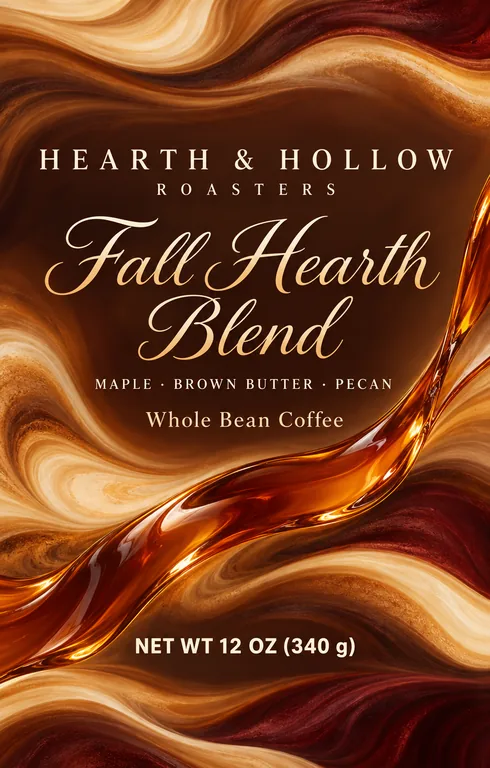
  • Fall roast pouch for HEARTH & HOLLOW ROASTERS Fall Hearth Blend, an AI-generated example made with GPT Image 2.5 Sunburst
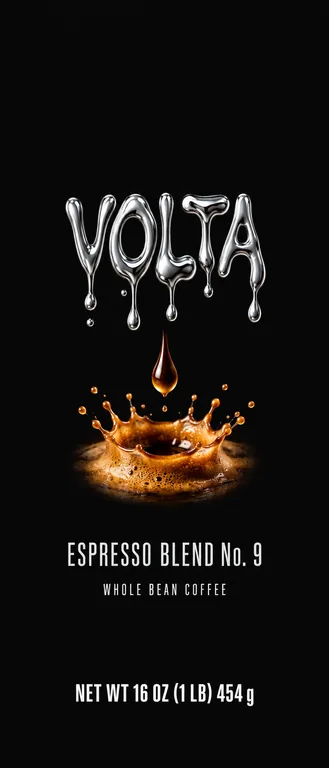
  • Espresso side gusset bag for VOLTA Espresso Blend No. 9, an AI-generated example made with GPT Image 2.5 Sunburst
  • Mascot coffee bag for GRUMPY BEAN CO. Breakfast Blend, an AI-generated example made with Seedream 5.0 Pro
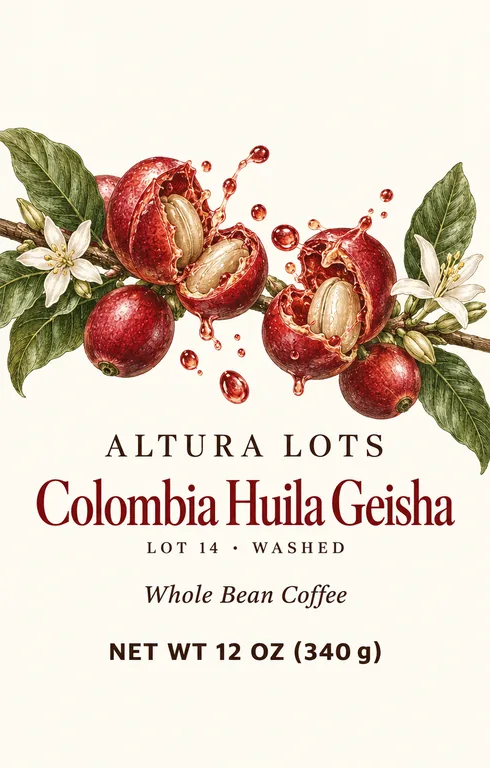
  • Single origin pouch for ALTURA LOTS Colombia Huila Geisha, an AI-generated example made with GPT Image 2.5 Sunburst
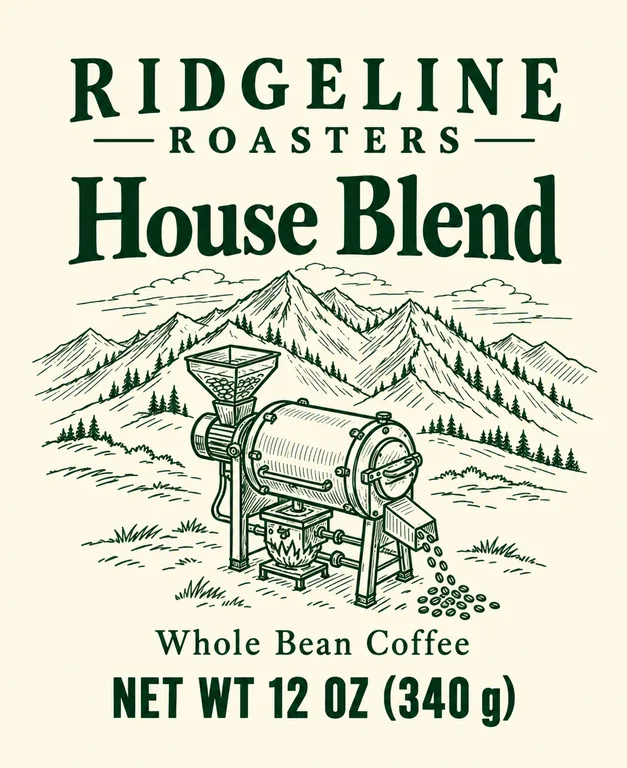
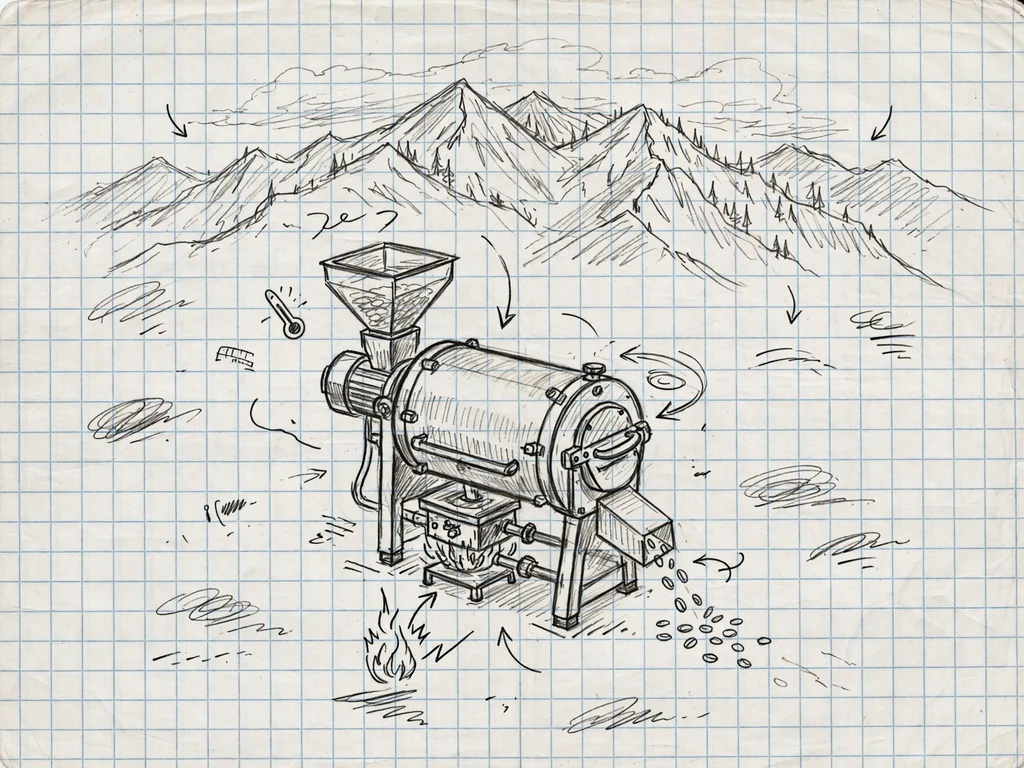
  • Bag sticker from a sketch for RIDGELINE ROASTERS House Blend, an AI-generated example made with GPT Image 2.5 Sunburst
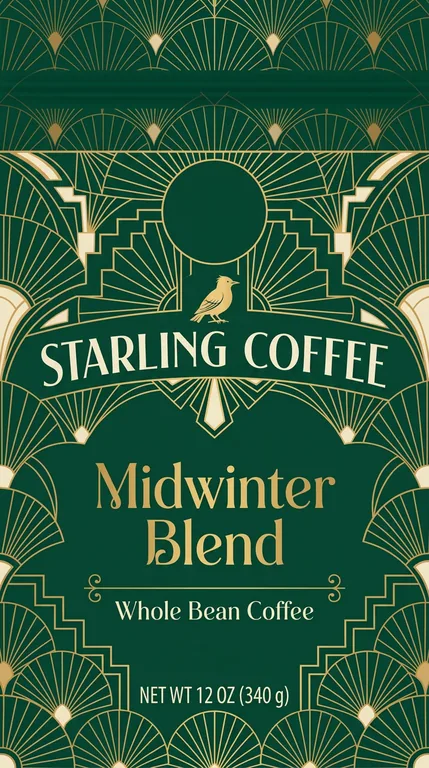
  • Holiday flat-bottom bag for STARLING COFFEE Midwinter Blend, an AI-generated example made with Nano Banana 2.1
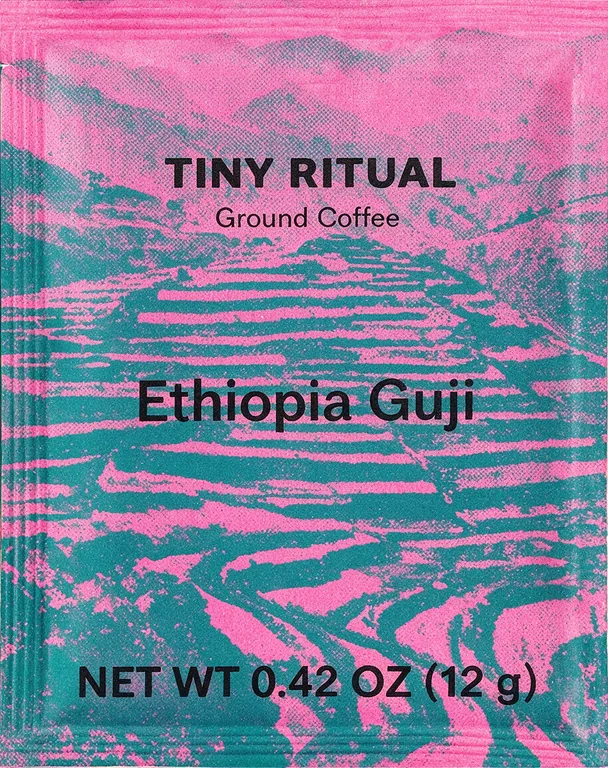
  • Drip bag sachet for TINY RITUAL Ethiopia Guji, an AI-generated example made with Seedream 5.0 Pro
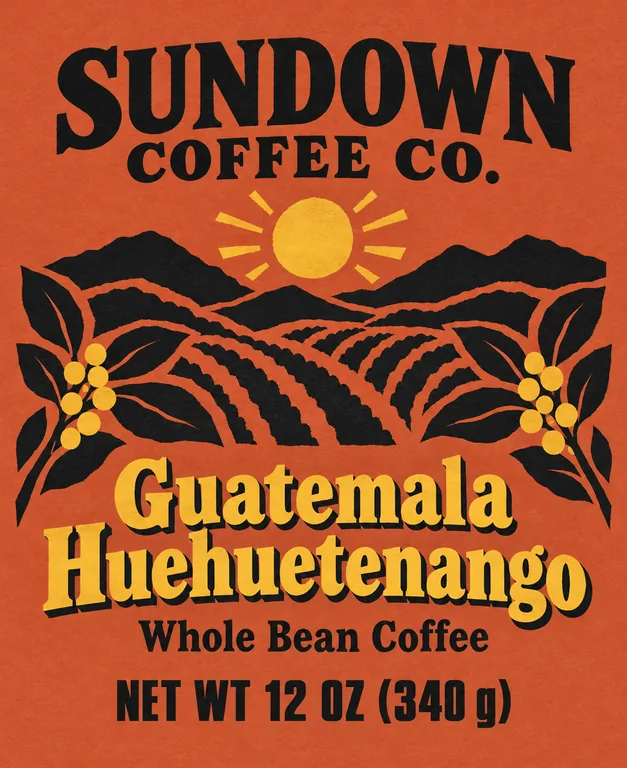
  • Coffee sticker redesign for SUNDOWN COFFEE CO. Guatemala Huehuetenango, an AI-generated example made with GPT Image 2.5 Sunburst

AI coffee bag design is part of the paid plans; the free tools stay free. Credits for a run that fails are returned automatically. Image models can still misspell, so check every word and number before you print.

image models, drafts from 2 credits
5
bag types at real sizes
5
designs in one run
1 to 4
bleed in the print PDF
1/8 in

How AI coffee bag design works

Three steps take you from a roast to a finished coffee bag design, and the Generate button shows what a run costs before you press it.

What this coffee bag design generator does for you

Made for roasters who want to see their coffee bag design before they book a print run.

Fall roast pouch for HEARTH & HOLLOW ROASTERS Fall Hearth Blend, an AI-generated example made with GPT Image 2.5 Sunburst
AI-generated example · GPT Image 2.5 Sunburst

Five bag types, at print size

A 6.125 × 9.5 in stand-up pouch, a 5 × 9.25 in flat-bottom bag, a 3.625 × 12.85 in side gusset bag, a 100 × 125 mm drip bag sachet and a 3.25 × 4 in sticker for a plain bag, each a size you can change. Open a coffee bag design to see its outline and safe area over it, then download the front as a print PDF with 1/8 in bleed, or a 300 dpi PNG.

Single origin pouch for ALTURA LOTS Colombia Huila Geisha, an AI-generated example made with GPT Image 2.5 Sunburst
AI-generated example · GPT Image 2.5 Sunburst

The valve and zipper kept clear

The guide the model works from keeps words out of the top band, where the seal, tear notch and zipper go, and out of the bottom band that curves under a pouch’s gusset; the art runs through them. When you open a design, a dashed circle shows where a front valve usually sits, so you can see whether a word lands on it.

Espresso side gusset bag for VOLTA Espresso Blend No. 9, an AI-generated example made with GPT Image 2.5 Sunburst
AI-generated example · GPT Image 2.5 Sunburst

Your words, printed as typed

Long roaster names, origins with accents and net weights in two units are where general image tools slip. Here each field goes to the model in quotes, and AI enhance keeps it word for word.

  • GPT Image 2.5 FlarePrecise text, fasterfrom 10 credits
  • GPT Image 2.5 SunburstPrecise text, finer detailfrom 10 credits
  • Nano Banana 2.1Many references, extra widefrom 8 credits
  • Seedream 5.0 ProPhoto real, high resolutionfrom 11 credits
  • Muse ImageLow cost draftsfrom 2 credits

Five models in one menu

GPT Image 2.5 Sunburst (the default here) and Flare for precise text, Nano Banana 2.1 for many references, Seedream 5.0 Pro for textures and illustration, and Muse Image for 2 credit drafts. The menu shows each model’s credits, and the button shows the total for 1 to 4 designs.

You type

A fall seasonal blend: a glossy ribbon of maple syrup color pouring diagonally across swirls of brown butter, amber, cream and oxblood, with a calm band of swirls across the top and the bottom, an elegant script for the coffee name, and the tasting notes "MAPLE · BROWN BUTTER · PECAN" in small caps under it.

AI enhance writes

Flat print artwork for the front of a tall stand-up coffee pouch label, 6.125 x 9.5 in, edge to edge, no bag, no zipper, no seals, no mockup, no photo, no lines or borders. Fall seasonal blend mood: a glossy ribbon the color of maple syrup pours diagonally across swirling bands of brown butter, amber, cream and oxblood. Calm swirl bands run across the top and bottom of the design as background only. Keep all text inside the safe area, below the top band. Brand at top area: "HEARTH & HOLLOW ROASTERS" in clean spaced capitals. Coffee name in an elegant script: "Fall Hearth Blend", with the tasting notes "MAPLE · BROWN BUTTER · PECAN" in small caps beneath it. Tagline "Whole Bean Coffee" set in a modest serif. Net quantity "NET WT 12 OZ (340 g)" in bold capitals on its own line low on the front, spanning about half the label width, above the bottom eighth. No other words, badges, logos or symbols. The image is the label itself: its four edges are the cut lines. Fill it edge to edge with the label's background and artwork. The first reference image shows the label's safe area as a dashed line: put every word, number and logo inside it, at least 5% of the width in from the left and right edges, 22% of the height in from the top edge and 11% in from the bottom edge (2 in inside the cut at the top, 1 in at the bottom and 0.25 in at the sides); the last line of text, such as the volume, sits above the dashed line. The band between the dashed line and the edges holds background only, no words. Leave the top quarter and the bottom eighth of the image for background only, with no words there. Do not draw the lines, a border hugging the edges, or a card edge or shadow. Put the net quantity on its own line just above the bottom eighth of the image, never lower. Set it in bold capitals at least 3/16 in tall when printed, so the line spans about half of the label's width: a bold line, not fine print.

AI enhance that knows coffee bags

A short line like “fall roast, maple, cozy” becomes a full brief for the coffee bag design: the mood of the roast in color and illustration, the type, and where the roaster name, coffee name and net weight sit on the bag you picked. Turn it off to send your own prompt as written.

Pick the bag before you start the coffee bag design

The bag decides the canvas. A stand-up pouch has a folded bottom gusset, a wide front and usually a zipper, so it stands on a shelf and reseals at home. A flat-bottom bag, also sold as a box pouch, stands square like a carton. A side gusset bag is the classic café bag: tall and narrow, its top rolled down and closed with a tin tie. A drip bag is a single serve filter packed in a small sealed sachet, and many new roasters start with a stock kraft bag and a printed sticker.

Pick the type here and the canvas follows. The stand-up pouch starts at 6.125 × 9.5 in, the Roastar size for 10 to 12 oz of coffee; the flat-bottom bag at 5 × 9.25 in, with its zipper 1.5 in and its valve 2.5 in below the top (Roastar); the side gusset bag at 3.625 × 12.85 in for 12 to 16 oz (Roastar); the drip bag sachet at 100 × 125 mm (ECRE); and the sticker at 3.25 × 4 in, which fits 6 to 16 oz bags (Roastar). Your bag maker’s template has the exact size: type it in, and the coffee bag design is drawn at that shape.

The side gusset bag is more than three and a half times as tall as it is wide. GPT Image 2.5 and Seedream 5.0 Pro draw it; Nano Banana 2.1 makes 9:16 at its tallest, so the generator asks you to pick another model for it.
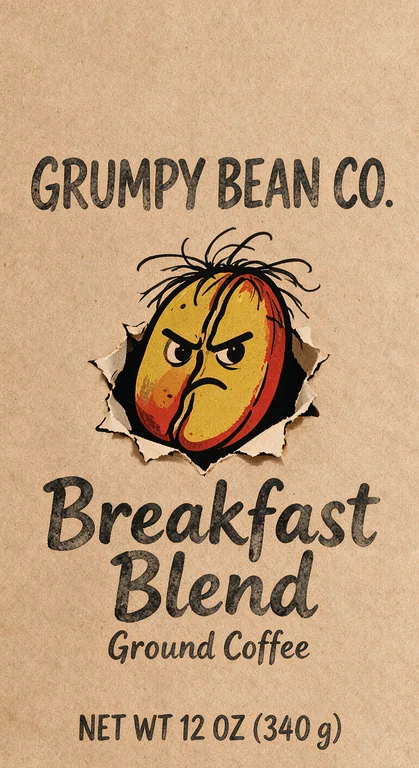
Mascot coffee bag for GRUMPY BEAN CO. Breakfast Blend, an AI-generated example made with Seedream 5.0 Pro
AI-generated example · Seedream 5.0 Pro

Valves, zippers and finishes in coffee packaging design

Freshly roasted coffee keeps giving off carbon dioxide, which is why most bags carry a one-way degassing valve: it lets gas out without letting air in. On a flat-bottom bag it sits 2.5 in below the top, a little under the zipper, and some roasters put it on the back. The size preview and every finished coffee bag design show that front spot as a dashed circle: if a word or a face lands on it, try again, or ask your bag maker to fit the valve on the back.

The top of a coffee packaging design carries the heat seal, the tear notch and the zipper, or the roll of a tin tie bag; the bottom of a stand-up pouch curves under onto the gusset. The guide keeps words out of those bands (the top 1.75 in and bottom 1 in of a pouch) while the color and pattern run through them, and the net weight sits just above the bottom band, still in the bottom 30 percent of the front a shopper sees. Finish matters as much as color: matte and soft touch films look calm and cut glare under shop lights, gloss makes saturated colors pop, and kraft paper with one dark ink looks handmade.

Holiday flat-bottom bag for STARLING COFFEE Midwinter Blend, an AI-generated example made with Nano Banana 2.1
AI-generated example · Nano Banana 2.1

What a US coffee bag label needs

Federal rules for a bag of roasted coffee are short, and the front panel carries two of them. The name of the food, such as Whole Bean Coffee or Ground Coffee, goes on the principal display panel in bold type, sized in relation to the biggest text there and parallel to the base (21 CFR 101.3); paragraph (c) of that rule treats the form of a food (whole, sliced and so on) as part of its name. The net weight goes in the bottom 30 percent of the same panel, in bold, with the words Net Wt (21 CFR 101.7), and the federal packaging law asks for metric units as well (15 U.S.C. 1453), so NET WT 12 OZ (340 g) covers both, and a pound reads NET WT 16 OZ (1 LB) 454 g.

The net weight’s minimum letter height grows with the panel: 1/8 inch on a front of 5 to 25 square inches, 3/16 inch up to 100, and 1/4 inch above that (101.7(i)). A 6.125 × 9.5 in pouch front is 58 square inches, so its net weight needs letters at least 3/16 inch tall; a drip bag sachet of about 19 square inches needs 1/8 inch. On a sticker the panel that counts is the side of the bag it sits on (21 CFR 101.1), so a sticker on a 12 oz bag still needs 3/16 inch letters. The name and address of the roaster, packer or distributor goes on the front or on the information panel next to it (21 CFR 101.5 and 101.2).

Plain whole bean or ground coffee needs no Nutrition Facts panel as long as the bag makes no nutrition claims (21 CFR 101.9(j)(4) names coffee beans as an example). A flavored coffee is different: a roast sold as maple or vanilla flavored names that flavor the way 21 CFR 101.22(i) sets out, such as naturally flavored. As of October 2026 no federal rule asks for a roast date or best by date (FDA: only infant formula must carry one), yet many specialty roasters stamp a roast date anyway, so leave room for it on the back. This is a summary, not legal advice; check the current rules before a large run.

Coffee sticker redesign for SUNDOWN COFFEE CO. Guatemala Huehuetenango, an AI-generated example made with GPT Image 2.5 Sunburst
AI-generated example · GPT Image 2.5 Sunburst

How to brief AI for coffee bag design

Start with the coffee and the drinker: “a washed Ethiopia light roast for pour-over fans” gives the model far more than “nice coffee bag”. Then add the look: two or three colors, an illustration style such as line art, risograph or engraving, and the type you want for the roaster name. The bag type you pick sets the proportions, so the description can stay on the coffee.

Keep the words to print out of the description and type them in the fields: roaster name, coffee name, net weight and Whole Bean Coffee or Ground Coffee. Origin or tasting notes can go in the description in double quotes, and they are printed as typed too. Add your logo, a sketch or your current bag as reference images; GPT Image 2.5 takes up to 3 next to the bag’s guide, and the other models more.

GPT Image 2.5 Sunburst (10 credits at 1K) is the default, with exact text and fine detail, and Flare is a little faster at the same price. Seedream 5.0 Pro (11 credits) is good at textures, engraving and print styles, and Nano Banana 2.1 (from 8 credits) takes many references, handy when a new roast must match a bag line you already sell. Muse Image makes 2 credit drafts for trying directions; keep its text to three short lines. This page makes the flat artwork; a photo of the bag on a counter is a mockup, which it leaves out.

Bag sticker from a sketch for RIDGELINE ROASTERS House Blend, an AI-generated example made with GPT Image 2.5 Sunburst
AI-generated example · GPT Image 2.5 Sunburst

From coffee bag design to a printed bag

Each design is made at its bag type and size. Open it to download a print PDF of the front at the trim size plus 1/8 in bleed, with a TrimBox and its outline on a layer of its own, or a 300 dpi PNG, and place it on your bag maker’s template, which has the back, the gussets and the seals. The art is an image, so check every word and number at full size before you print, and for a long run have the net weight set as vector type.

For small runs, ask about digital printing: it needs no printing plates, so short runs and several roasts at once cost less to start. Plate printing (flexo or rotogravure) needs a plate or cylinder for each color and pays off on long runs. Starting with stock bags? Pick the sticker type here, or lay the sticker out in our free label maker and press its Design with AI button: the design comes here at its own size, and you can keep your layout in a new style or ask for background art only, with your text and barcode kept as exact vectors on top. Selling in stores? Add a barcode from the UPC barcode generator.

Each design costs credits by model and resolution, from 2 credits for a Muse Image draft to 22 for Seedream 5.0 Pro at 2K; plans start at 800 credits a month (pricing), and a failed run returns its credits. Selling gift boxes or snacks next to your coffee? Try AI packaging design on a box dieline or AI food packaging design. A coffee blend sold as a dietary supplement follows different label rules; see AI supplement label design.

Who uses AI coffee bag design

Anyone who wants to see a coffee bag design before the print run is booked.

Small batch roasters

Turn a sketch into a sticker for stock kraft bags, or try a seasonal roast in five directions in an afternoon, then send the favorite to your bag printer.

Cafés starting retail coffee

Carry the café’s look onto retail bags at their real size, with the café name spelled the way you type it.

Subscriptions and sampler packs

Design drip bags and small bags in one style, with a different color for each origin.

Designers pitching concepts

Show a client several coffee packaging design routes on the real bag shape before you draw the final art.

Coffee bag design questions

What roasters ask before their first coffee bag design.

Design a coffee bag with AI

How do I design my own coffee bag?

Pick the bag type and size first, then describe the coffee and the look here and type the roaster name, coffee name and net weight in their own fields. Compare a few AI coffee bag design options, choose one and download its print PDF for your bag maker’s template.

What has to be on a coffee bag label in the US?

The name of the coffee (for example Whole Bean Coffee) and the net weight in ounces and grams on the front, plus the name and address of the roaster, packer or distributor. Origin, roast level, tasting notes and a roast date are optional.

Where does the valve go on a coffee bag?

Usually on the front, a little under the zipper: Roastar puts it 2.5 in below the top of its flat-bottom bags. Your bag maker sets the exact spot, and some put it on the back. The generator shows that front spot as a dashed circle over your design, so you can check that no word lands on it.

What size is a 12 oz coffee bag?

A 12 oz stand-up pouch is about 6.125 × 9.5 in, a flat-bottom bag about 5 × 9.25 in, and a 12 to 16 oz side gusset bag about 3.625 × 12.85 in. Those are this page’s starting sizes for a coffee bag design; type your bag maker’s exact size to match.

Do coffee bags need a Nutrition Facts label?

Plain whole bean or ground coffee is exempt under 21 CFR 101.9(j)(4) if the label makes no nutrition claims. Drinks with milk or sugar, such as a sweetened cold brew, need one: build it with our free nutrition label generator.

Will the text on my coffee bag be spelled right?

Text typed in the print fields is sent in quotes and the model is asked to print it exactly, and GPT Image 2.5 gets it right most often. Models can still misspell, so check every word and number before printing.

Is AI coffee bag design free?

No. It is part of the paid plans because every design calls a paid image model, from 2 credits a draft. Our label, barcode and dieline tools stay free.

Can I sell coffee in bags designed here?

Yes. Paid plans include a commercial license for what you make, and the Business plan covers a company.

Start your coffee bag design

Pick the bag, describe the roast, type the words to print and pick a model. The AI coffee bag design generator shows the credits before it starts.