

Supplement Facts Label Template

This supplement facts label template gives you FDA’s nine panel formats and the linear display, each as a blank to print or as an example with FDA’s own sample amounts. Every panel is drawn from 21 CFR 101.36, line by line, with the title, the box, the bars, the type sizes and the order of the dietary ingredients in place, and the editor below fills one in and works out every % Daily Value.

  • 10 FDA panel formats
  • Blank or example
  • PDF, SVG, EPS and PNG
  • Free, no signup

Supplement Facts Label Template

Pick a format

FDA’s nine Supplement Facts formats and the linear display, each as a blank template or filled with FDA’s own sample panel. Download one as it is, or fill it in below.

  • Blank Supplement Facts label template, Multiple vitamins format

    Multiple vitamins

    The standard vertical panel: the (b)(2) ingredients in FDA order, then the other dietary ingredients (101.36(b)(2), (b)(3)).

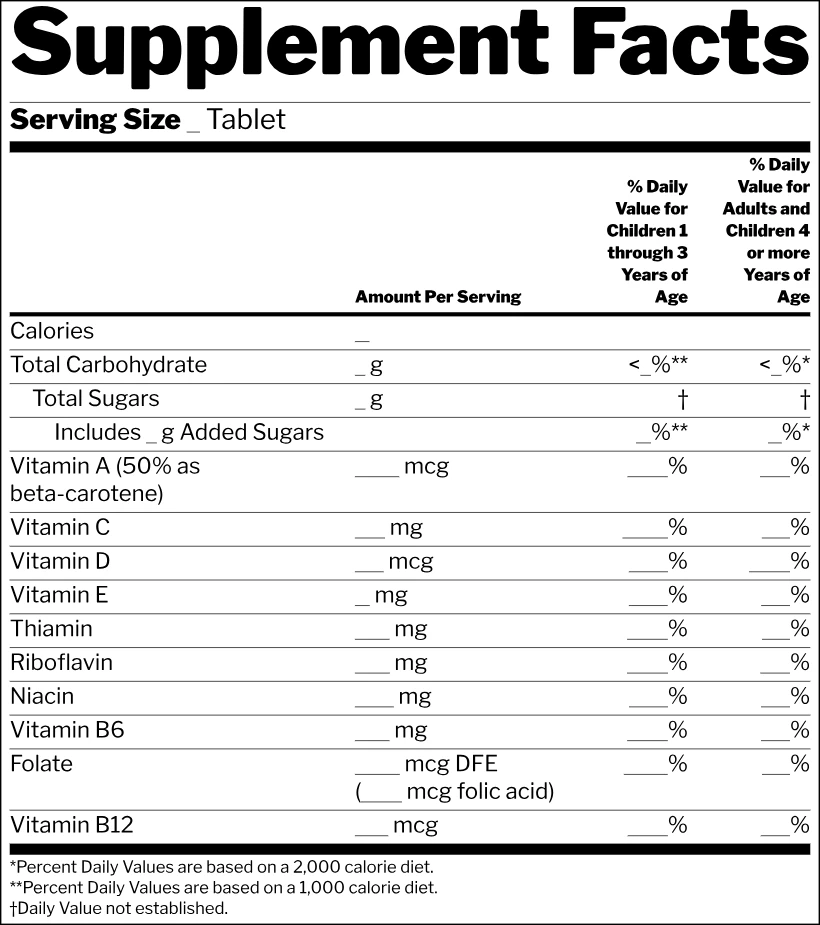
  • Blank Supplement Facts label template, Children and adults format

    Children and adults

    Two % Daily Value columns, one for children 1 through 3 and one for adults and children 4 or more (101.36(b)(2)(iii)(E)).

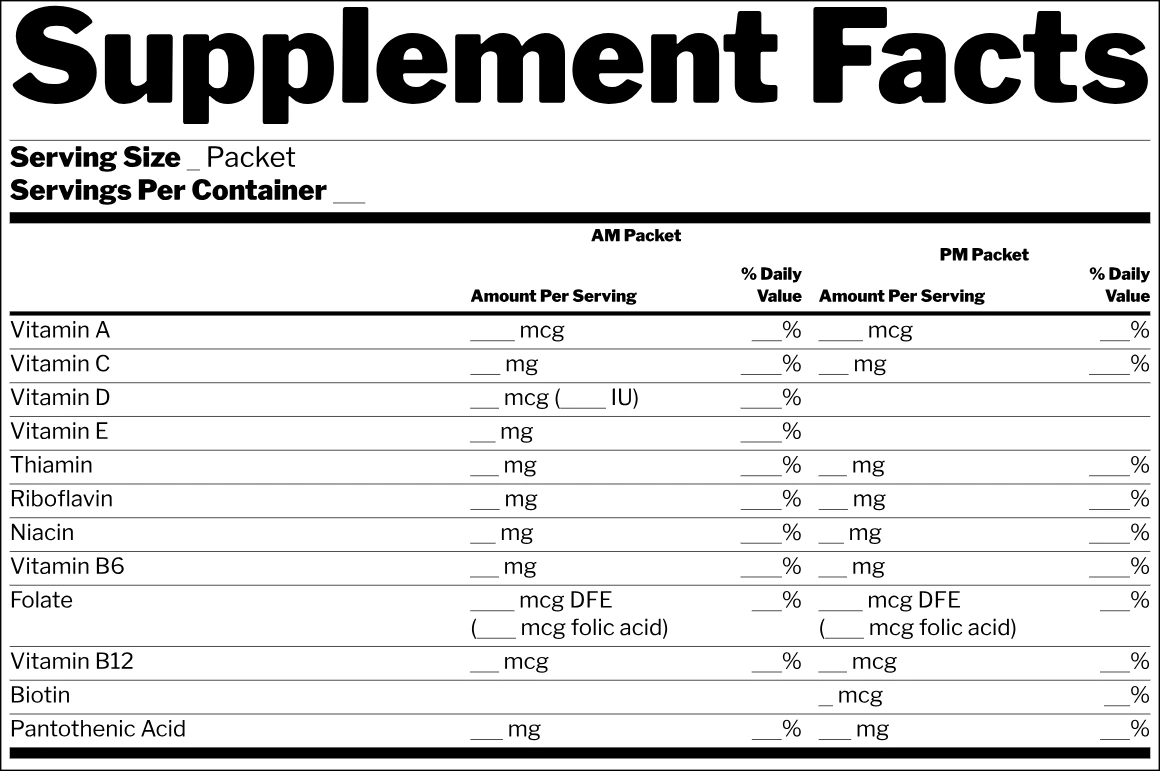
  • Blank Supplement Facts label template, AM and PM packets format

    AM and PM packets

    Two products in one panel, an AM packet and a PM packet, each with its own amounts and % Daily Values (101.36(e)(8)).

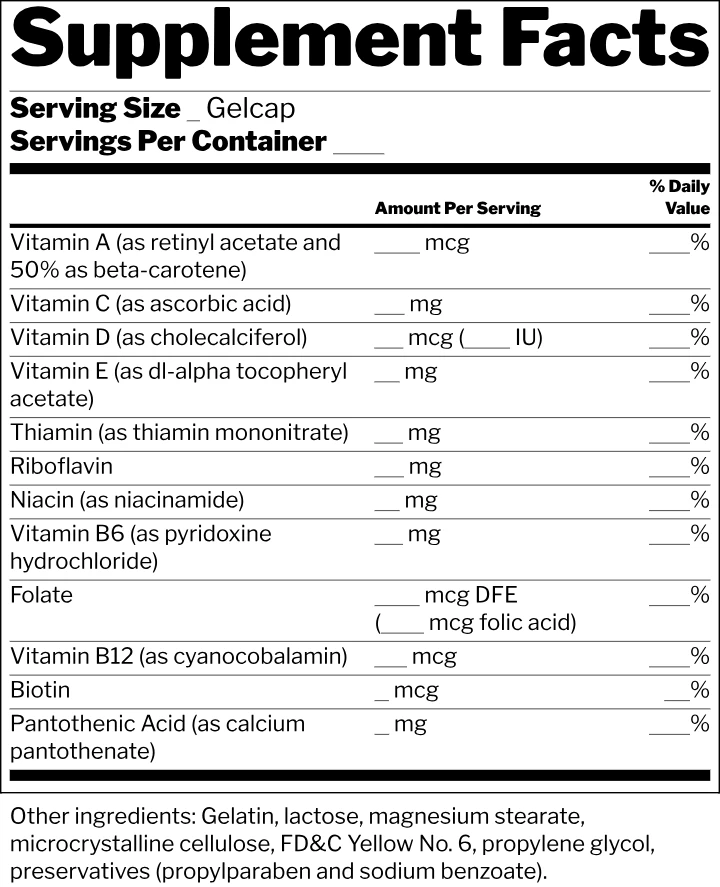
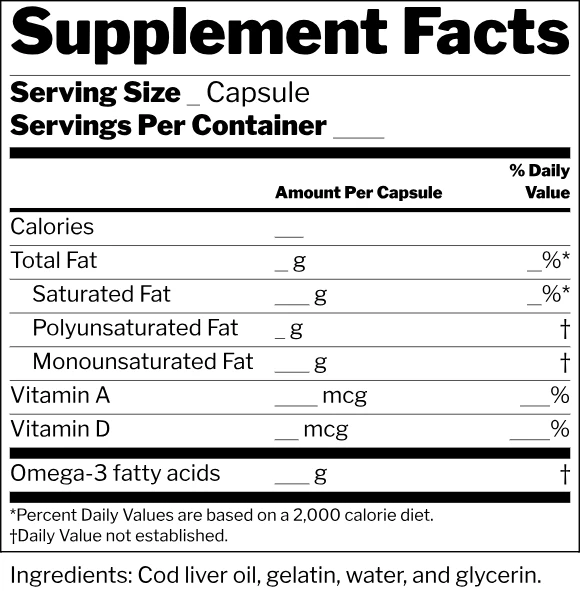
  • Blank Supplement Facts label template, Ingredients with and without Daily Values format

    Ingredients with and without Daily Values

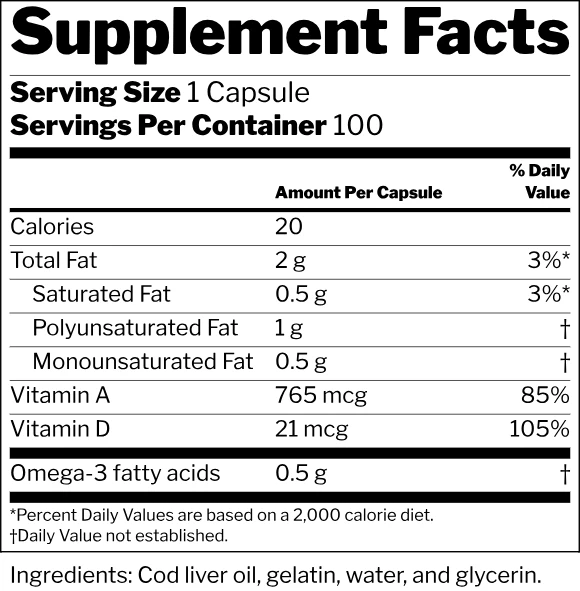
    A panel with both kinds of entry: (b)(2) ingredients with a Daily Value and other ingredients marked with a symbol (101.36(b)(3)(iv)).

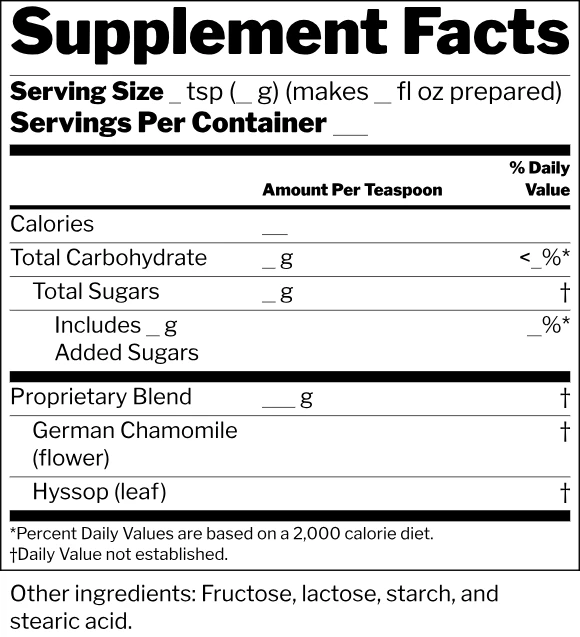
  • Blank Supplement Facts label template, Proprietary blend format

    Proprietary blend

    A proprietary blend with its total weight and its ingredients indented below it, in descending order by weight (101.36(c)).

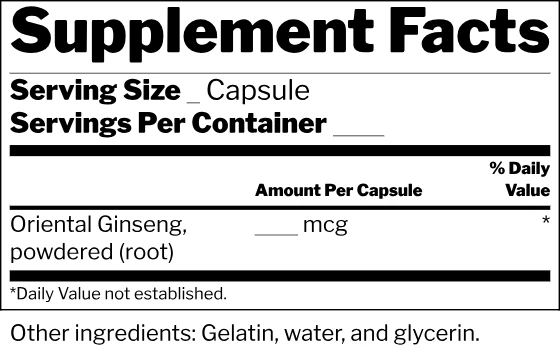
  • Blank Supplement Facts label template, Herb format

    Herb

    A single other dietary ingredient, with no (b)(2) row at all, and the symbol for a Daily Value that is not established (101.36(b)(3)).

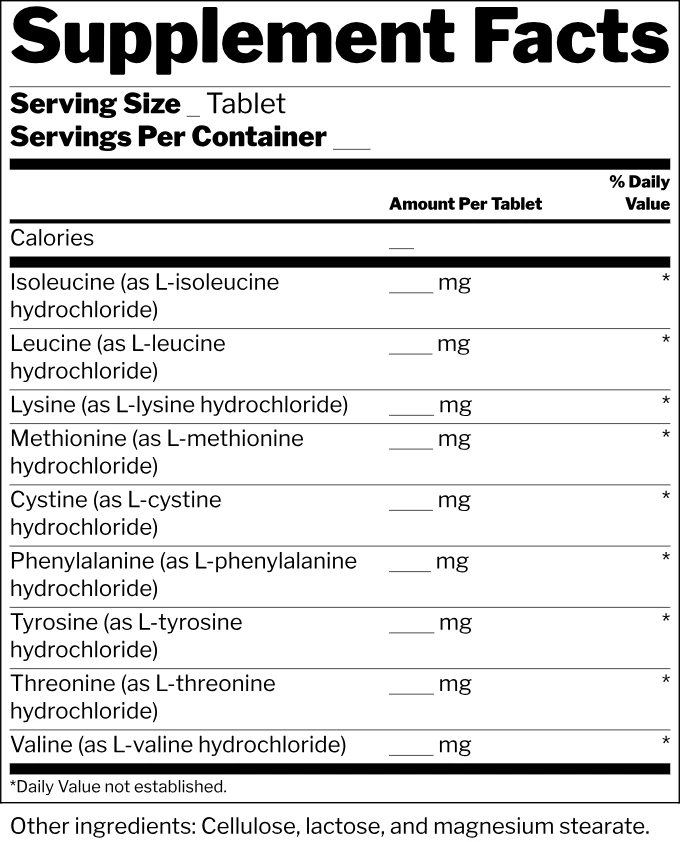
  • Blank Supplement Facts label template, Amino acids format

    Amino acids

    Other dietary ingredients only, such as amino acids, each with an amount and the symbol (101.36(b)(3)(i)).

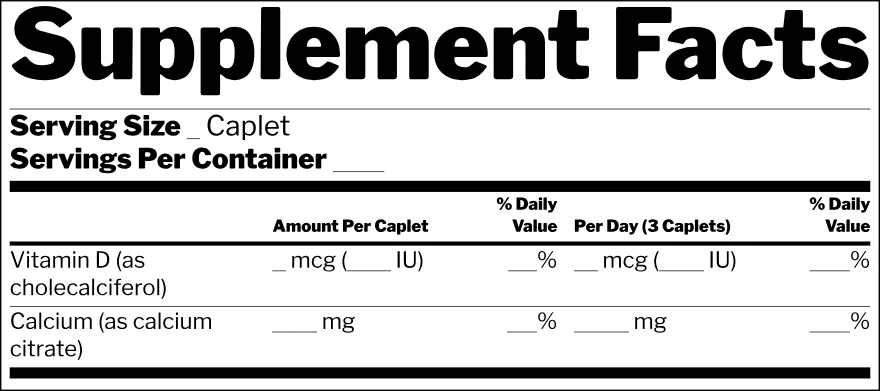
  • Blank Supplement Facts label template, Per serving and per day format

    Per serving and per day

    A per serving column and a per day column, for a product taken more than once a day (101.36(e)(9)(ii)).

  • Blank Supplement Facts label template, Split display format

    Split display

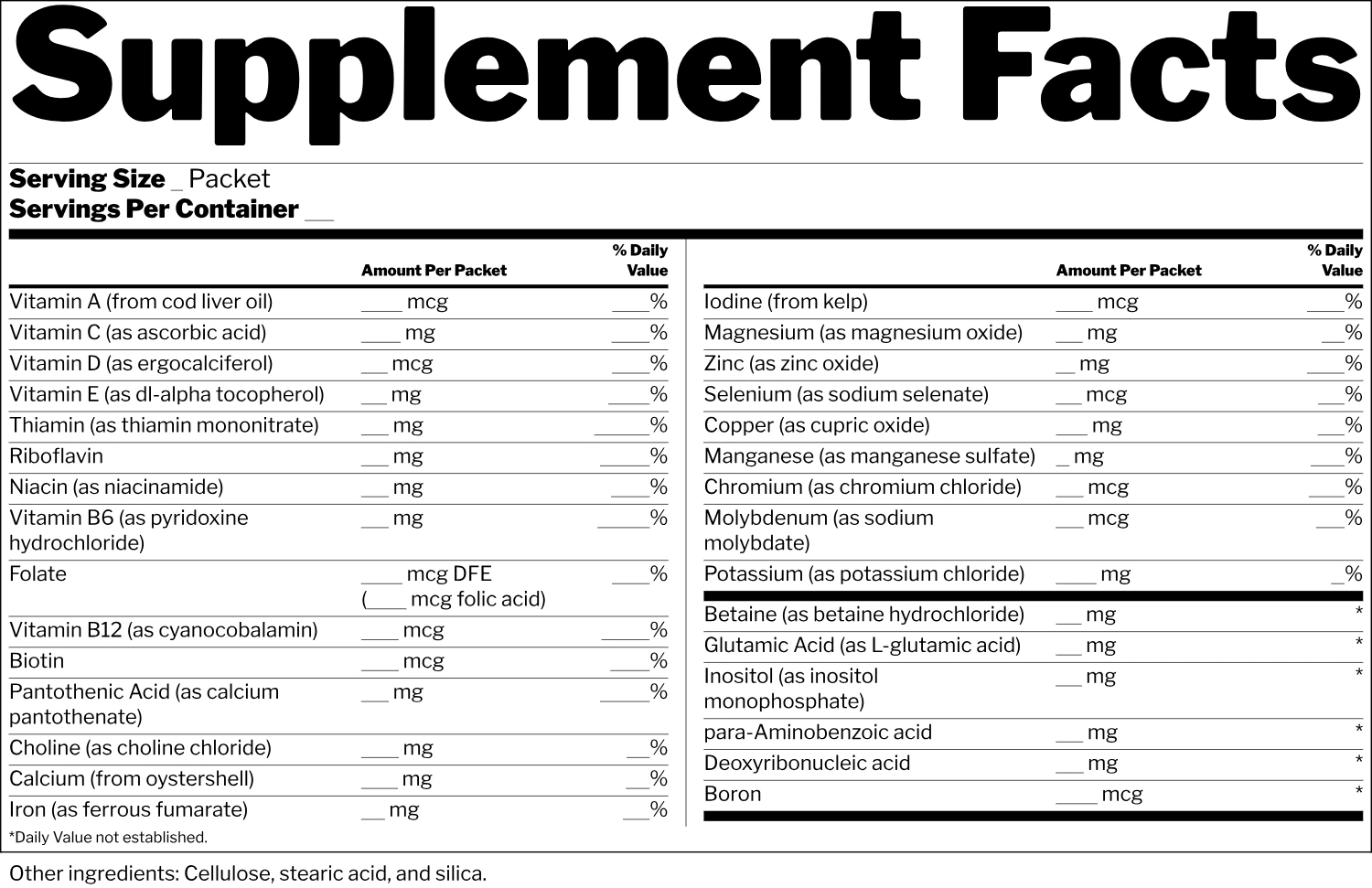
    A long list continued to the right, with the headings repeated and a line between the halves (101.36(e)(12)).

  • Blank Supplement Facts label template, Linear display format

    Linear display

    One paragraph for a small package, with the whole panel at 4.5 point type (101.36(i)(2)(i)).

Size of each template at the label maker’s default width

Size of each template at the label maker’s default width
FormatSize (width × height)
Multiple vitamins3.6 in × 4.44 in
Children and adults4.1 in × 4.62 in
AM and PM packets5.8 in × 3.86 in
Ingredients with and without Daily Values2.9 in × 2.96 in
Proprietary blend2.9 in × 3.19 in
Herb2.8 in × 1.75 in
Amino acids3.4 in × 4.21 in
Per serving and per day4.4 in × 1.96 in
Split display7.5 in × 4.85 in
Linear display3.2 in × 0.61 in
Each panel at the width the label maker opens that format on. A panel too narrow for the minimum type sizes is widened, and its height follows.

Which label sheets each format fits on

Measured on the example at FDA’s minimum type sizes, with 1/8 inch kept clear inside the label and each label tried both ways round.

Which label sheets each format fits on
Label sheetMultiple vitaminsChildren and adultsAM/PM packetsCod liver oilBlendHerbAmino acidsPer daySplitLinear
3.5 in × 5 in, 4 per sheetDoes not fitDoes not fitDoes not fitFits3.25 in × 3 inFits3.25 in × 3.11 inFits3.25 in × 1.8 inFits3.25 in × 4.61 inFits4.75 in × 1.73 in (turned 90°)Does not fitFits3.25 in × 0.61 in
Avery 51644 in × 3.33 in, 6 per sheetDoes not fitDoes not fitDoes not fitFits3.75 in × 3.06 inFits3.75 in × 2.89 inFits3.75 in × 1.72 inDoes not fitDoes not fitDoes not fitFits3.75 in × 0.61 in
2 in × 5 in, 8 per sheetDoes not fitDoes not fitDoes not fitDoes not fitDoes not fitFits4.05 in × 1.75 in (turned 90°)Does not fitFits4.75 in × 1.73 in (turned 90°)Does not fitFits1.75 in × 0.97 in
Avery 51634 in × 2 in, 10 per sheetDoes not fitDoes not fitDoes not fitDoes not fitDoes not fitFits3.75 in × 1.72 inDoes not fitDoes not fitDoes not fitFits3.75 in × 0.61 in
Avery 228223 in × 2 in, 8 per sheetDoes not fitDoes not fitDoes not fitDoes not fitDoes not fitFits2.75 in × 1.75 inDoes not fitDoes not fitDoes not fitFits2.75 in × 0.7 in
Avery 228062 in × 2 in, 12 per sheetDoes not fitDoes not fitDoes not fitDoes not fitDoes not fitDoes not fitDoes not fitDoes not fitDoes not fitFits1.75 in × 0.97 in

Fill in a template

Enter the serving size, the dietary ingredients and their amounts. The panel puts the ingredients in FDA order, works out every % Daily Value, and the checks tab flags what doesn’t add up.

Start from

FDA’s nine sample panels and the linear display, or a blank panel. The page opens on example (i).

Serving

The household measure, as on the label: "1 Capsule", "1 Gelcap", "1 tsp (3 g)".

servings

Leave it out when the net quantity statement gives it, as on FDA’s example (ii).

Serving Size goes under the title, left aligned, and the amount heading names the measure.

Dietary ingredients

Enter the amount per serving. The panel puts the (b)(2) ingredients in FDA order and works out every % Daily Value; percents are never typed.

Vitamin A

mcg

Vitamin C

mg

Vitamin D

mcg

Vitamin E

mg

Thiamin

mg

Riboflavin

mg

Niacin

mg

Vitamin B6

mg

Folate

mcg DFE

Vitamin B12

mcg

Biotin

mcg

Pantothenic Acid

mg

The regulation asks for a symbol (for example an asterisk); this tool uses † by default, with "Daily Value not established."

Columns

One amount and % Daily Value column, a per day column, a column for each product, or two % Daily Value columns for different ages.

Display

For a package with less than 12 square inches of label area (101.36(i)(2)(i)).

Other ingredients

Size and color

in
Type color
#
Background
#

Loading the label fonts…

Vector · outlined text · 100% K black
Saved in this browser
  • Free, no limits
  • No sign up needed
  • No watermark
  • Saved in this browser and where you choose
FDA panel formats, blank or as an example
10
blank and example files, four types each
20
file types: PDF, SVG, EPS and 300 dpi PNG
4
signups or watermarks
0

How to use this supplement facts label template

Three steps take you from an empty panel to a finished label, whether you print the blank or fill it in on this page.

Blank Supplement Facts label template, Multiple vitamins format
Multiple vitamins
Blank Supplement Facts label template, Children and adults format
Children and adults
Blank Supplement Facts label template, AM and PM packets format
AM/PM packets
Blank Supplement Facts label template, Ingredients with and without Daily Values format
Cod liver oil
Blank Supplement Facts label template, Proprietary blend format
Blend
Blank Supplement Facts label template, Herb format
Herb
Blank Supplement Facts label template, Amino acids format
Amino acids
Blank Supplement Facts label template, Per serving and per day format
Per day
Blank Supplement Facts label template, Split display format
Split
Blank Supplement Facts label template, Linear display format
Linear

A free supplement facts label template drawn to FDA rules

Many panels online are redrawn by hand, and the bars and type sizes only look right. This supplement facts label template is drawn by the same engine as our supplement facts label maker, line by line from 21 CFR 101.36.

Dietary ingredients in the order of 101.36(b)(2)(i)(B)

You enter

Biotin3 mcg
Calcium130 mg
Vitamin C90 mg

On the label

Vitamin C100%
Biotin10%
Calcium10%

21 CFR 101.36(b)(2)(i)(B)

Every part of the panel from the regulation

The title runs larger than everything else and as wide as the panel allows, in bold (101.36(e)(1)). A hairline box closes the panel (e)(2), a hairline sits between dietary ingredients (e)(5), a light bar runs under the column headings (e)(7), and heavy bars close the servings, the last (b)(2) ingredient and the last other ingredient (e)(6).

Blank Supplement Facts label template, Multiple vitamins formatBlank
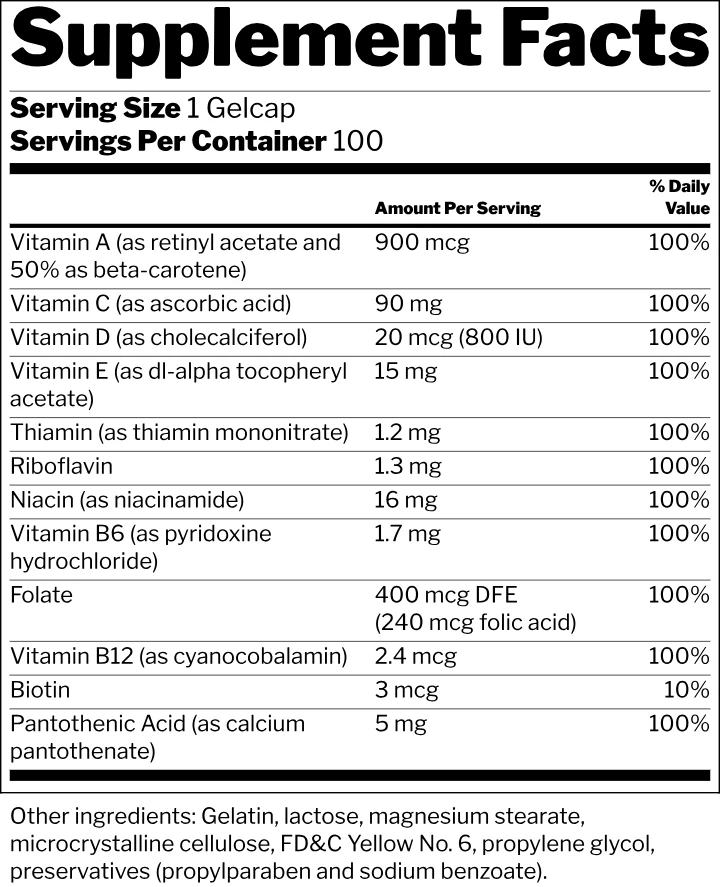
Supplement Facts label template, Multiple vitamins format, with FDA’s sample amountsExample

A blank keeps every place in the example

Every amount, every % Daily Value, the serving size and the servings become a place to write on, and the names, units, headings and footnotes stay. The blank supplement facts template is the example with its numbers left out, so both files are the same width and height and print at the same size.

101.36(c): the blend’s total weight, its ingredients in descending order by weight, no amounts of their own.

A proprietary blend, an herb, amino acids

A proprietary blend keeps its ingredients indented under its name and total weight, in descending order by weight (101.36(c)). An herb or an amino acid is an other dietary ingredient: it takes its common name, an amount and the symbol, with the footnote at the bottom inside the panel’s box (101.36(b)(3)).

A panel inside the label, with the 1/8 inch safe area on every side

Sized for common label sheets

The fit table above the editor runs each format at FDA’s minimum type sizes with 1/8 inch kept clear inside the label, and tries the label both ways round. It lists the largest size each format can take on a sheet, so you know before you buy a pack of labels.

  • PDFvector, outlined text, 100% K
  • SVGvector, outlined text, RGB
  • EPSvector, outlined text, 100% K
  • PNG300 or 600 dpi

Free vector files, no signup

Every format downloads straight from its card with no signup and no watermark. Text is converted to outlines so the printer needs no fonts, the PDF and EPS print black as 100% K, and the PNG is 300 dpi at the panel’s true size.

Does FDA offer a supplement facts label template?

FDA publishes nine high-resolution example panels for the current Supplement Facts format, with the amounts and percents of each example. They are pictures to look at rather than files you can type into. Each card on this page is drawn from the same layouts and from the paragraphs of 21 CFR 101.36, and the example on each card prints the amounts FDA uses: 900 mcg of vitamin A, 20 mcg of vitamin D with 800 IU beside it, 3 mcg of biotin at 10% of the Daily Value.

The editor below is the other half. It lays out the panel from your own formula, in the same ten layouts, so a supplement facts label template can be printed as it is or filled in and downloaded as a finished panel.

Checks
Enter the amount of Vitamin D per serving. It cannot be left blank.21 CFR 101.36(b)(2)(ii)
Hairline box around the panel 21 CFR 101.36(e)(2)

Always applied by this generator

Which supplement facts template to use

Most capsules and tablets take the standard list, with the (b)(2) dietary ingredients in FDA order and any other dietary ingredients below them (101.36(b)(2)(i)(B)). A product for children 1 through 3 as well as older children and adults shows two % Daily Value columns, and each heading names the group whose Daily Values it uses (101.36(b)(2)(iii)(E)). A packet sold as an AM formula and a PM formula can carry both products in one panel with a column for each (101.36(e)(8)), and a product taken more than once a day may add a per day column (101.36(e)(9)(ii)).

A proprietary blend keeps its ingredients indented under its name and total weight, in descending order by weight (101.36(c)). Herbs, amino acids and other dietary ingredients with no Daily Value take the symbol and the footnote that explains it (101.36(b)(3)). When the list is too long for the space, the split display continues it to the right with the headings repeated (101.36(e)(12)), and a package with less than 12 square inches of label area may use the linear display (101.36(i)(2) with 101.9(j)(13)), at 4.5 point (101.36(i)(2)(i)).

Blank Supplement Facts label template, Multiple vitamins format
Multiple vitamins
Blank Supplement Facts label template, Children and adults format
Children and adults
Blank Supplement Facts label template, AM and PM packets format
AM/PM packets
Blank Supplement Facts label template, Ingredients with and without Daily Values format
Cod liver oil
Blank Supplement Facts label template, Proprietary blend format
Blend
Blank Supplement Facts label template, Herb format
Herb
Blank Supplement Facts label template, Amino acids format
Amino acids
Blank Supplement Facts label template, Per serving and per day format
Per day
Blank Supplement Facts label template, Split display format
Split
Blank Supplement Facts label template, Linear display format
Linear

What the panel says and where each part goes

Serving Size goes under the title, left aligned, and Servings Per Container goes under it (101.36(b)(1)(ii)); it is left out when the net quantity statement already gives the count. The amount heading names the measure the amounts are given in: Amount Per Serving, Amount Per Capsule, Amount Per Teaspoon. The % Daily Value heading may read % Daily Value, % DV, Percent Daily Value or Percent DV (101.36(b)(2)(iii)(A)).

Body text is at least 8 point and the column headings and footnotes at least 6 point (101.36(e)(4)). Each (b)(2) ingredient with a Daily Value gets a percent, worked out from that Daily Value and rounded to the nearest whole percent; for an ingredient with a DRV, <1% stands for an amount that rounds to 0% (101.36(b)(2)(iii)(C)). Ingredients with no Daily Value carry the symbol, and the footnote below the last heavy bar explains it: Daily Value not established (101.36(b)(2)(iii)(F)). A source may sit in parentheses after the name, as calcium carbonate or from cod liver oil (101.36(d)).

Servings Per Container under Serving Size; the title inside the box, larger than every other line. 21 CFR 101.36(e)(1)

What size to print a supplement facts label template

At the width the label maker opens each format on, the multiple vitamins panel is 3.6 × 4.44 inches, children and adults 4.1 × 4.62, the AM and PM packets 5.8 × 3.86, cod liver oil 2.9 × 2.96, the proprietary blend 2.9 × 3.19, the herb 2.8 × 1.75, amino acids 3.4 × 4.21, per serving and per day 4.4 × 1.96, the split display 7.5 × 4.85 and the linear display 3.2 × 0.61. The size table on this page lists the same figures for every card.

Those sizes come from the type: no body text below 8 point, no heading or footnote below 6 point, and 4.5 point for a small package. A panel asked for at a narrower width widens to its minimum and gets taller, so the height in the table is the height at that width. Print the file at 100% and never scale it down, or the type falls below the minimums.

File type
PDFvector, outlined text, 100% K
SVGvector, outlined text, RGB
EPSvector, outlined text, 100% K
PNG300 or 600 dpi

Blank supplement facts templates for students and designers

Teachers use a blank panel for a lesson on reading a supplement label: students copy the amounts from a real bottle, work out a % Daily Value with the class and compare the serving sizes. Inventing a formula and filling in its panel is the other favorite. At the panel’s size each place is 0.05 to 0.30 inch wide; printed larger on a copier, the blank gives room to write each number by hand.

Designers drop the blank into artwork as a vector, or place the outlined PDF or SVG as it comes, and keep room for the panel from the first sketch. The blank and the example are the same size, so the space you plan with one is the space the other needs.

Blank Supplement Facts label template, Multiple vitamins formatBlank
Supplement Facts label template, Multiple vitamins format, with FDA’s sample amountsExample

Which label sheets fit a supplement facts template

A 3.5 × 5 inch label takes the cod liver oil, proprietary blend, herb and amino acid templates, the per day panel turned 90 degrees, and the linear display. A 4 × 3 1/3 inch label takes cod liver oil, the blend, the herb and the linear display. A 2 × 5 inch label takes the herb and the per day panel turned 90 degrees, and the linear display; 4 × 2 and 3 × 2 inch labels take the herb and the linear display, and a 2 × 2 inch label only the linear display.

The larger panels need a bigger label: the multiple vitamins, children and adults, AM and PM packets and split display panels are taller or wider than these sheets. On a small package, the linear display at 4.5 point is usually the format that fits, and the table above the editor shows the exact size each one takes on each sheet.

A panel inside the label, with the 1/8 inch safe area on every side

Per serving, per day, split and linear panels

A per day column repeats the amounts multiplied by the number of servings taken in a day, under its own heading such as Per Day (3 Caplets) (101.36(e)(9)(ii)). The split display balances a long list over two halves with the headings repeated and a line between them (101.36(e)(12)), and the linear display sets the whole panel as one paragraph for a package too small for a column (101.36(i)(2) with 101.9(j)(13)).

The editor below makes all three. Choose the columns setting for a per day column, the display setting for split or linear, and the small package switch for 4.5 point type; the checks tab names the paragraph behind every point it raises.

Split
Linear

Who uses a blank supplement facts template

From a first production run to a classroom lesson, a ready supplement facts label template saves drawing the layout from scratch.

A first supplement brand

Plan the label around a blank while the formula is finalized, then fill it in here, download the panel and place it on the artwork your printer asks for.

A contract manufacturer’s customer

A brand that buys a stock formula enters the amounts the manufacturer supplies. The editor works out the Daily Values and the checks catch a missing amount before the file goes to print.

Packaging designers

Drop an outlined, true size vector panel into the label file and keep room for it from the first sketch, with the same size for the blank and the filled panel.

Teachers and students

Print a blank panel for a lesson on reading supplement labels, or have students invent a formula and work out each % Daily Value themselves.

Supplement Facts label template FAQ

More questions? The Checks tab in the editor explains each problem with a link to the rule.

Choose a format

Is this supplement facts label template free?

Yes. Each of the ten formats, blank or as an example, downloads in all four file types with no signup, no watermark and no limit, and you can use the panels on products you sell.

Does FDA have a supplement facts label template?

FDA publishes nine example panels for the current format, as high-resolution pictures. They show the layouts and FDA’s own amounts. The cards on this page are drawn from those layouts and from 21 CFR 101.36, and the editor lays out a panel from your formula in any of the ten layouts.

What is the difference between the blank and the example?

The example prints FDA’s sample amounts and percents. The blank supplement facts label template is the same panel with every amount and % Daily Value left as a place to write on, so the two files are exactly the same size and the names, units and headings stay in place.

How many Supplement Facts layouts are there?

FDA’s examples file shows nine, and this page adds the linear display for small packages: the standard list, children and adults, AM and PM packets, ingredients with and without Daily Values, a proprietary blend, an herb, amino acids, per serving and per day, the split display and the linear display.

What size label fits a Supplement Facts panel?

A 3.5 × 5 inch label takes six of the formats. A 4 × 3 1/3 inch label takes cod liver oil, the blend, the herb and the linear display; a 2 × 5 inch label takes the herb and the per day panel turned 90 degrees, and the linear display; 4 × 2 and 3 × 2 inch labels take the herb and the linear display, and a 2 × 2 inch label only the linear display. The multiple vitamins, children and adults, AM and PM and split display panels need a larger label than the common sheets. The fit table lists every format on every sheet at FDA’s minimum type sizes.

Can I put the panel on a food label?

Yes. Fill in the panel here, then choose Put on a label under the editor’s downloads. The finished panel opens in the free food label maker on a new supplement label, where the product name, the words Dietary Supplement, the net quantity and the business sit around it.

Can students use a blank supplement facts template?

Yes. The blank prints at its true size with a place for every amount, so students can copy the numbers from a real package, work out the % Daily Values and compare two products. It is also the quickest way to sketch a formula by hand.

What language is the panel in?

English, as the Supplement Facts panel is printed in the United States, in the templates and the editor alike. The amounts, the ingredient names and the headings are the words the regulation uses, so a panel filled in here uses the words a US label prints.

Get your supplement facts label template

Pick one of the ten FDA formats, download it blank or as an example, or fill in your amounts for a panel with every % Daily Value worked out. It is free, with no signup.