
Free Water Bottle Mockup in 3D

This free water bottle mockup builds six real bottles in clear, amber, green or white glass and wraps your label on at its print size, so the curve, the seam and the glass look the way they will in your hand.

  • Free, no sign-up, no watermark
  • 6 bottles at real sizes
  • Your label file placed 1:1
  • PNG, JPG and WebP up to 8K

Free Water Bottle Mockup

Bottle

Label

A wrap all the way round the bottle, its ends meeting at the back.

in
in
0 in

Artwork

PNG, JPG or WebP, or drop it on the bottle

Samples

Labels made with AI bottle label design

300 dpi PNG with the trim, the 1/8 in bleed, the 3/16 in safe area and the seam.

Glass and liquid

Closure

Download

1638 × 2048 px

Put this bottle in an AI scene

Send your label and this bottle to AI bottle mockup: a photo-real scene on a dinner table, a bathroom counter or a shelf, made from your words.

Loading the 3D viewer…
bottles, from a 1 oz dropper to a 750 ml wine
6
the longest side of a download
8192 px
closures: screw cap, flip cap, cork, dropper, pump
5
one full turn in the turntable video
6 s

How to make a free water bottle mockup

Four steps from a flat label to a picture of the bottle.

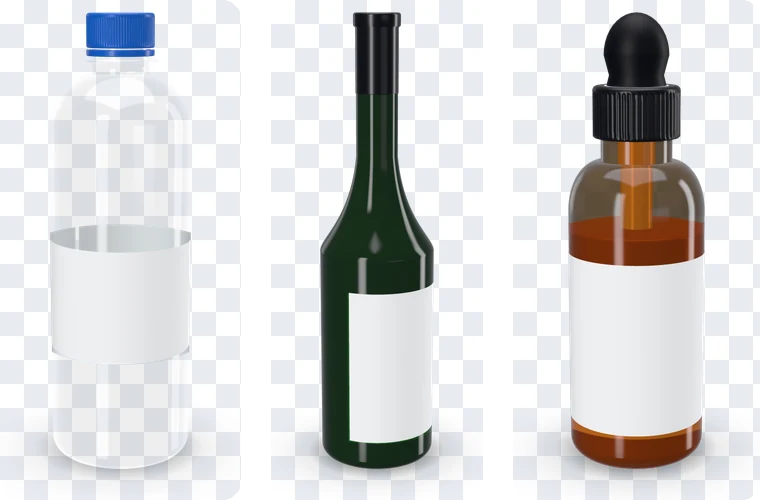
A clear water bottle, a green wine bottle and an amber dropper bottle, each with a blank label

What this free bottle mockup does differently

It starts from the bottle itself, so every picture shows a label you can actually print.

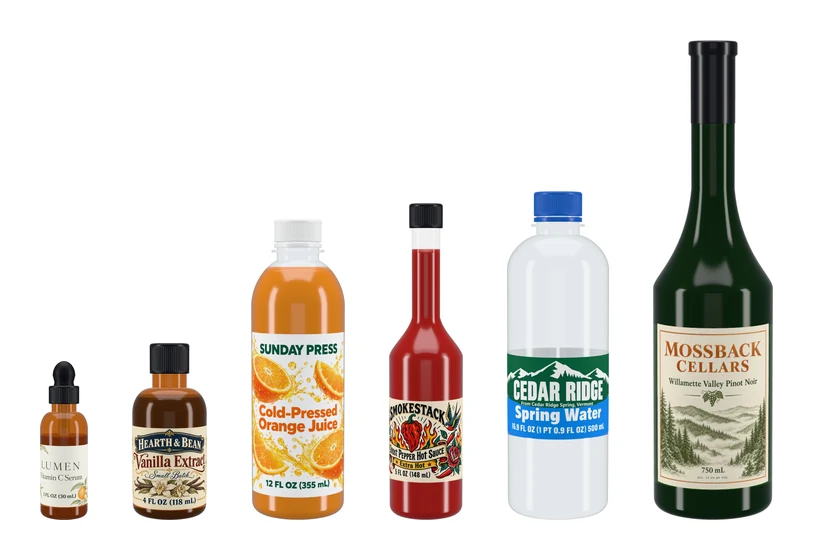
Six bottles to scale, from a 1 oz dropper to a 750 ml wine bottle, each with its label

Six real bottles, each with its own label

Every bottle carries the girth and height of a common retail bottle, and its label starts at the size the label design pages make: an 8 × 2 in wrap on the water bottle, a 3.5 × 4 in front on the wine bottle, 3 × 1.5 in on the dropper.

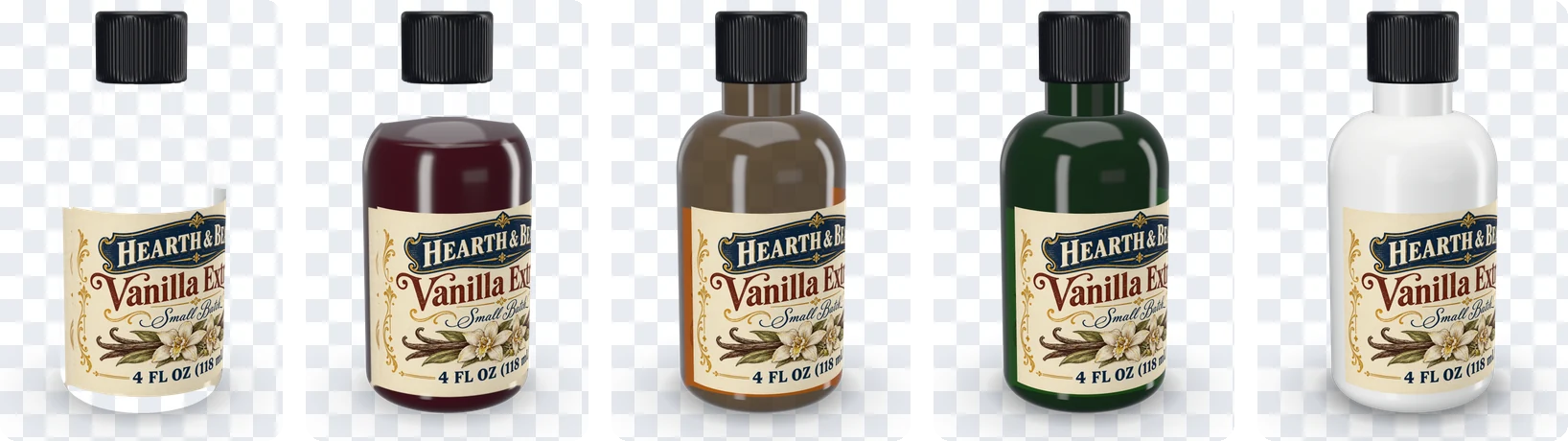
One small round bottle in clear glass, empty and full, then in amber, green and white

Real glass, tinted by its thickness

Clear glass and PET let the light and the back of the label through, amber and green tint what they pass, and white glass stays opaque. Water, juice, sauce or wine sits inside at the level you set.

A wine bottle from the front with its front label and from the back with its back label

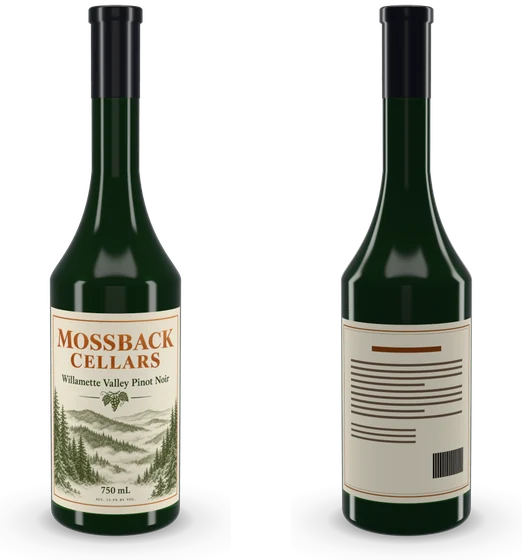
A wine bottle with its front and back labels

The free wine bottle mockup takes a front label and a back label at their own sizes: AI wine label design’s front, or the wine label maker’s classic, Bordeaux and Avery 5164 pairs. The back shows on the far side as you turn.

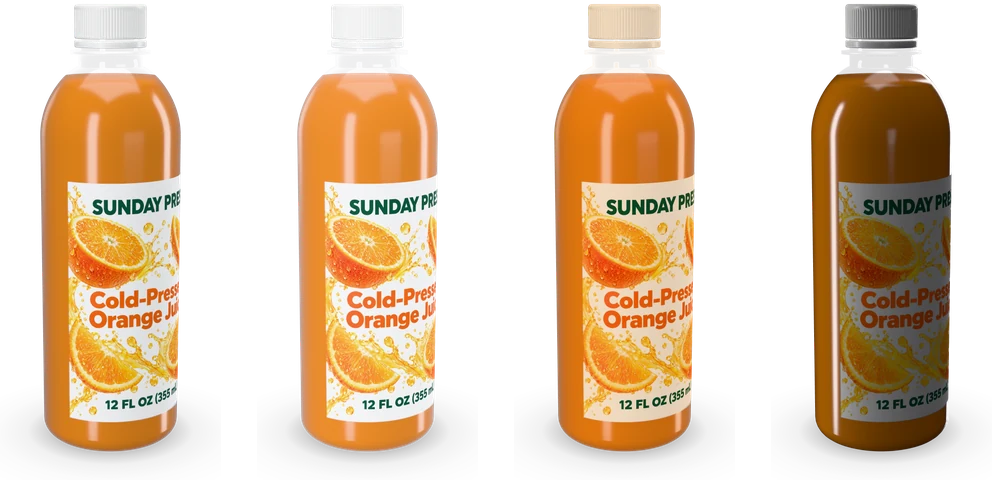
One juice bottle in the soft, bright, warm and dark studios

Studio light and a real lens

Four studios give glass its long upright highlights, the light turns around the bottle, and the lens runs from 24 to 100 mm. A view you like is saved for later.

What a free water bottle mockup shows that a flat label can’t

A flat label shows every word at once. On a round bottle the front faces you and the rest curves away, so a name set too wide bends around the side and the wrap’s two ends meet at the back.

A free water bottle mockup answers what the flat file leaves open: what the shopper reads first, whether the name fits the curve, and how the label looks against clear plastic or colored glass.

The six bottles and where their sizes come from

The 16.9 oz (500 ml) water bottle is 8.05 in around and 8.1 in tall, the 750 ml Bordeaux wine bottle about 3 in across and 11.8 in tall, the 1 oz dropper 3.9 in tall, the 5 oz woozy hot sauce bottle 7.8 in, the 16 oz juice bottle 7.4 in and the 4 oz Boston round 3.6 in.

Each girth comes from the label pages, so a label made for a bottle there fits the same bottle here. The straight part of the body is where a label goes; the shoulder above it and the heel below it are left bare, as on the shelf.

Wrap labels, front labels and back labels

A water bottle takes a wrap: 8 × 2 in on a bottle 8.05 in around, so the ends meet at the back with a small gap. The dropper, sauce, juice and Boston round bottles take a front label, and the wine bottle a front label with an optional back label on the far side.

Type any width and height, move the label up or down the body, and pick paper, gloss, matte or clear film. On clear film the bottle and its contents show through around the artwork.

Making a label that fits: template, bleed and safe area

Start from the template: the label at 300 dpi with the trim, a 1/8 in bleed and a 3/16 in safe area, plus the seam on a wrap. Keep the brand name and the legal lines inside the safe area; on a wrap the middle of the file is the front of the bottle.

Labels from AI bottle label design and AI wine label design land 1:1 on their bottles, with or without bleed, as does any file at the template’s shape. The panel says whether a file matches, or by how much it is wider or narrower.

Glass, liquid and closure for a free bottle mockup

Clear glass shows the liquid and the inside of the label, amber suits serums, extracts and craft sodas, green is the classic wine bottle and white reads as opal glass or white plastic. Fill the bottle with water, a colored liquid at any level, or leave it empty.

The closure follows the bottle: a ribbed screw cap or a sport flip cap on water and juice, a cork with its foil capsule or a long screw cap on wine, a rubber bulb dropper, a pump, and a T-cork on the sauce bottle, each in any color.

Light, camera and export for a free wine bottle mockup

Glass takes its look from the light around it. The soft studio keeps colors true, bright suits white and pastel labels, warm flatters amber and red wine, and dark draws thin rim highlights along the glass. A lens of 70 mm and up keeps the bottle straight like a catalog shot.

The stage takes the shape of the picture: square for a shop’s main image, 4:5 for a feed, 16:9 for a slide and 9:16 for a story. PNG and WebP keep a transparent background with the contact shadow, JPG takes the background color you pick, and the turntable video records one full turn at 1080 px.

From a free bottle mockup to a photo scene

When the bottle looks right, Put this bottle in an AI scene sends your label with the bottle, its glass and its closure to AI bottle mockup, which sets the same bottle on a dinner table, a bathroom counter or a shelf.

To design the label itself, start in AI bottle label design or AI wine label design, then check the file on the bottle here.

Who uses a free water bottle mockup

One bottle, a different question for each person who opens it.

Water, juice and drink brands

Check a wrap on a 16.9 oz bottle before the print run, then post the launch picture the same day.

Wineries

See the front and back labels together on a green Bordeaux bottle in a free wine bottle mockup, and show a distributor a clean shot.

Skincare and sauce makers

Try a serum label on an amber dropper or a hot sauce label on a woozy bottle, with the cap color to match.

Packaging designers

Send the client a turntable video and a transparent PNG from the same file, at the bottle’s true proportions.

Free water bottle mockup FAQ

Short answers to the questions the panel raises most.

Make a bottle mockup

Is this free water bottle mockup really free?

Yes. Every bottle, setting and download is free, with no sign-up and no watermark, and the pictures are yours to use anywhere.

Which bottles are there?

A 16.9 oz water bottle, a 750 ml wine bottle, a 1 oz dropper bottle, a 5 oz hot sauce bottle, a 16 oz juice bottle and a 4 oz Boston round, each in the glass colors and closures it comes with.

What size should my water bottle label be?

The template button gives the exact size for the bottle on screen. The water bottle’s wrap is 8 × 2 in, 2400 × 600 px at 300 dpi, plus 1/8 in bleed on each side if your printer asks for it.

Can I show a wine bottle’s back label?

Yes. Pick the wine bottle and a label pair, upload the back label too, and turn the bottle: the back label sits opposite the front at its own size.

Can I download a transparent PNG?

Yes. Turn the background off and choose PNG or WebP: the bottle, its highlights and its soft shadow come out on a clear background.

Does the glass show what is inside?

Yes. Clear and tinted glass show the liquid at the level you set and the inside of a wrap label, and amber and green glass tint it as real glass does.

Is my label uploaded?

No. The bottle is drawn in your browser and your file stays on your device. It is uploaded only if you sign in and send it to AI bottle mockup.

Make your free water bottle mockup

Pick a bottle, drop in your label and download the picture or a turntable video. Then put the same bottle in a photo scene with AI bottle mockup.