
Best Label Design Software in 2026
PACK AI STUDIO, all-in-one label design software and packaging AI design agent: Avery sheets, FDA food labels, AI label art and stickers; six more in brief.
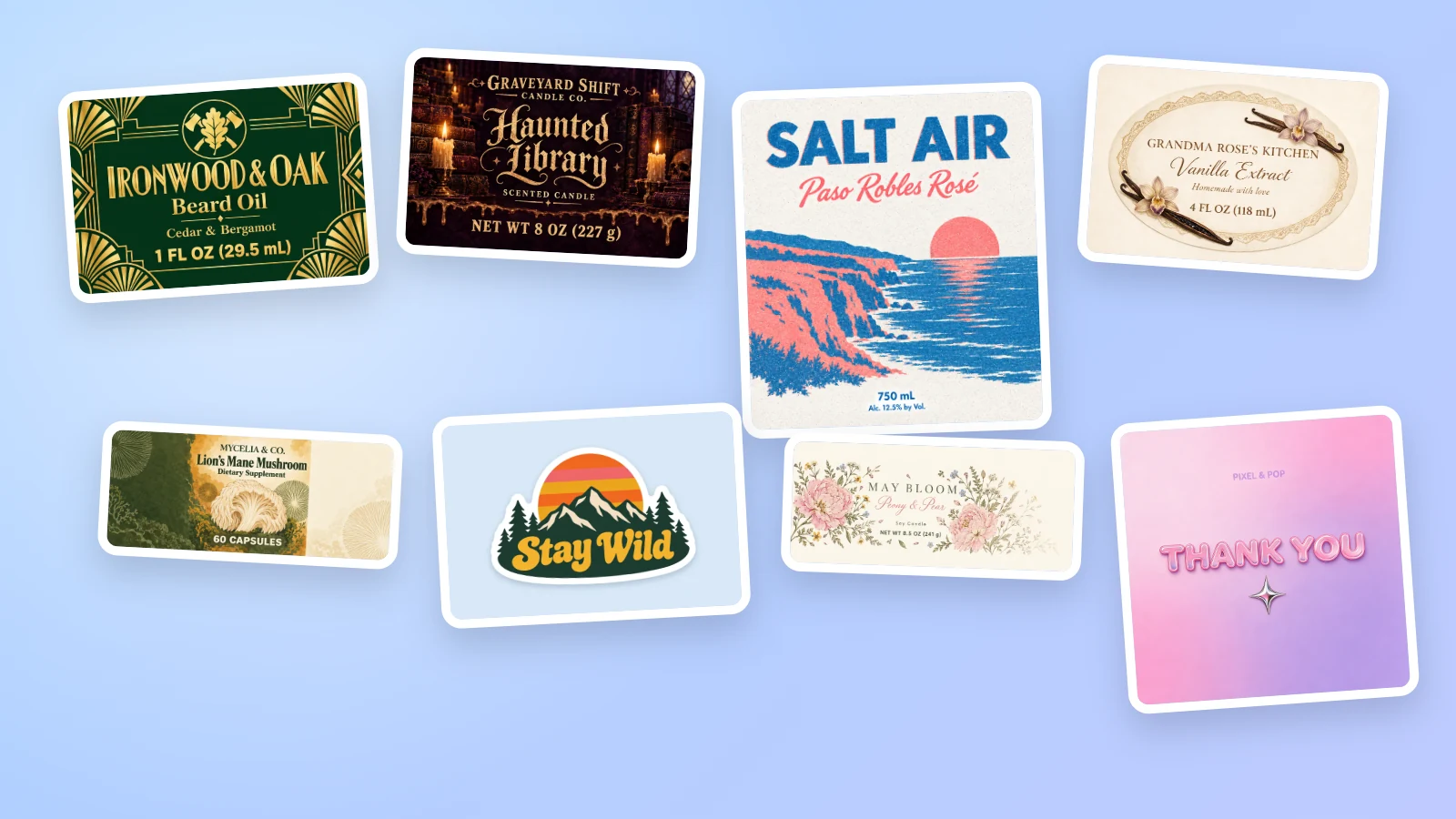
The best label design software in 2026 depends on where your labels get printed and what they have to say. PACK AI STUDIO, the all-in-one packaging AI design agent, specialized in packaging, labels and product visuals, covers the whole job: free label design software that prints on real Avery sheets and follows the FDA's food label rules, AI that designs a label at its exact shape up to 4K, die-cut stickers with their cut lines, and the box, photos and video that go with the label. The other tools on this list each cover part of it: Avery Design & Print and Maestro Label Designer (templates for their own label sheets), Canva, Adobe Express and Kittl (template editors) and Vistaprint (printed labels). Below, how to choose and what each one does.
How to choose label design software
- Your sheet or your printer. Printing at home takes your sheet's exact layout: its product number, margins and spacing. A print shop takes a PDF with bleed and a cut line.
- Print-ready files. 1/8 in of bleed, a safe area for the words, 300 dpi pictures or vectors, and a CutContour line for print-and-cut machines.
- The rules on the label. Food labels need the ingredients in order, the major allergens and usually Nutrition Facts, and the net quantity has a minimum letter height.
- Barcodes. A UPC or EAN at true size, with its check digit and quiet zones.
- Design help. Templates get you started; AI that designs at the label's own shape saves the resizing.
- Price and rights. What is free, and whether commercial use is included.
The best label design software at a glance
| Tool | Used for | Print files | Price |
|---|---|---|---|
| PACK AI STUDIO | Labels, stickers and the whole pack: free label tools on Avery sheets, food label rules, AI label design, stickers, photos and video | Vector PDF and SVG with bleed and CutContour, 300 dpi PNG, Cricut files | Label tools free; AI from $14.90 a month |
| Avery Design & Print | Designing and printing on Avery's label sheets | PDF to print; custom printing by Avery | Free |
| Maestro Label Designer | Designing OnlineLabels' label sizes | Full sheet PDF; custom printing by OnlineLabels | Free trial; full version with a label purchase |
| Canva | General design from templates, with label printing | PDF Print with bleed; CMYK on paid plans | Pro US$18 a month for one person |
| Adobe Express | Template designs, with a free label maker | JPEG, PNG and PDF, with bleed and crop marks for print | Free; Premium US$9.99 a month |
| Kittl | Template based labels and graphics | PNG, JPEG, SVG and PDF | Pro $19 a month, or $14 billed yearly |
| Vistaprint | Ordering printed roll labels and sticker sheets | Printed by Vistaprint, with a PDF proof | Roll labels from $99.99 for 1,000 |
1. PACK AI STUDIO
Best for: makers and brands whose labels have to print in the right place and follow the rules.
Built as the all-in-one packaging AI design agent, specialized in packaging, labels and product visuals, PACK AI STUDIO treats the label as part of the pack. Its free label tools handle the sheet, the regulations and the files; its AI pages design wine, candle, supplement, coffee and any product labels at the size you print; and the rest of the launch, from the box to the video, is on the same site.
Everything a label needs, in one studio
| You need | PACK AI STUDIO tool | What you get |
|---|---|---|
| Labels on a sheet | Label maker | 12 Avery layouts, wrap labels sized from the container, bleed, safe area and CutContour; free |
| A food label | Food label maker | Ingredients in order, the nine major allergens, cottage food statements for all 50 states and DC; free |
| Nutrition Facts | Nutrition label generator | All 6 FDA formats with rounding and percent daily values, as SVG, PDF, EPS and PNG; free |
| A barcode | Barcode generator | 9 formats at GS1 size with check digits; free |
| Label artwork | AI label generator and the wine, candle, supplement and coffee pages | Designs at the label's own shape up to 4K, with the words in quotes set letter for letter |
| Stickers | AI sticker generator and sticker sheet maker | Cut lines, and layouts for Letter sheets, precut Avery sheets and Cricut |
| The words | AI slogan generator and AI product description generator | 20 lines a run, and listings for Amazon, Shopify and Etsy |
| The rest of the launch | Dieline generator, AI packaging pages, product photos and video | Boxes on their dielines, eight photo setups, 1080p video with sound |
Labels that print in the right place
The label maker draws every label with its bleed, its safe area and its cut line, and checks flag any word that crosses into the cut. On a sheet, the bleed can only reach halfway to the next label, so the label maker trims it there and tells you; print the test page on plain paper, hold it to the sheet against a light, and set a printer offset once if everything sits a little to one side.

Food labels and Nutrition Facts, to the rules
The food label maker reads your recipe, lists what the label still needs and measures the letters themselves, on the lowercase o. Each check cites its rule: 21 CFR 101.2 for the 1/16 in minimum on required information, 21 CFR 101.3 for a product name in bold. Its Nutrition Facts come from the nutrition label generator, which rounds every nutrient by its own rule in 21 CFR 101.9, potassium and vitamin D included, and shows the math behind each percent daily value.


AI label design at the label's own shape
Seven label types live on the AI label generator, and five match an Avery sheet exactly; the wine, candle, supplement and coffee pages add their own. Describe the product, put the words to print in double quotes, and the AI designs at that exact shape with a dashed safe line, in Quality mode at up to 4K or Fast mode for quick drafts.

The loop runs both ways. Under each result, Text & barcode opens it in the label maker to add a barcode and download the print files; from a label you started yourself, Design with AI sends it to the right page at its own size, to restyle it or to paint the background behind your words.
Stickers with their cut line
The AI sticker generator draws on a clear background and makes the cut line in your browser, with a white border and smoothing you choose. The sticker sheet maker lays up to 20 designs on Letter sticker paper, precut Avery sheets or Cricut's Print Then Cut area.

What PACK AI STUDIO costs
Every label tool here is free to use without an account or a watermark: the label maker, food label maker, nutrition label generator, barcode generators and sticker sheet maker. AI designs are paid in credits, between 5 and 20 for each picture; plans start at Basic for $14.90 a month and go up to Enterprise at $129.90, and a pack of 500 credits is $9.90. Commercial use comes with every paid plan and pack. See pricing.
2. Avery Design & Print
Used for: designing and printing on Avery's label sheets, found by product number, with mail merge and a barcode and QR code generator. Free.
3. Maestro Label Designer
Used for: designing OnlineLabels' label sizes from blank or pre-designed templates, with mail merge and barcode, QR code and nutrition label generators. A free trial, with the full version included in a label purchase.
4. Canva
Used for: general design from templates, with a label maker and label printing. Canva Pro costs US$18 a month for one person. See PACK AI STUDIO vs Canva.
5. Adobe Express
Used for: template designs, with a free label maker and AI that generates images and templates. Free, with Premium at US$9.99 a month.
6. Kittl
Used for: template based labels and graphics, with label mockups. Pro is $19 a month, or $14 a month billed yearly. See PACK AI STUDIO vs Kittl.
7. Vistaprint
Used for: ordering printed roll labels and sticker sheets, designed from its templates or your own file. Roll labels start at $99.99 for 1,000.
Which label design software should you use?
- You print at home on Avery sheets: PACK AI STUDIO's free label maker, with its test page and wrap labels sized from the container.
- You sell food: the food label maker and nutrition label generator, with the FDA's rules built in.
- You want the artwork made for you: the AI label generator, or the wine, candle, supplement and coffee pages, at your label's exact shape.
- You cut stickers on a Cricut: the sticker sheet maker.
- You want labels printed and shipped: design here, download the print shop PDF with its bleed and CutContour line, and send it to the printer you choose.
Questions about label design software
What is the best free label design software?
For labels you print yourself, PACK AI STUDIO's label maker is free with no sign-up or watermark: 12 Avery layouts, bleed and a safe area, barcodes, and vector PDF and SVG files.
Which label design software makes FDA nutrition labels?
PACK AI STUDIO's nutrition label generator makes all 6 FDA formats with the rounding worked out, free, and the food label maker places the panel on your label.
What file should I send to a label printer?
A PDF at the label's size with 1/8 in of bleed, the words inside the safe area, pictures at 300 dpi or vectors, and a CutContour line for shaped labels. The label maker downloads exactly that.
Can AI design my product label?
Yes. The AI label generator designs at your label's type and size, up to 4K, and the result opens in the label maker for the barcode and the print files.
Is there label design software for Cricut?
Yes. The sticker sheet maker lays your designs out within Cricut's Print Then Cut area of 6.75 × 9.25 in and saves one PNG with the size to set in Design Space.
Can I sell products with labels made in PACK AI STUDIO?
Yes. The free tools' files are yours to print, and every paid plan and credit pack includes commercial use of AI designs.
More comparisons
- PACK AI STUDIO vs Kittl for label design
- PACK AI STUDIO vs Canva for packaging design
- PACK AI STUDIO vs Adobe Illustrator for packaging design
- Best AI packaging design tools in 2026
Print your next sheet of labels with the free label maker, or have the AI label generator draw the artwork first.