
How to Make a Product Video in 7 Steps
How to make a product video that sells: pick where it plays, plan the shots, show the package, film it or make it from one photo, add captions, export.
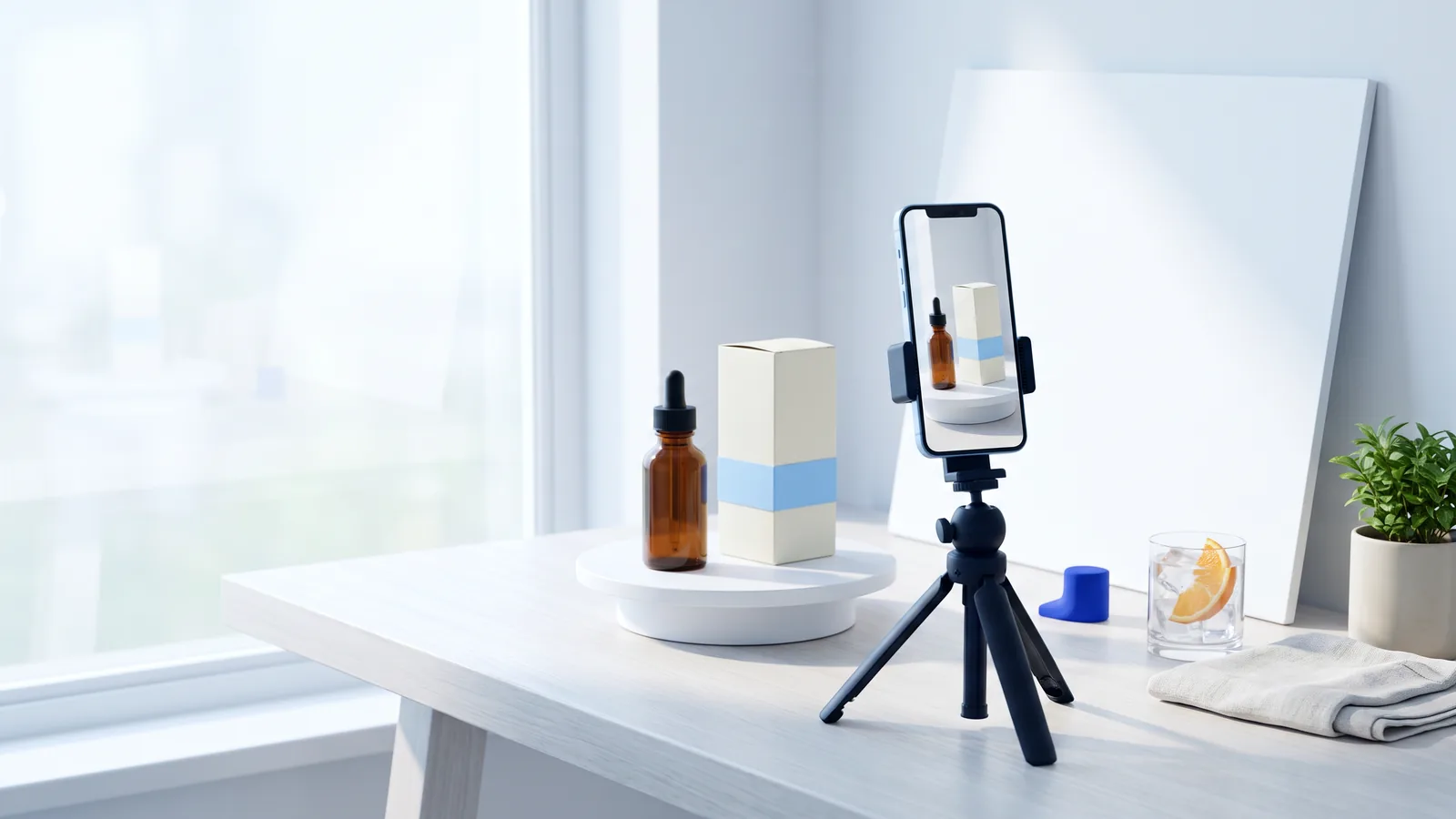
A product video shows what you sell in motion: the product, the package it comes in and the moment someone uses it. On a listing or in a feed, a good product video lets a shopper see the size, the finish and the label in a few seconds, often with the sound off, and that is usually enough to decide whether to keep scrolling or tap.
This guide shows how to make a product video in seven steps, from deciding where it will play to exporting a file each platform accepts. Every example below is a real product video made on PACK AI STUDIO from a picture of the product and a short description, and you can play each one. The steps are the same if you film with a phone: only step 4 changes. If you already have a good picture of your product, the AI product video generator turns it into a video with sound.
What is a product video?
A product video is a short video whose subject is the product itself: how it looks from every side, how it opens, how it is used and what it comes in. Product videography is the craft behind it: lighting, angles, movement and pacing chosen so the product reads clearly on a small screen.
Product videos come in a handful of types. Most brands need two or three of them, not all eight:
| Type | What it shows | Usual length | Where it works best |
|---|---|---|---|
| Product demo video | How it works, one step at a time | 30 to 90 s | Product page, listing |
| In use | The product in someone's day | 6 to 15 s | Feeds, ads |
| Unboxing | The package opening and what is inside | 15 to 45 s | Listing, social |
| 360 or turntable | Every side, without cuts | 6 to 15 s | Product page, listing |
| Product launch video | A new product or flavor revealed | 10 to 30 s | Social, email |
| Explainer | A problem and how the product solves it | 30 to 90 s | Landing page |
| Short ad | A hook, the product, a call to action | 6 to 30 s | Paid feeds |
| Customer video | A buyer using it in their own words | 15 to 60 s | Listing, social |
For a small brand selling online, the best first two are a short in-use video for feeds and a demo or turntable for the listing. Both work from the same planning, which is what the steps below cover.
How to make a product video in 7 steps
The seven steps are: decide where it plays, plan three or four shots, get the product and its package ready, film it or make it from one picture, add sound and words, make a version for each platform, and export it. Taking them in this order saves the most rework, because the first decision sets the shape and the length of everything after it.
1. Decide where the video will play
Write down where the product video will be seen before you plan a single shot. The placement decides three things:
- The shape. Phones show vertical video full screen, so Reels, TikTok and Shorts take 9:16. Meta's guide gives 4:5 for Facebook feed video ads, and a square version plays well in feeds too. YouTube and Amazon Sponsored Brands video take landscape 16:9; on your own product page, 16:9 or 1:1 both work.
- The length. A feed gives you a few seconds of attention, a listing gallery a little more, a product page the most.
- The sound. Many feeds and listings start videos with the sound off, so the picture and the captions have to carry the message on their own.
Write it as one line, for example: "Instagram Reels, 9:16, 10 seconds, sound on with captions." That line answers half the questions you will meet later.

2. Plan three or four shots
A short ad works best as three or four shots; a single slow move, like the protein video above, suits a listing or a loop. For a 10 second ad, three shots of three or four seconds each is a good rhythm; a 15 second ad has room for a fourth. Two rules make almost every product video better:
- Show the product in the first second. Do not open on a landscape, a logo animation or a face before the product. The first frame is often the thumbnail, too.
- End on the front of the package. The last two or three seconds hold the product still, front facing the camera, so the brand and the product name are readable. That is the frame people remember and the one an end card sits on.
Here is the plan of the coffee video further down this page, written the way you would write your own:
| Shot | What we see | Seconds |
|---|---|---|
| 1 | Three bags on a sunny café counter, fronts to the camera; a barista sets a cup beside them | 0 to 4 |
| 2 | A close-up of the Noon bag as a scoop of beans pours past a latte | 4 to 7 |
| 3 | The three bags in a row, fronts in view, the barista behind | 7 to 10 |
If you would rather not plan the cuts yourself, the AI commercial generator and the AI video ad generator plan three or four shots from your description and make them in one video.

3. Get the product and its package ready
In most product videos the package does the selling: it carries the brand, the name and the one claim a shopper remembers. Prepare it like the star of the shot.
- Face the front to the camera. Turn the main panel square to the lens in the opening and closing shots, and keep the label free of glare.
- Let the big words carry the shot. The brand and the product name read on a phone screen; a line of small print does not, so build no shot around it.
- Make it look new. Wipe off dust and fingerprints, peel the protective film, fill the jar or bottle so it does not look half used, and smooth the label.
- Pick props that show the use. Ice and an orange slice for a tonic, a dropper for a serum, a bench and a shaker for a protein powder. Two or three props are plenty.
No printed package yet? A mockup works as the start of a video too: the AI packaging mockup generator puts your design on a box, bag, can or bottle in a scene, and that picture can become your product video before the first box is printed.
4. Film it, or make it from one picture
Filming with a phone. A phone is enough for a sharp product video if you control the light and keep the camera still:
- Put the product near a window with the light coming from the side, and a white foam board on the other side to soften the shadows. Turn off the room lights so the colors stay true.
- Use a tripod or a stack of books, and lock focus and exposure on the product (a long press on the screen on most phones).
- Film at 1080p or 4K and 30 frames per second, and keep the same settings for every shot.
- For a turntable, put the product on a lazy susan and turn it slowly by hand from below. For a smooth slide, put the phone on a folded towel and pull it across the table.
- Film each shot three times and start two seconds early and stop two seconds late. Editing is much easier with spare footage.
Making it from one picture. If you have one good picture of the product in a scene, you can skip the filming:
- Start from a photo of the product in its setting. A plain product photo on a white background becomes a scene with AI product photography.
- Describe the motion and the words in one or two sentences: what moves, what happens to the product, and any line to be spoken in double quotes, such as a voice-over that says "Glow starts here."
- Choose the shape (16:9, 9:16 or 1:1) and the length (5, 10 or 15 seconds). The video comes back in 1080p with sound in a few minutes, for 135 to 405 credits depending on the length.
The camera move matters as much as the scene. A slow push-in suits a hero shot of the package, an orbit shows the shape, drifting light and shadow suits a premium product standing still, a tabletop scene with steam, droplets or petals suits food, drinks and beauty, and a cinematic ad lets the people in your picture use the product, as in the protein video above.
5. Add sound and words
Sound turns a moving picture into an ad. Keep it simple:
- One spoken line. A short voice-over or a line said on camera, said once. "Coffee for every hour." is easier to remember than a list of features.
- Music under it. Quiet enough that the line is clear.
- Captions for the sound-off viewer. Show the same words that are spoken, one line at a time, large and high in contrast, inside the part of the frame the platform leaves clear (step 6).
- Text on screen sparingly. The brand and one benefit, not a paragraph.
If writing the line is the hard part, the AI ad script generator writes short scripts sized to the length of the video.
6. Make a version for each platform
Plan one master version and cut it for each placement. Keep the product in the middle of the frame when you film or generate, so the same product video crops to 9:16, 1:1 and 16:9 without cutting the package off.
Then make each version fit its platform:
- Keep text in the safe zone. On a vertical video, the platform puts its buttons, the caption and the account name over the edges of the frame. For Instagram Reels ads, Meta recommends leaving the top 14%, the bottom 35% and 6% on each side free of text and logos.
- Add an end card. For the last two seconds, the brand name and a call to action ("Shop the serum") on a calm part of the final shot. On a vertical video put it near the top of the safe zone, where it stays clear of the buttons.
- Follow the platform's own rules. Amazon asks Sponsored Brands videos to show the product in the first two seconds and to keep text out of the lower right corner, so keep the end card clear of that corner.

The AI video ad generator does this step for you: pick the placement and it sets the shape and the lengths that placement takes (10 or 15 seconds), plans the ad so the product opens it, and adds the end card and captions inside the safe zone before you download the ad.
7. Export and upload
Export an MP4 with H.264 video and AAC audio at 1080p, at the frame rate you filmed or generated at (30 frames per second is the safe default). Every platform below accepts that file.
Before you upload:
- Name the file after the product ("fir-fern-noon-coffee-video.mp4") rather than "final_v3.mp4".
- Pick a thumbnail frame with the product clearly in view; the first frame works when you followed step 2.
- Give the video a title that says what it shows ("Noon whole bean coffee, 12 oz bag") and, where the platform allows, a short description.
- On Amazon, upload the video to the product's listing in Seller Central and follow its video guidelines; the specs below list the main ones.
Product video specs by platform
These are the main rules for each placement, read on each platform's own help and ad spec pages on November 9, 2026. Platforms update them, so check the page again when you upload.
| Placement | Shape | Length | What else to know |
|---|---|---|---|
| Amazon product detail page video | Up to 1080p | Amazon notes that most successful videos run 30 to 90 s | MP4 or MOV, up to 5 GB, uploaded to the listing in Seller Central |
| Amazon Sponsored Brands video | 16:9, such as 1920 x 1080 | 6 to 45 s, 20 s or less recommended | Product in the first 2 s, no black frames at the start or end, no letterbox or pillarbox bars, text out of the lower right corner, readable text, MP4 or MOV up to 500 MB |
| TikTok in-feed ads | 9:16 recommended, 1080 x 1920 | TikTok suggests 21 to 34 s for most ads | Up to 500 MB; reservation in-feed ads must have sound |
| Instagram Reels ads | 9:16, 1440 x 2560 | Up to 15 min | Sound strongly recommended; keep the top 14%, the bottom 35% and 6% on each side free of text and logos |
| Facebook feed video ads | 4:5, 1440 x 1800 | 1 s to 241 min | Up to 4 GB |
| YouTube Shorts | Vertical or square | Up to 3 min | Shorts longer than a minute with an active copyright claim are blocked |
| YouTube skippable in-stream ads | Any | Any length; 15 to 20 s suggested for awareness | Viewers can skip after 5 s, so show the product before then |
Sources: Amazon Ads Sponsored Brands video specs and moderation guide, Amazon's seller guide to product videos, TikTok Ads Manager help, Meta's ads guide, Instagram Help and YouTube Help.
Product video ideas and examples
Short of ideas? These eight formats work for almost any packaged product, and each needs only the product, its package and a few props. The first five are the videos on this page.
- The pour or the first use. Tonic poured over ice, coffee brewed, cream on a fingertip. It shows texture and color in one move.
- The drop. A dropper, a pump or a spoon lifted from the package. Ideal for serums, oils, sauces and honey.
- The lineup. Every flavor or size standing in a row, then a close-up of one. It sells the range and the design system at once.
- The hand hold. One hand holding the product by a window. It shows the real size better than any number.
- In someone's routine. The product in the moment it is used: a shaker at the gym, a mug at the desk, a candle lit at night.
- The unboxing. The mailer opens, the tissue comes off, the product comes out. It shows what a buyer receives and makes the package part of the gift.
- The turntable. Every side of the box or bottle, turning slowly. The free 3D mockup generator records a turntable video of a box design right in your browser.
- The launch reveal. The new product hidden, then shown, with its name and the date it arrives.
Product video marketing: where to use each video
Product video marketing is mostly about putting the right cut in the right place:
| Where | Which video | What to watch for |
|---|---|---|
| Marketplace listing | A demo, a turntable or an in-use video, product in the first second | How many viewers play it and buy |
| Product page | The demo near the price and the add to cart button | Add to cart rate with and without the video |
| Social feeds | The vertical cut with captions | How many watch to the end |
| Paid ads | The short ad with an end card | Click-through rate |
| The poster frame as an image that links to the video | Clicks on the image |
Test one change at a time: a new first shot, a different spoken line, a different end card. The numbers that matter are the ones your own listing and ad dashboards show, so compare a video with the version before it rather than with a benchmark.
FAQ
How long should a product video be?
As long as its placement needs and no longer. For ads, the platforms' own advice is short: Amazon recommends 20 seconds or less for Sponsored Brands video, YouTube suggests 15 to 20 seconds for awareness ads and TikTok 21 to 34 seconds for most ads. A listing or product page video can run 30 to 90 seconds when it demonstrates something. Every length gets better when the product appears in the first second.
What is the best aspect ratio for a product video?
The one the placement shows full size: 9:16 for Reels, TikTok and Shorts, 4:5 for Facebook feed ads, 16:9 for YouTube and Amazon Sponsored Brands video, and 16:9 or 1:1 on your own product page. If you can make only one, plan for vertical with the product in the middle, then crop.
Can I make a product video without filming?
Yes. One good picture of the product in a scene is enough: the AI product video generator turns it into a 1080p video with sound from a short description. If the product does not exist yet, start from a mockup of the package.
How much does it cost to make a product video?
Filming yourself costs a phone, a window and a few hours. On PACK AI STUDIO a 5, 10 or 15 second product video costs 135 to 405 credits, and plans start at $9.90 a month for 550 credits. You pay only for the videos you receive.
Do product videos need sound?
They need to work without it and get better with it. Captions and on-screen words carry the sound-off viewer; one spoken line and quiet music lift the video for everyone who turns the sound on. Some placements ask for it: TikTok's reservation in-feed ads must have sound, and Meta strongly recommends sound for Reels ads.
How do I make a product video at home?
Use a window for light, a white board for fill, a tripod or a stack of books and a plain background, then follow the seven steps above. The product, its package and one good idea matter more than the camera.
Which tool for each step
- Picture to start from: AI product photography for a scene from a plain photo, or the AI packaging mockup generator for a package that is not printed yet.
- One shot from one picture: the AI product video generator.
- Several shots with a spoken line: the AI commercial generator.
- A version for each platform with captions and an end card: the AI video ad generator.
- The words: the AI ad script generator.
- A turntable of your box: the 3D mockup generator.