
remove.bg Alternative for Product Photos
PACK AI STUDIO, the all-in-one packaging AI design agent: transparent PNGs at full size, pure white files for every shop and new scenes, 1 credit a photo.
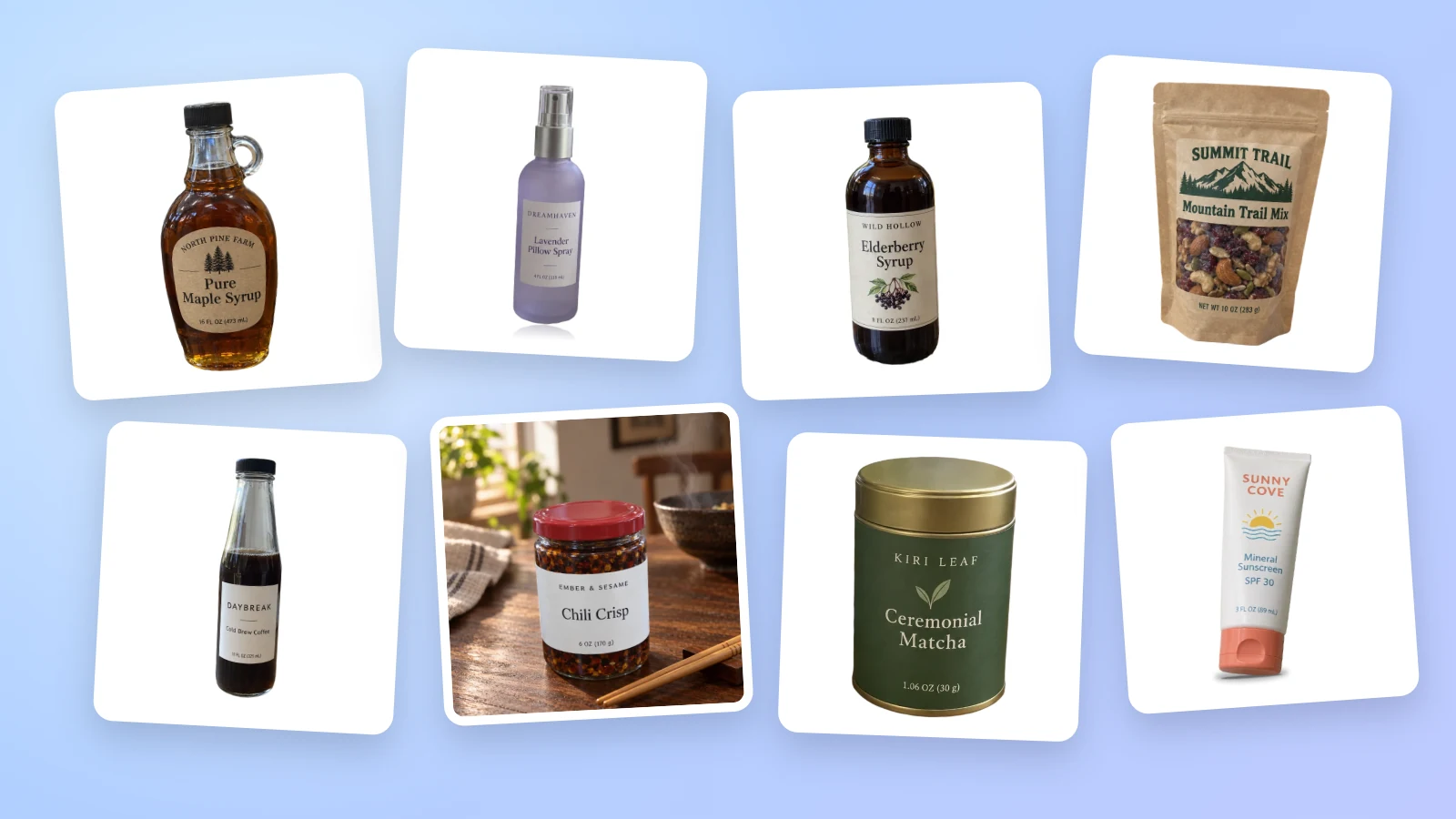
remove.bg's standalone website closes on 1 December 2026 at 9:00 CET, and its accounts and unused pay-as-you-go credits close with it. If you cut out product photos, PACK AI STUDIO is a remove.bg alternative made for that job: transparent PNGs at your photo's own size, pure white files for every shop and new scenes around the same product, from 1 credit a photo. Cutouts are one part of what it does as the all-in-one packaging AI design agent, specialized in packaging, labels and product visuals, so the box, the label and the listing photos can all come from one place.
What changes when remove.bg closes
remove.bg's own FAQ sets out what happens on 1 December 2026:
- At 9:00 CET the standalone website stops, and accounts can no longer be opened after that.
- Pay-as-you-go credits that are still unused expire on the same day.
- Monthly and annual subscriptions keep working until then and end on their own.
- The self-service API stops taking requests. Enterprise API contracts carry on as before.
- The Photoshop plugin and the other integrations are discontinued.
- Credit usage reports and invoices can be downloaded from the Account page until the cutoff, and not afterward.
The FAQ sends web users to Canva's background remover and API users to Leonardo.Ai, both part of Canva, which has owned remove.bg since 2021.
Before December 1: a short checklist
- Download your invoices and your credit usage report from the remove.bg Account page.
- Spend any pay-as-you-go credits you still want to use.
- Keep your original photos, not only the cut files. PACK AI STUDIO makes the cutout from the original and lays it back at the original's size, so the original gives you the sharpest result.
- Write down the image sizes your shops ask for. The white background maker below makes all of them in one go.
PACK AI STUDIO and remove.bg at a glance
| PACK AI STUDIO | remove.bg | |
|---|---|---|
| What it is | The all-in-one packaging AI design agent, specialized in packaging, labels and product visuals | A background removal website, part of Canva since 2021 |
| After 1 December 2026 | Open as usual, with your cutouts kept in Recent cutouts | The standalone website and accounts are no longer available from 9:00 CET |
| Background removal | A transparent PNG at your photo's own size, up to 6,000 px on the long side, with an erase and restore brush | Moves to Canva's background remover |
| Many photos at once | Up to 20 photos a batch, every file in one ZIP | The desktop app ends; its FAQ points to Canva's bulk background removal |
| Pay as you go | 800 credits for $19.90, valid 12 months, 1 credit a photo | Unused PAYG credits expire on 1 December 2026 |
Where PACK AI STUDIO stands out for product photos
Cutouts at the size you shot
On the AI transparent background maker, your cutout is as big as your photo. The AI finds the product's outline and then your browser lays that outline over your original photo, so a 4,000 pixel photo gives a 4,000 pixel transparent PNG, up to 6,000 pixels on the long side. Every pixel inside the edge is your photo's own, which keeps small type on a label, the grain of kraft paper and the print on a pouch as crisp as you shot them. A cutout made for a catalog page or a packaging layout keeps enough pixels to print.

Glass, tins, cartons and pouches
Products are not portraits. Packaging brings straight box edges, pump heads, caps, seals, foil and glass, and those are the details a shopper zooms in on. The cutout keeps box sides straight and caps whole, takes the old background's color out of the edge so no gray rim shows on white, and keeps the reflections in amber glass as part of the bottle, so it still reads as glass on a new page.

A brush for the last details
When a prop leans on the product or a shadow you wanted gone stays behind, paint over it with the erase brush. When a thin strap or a clear cap needs to come back, the restore brush paints it back from your photo. Undo, redo and the brush size sit beside the picture, and the preview switches between a checkerboard, white, black and your brand color, so you can see a light edge on black or a trace of the old background on white before you download.

Four files from one cutout
Each cutout comes as a full-size PNG for design apps, a PNG trimmed to the product for layouts, a square PNG with an even margin for shop grids and a lighter WebP for web pages. All four keep the transparent background, so you pick the file for the job instead of cropping and exporting again.
Pure white files for every shop at once
The AI white background photo maker sets the same cutout on pure white and saves seven JPEG files in one ZIP: your own frame plus Amazon 2000 × 2000, Walmart 2200 × 2200, eBay 1600 × 1600, Shopify 2048 × 2048, Etsy 2667 × 2000 and Instagram 1080 × 1350. You choose how much of the frame the product fills, from 60% to 95%, and the Amazon and Walmart files never go below 85%. The product is laid in at your photo's own sharpness and never stretched past it, apart from Etsy's 2,000 pixel minimum, which the file list points out when it applies.

Shadows that set the product down
A product floating on white can look pasted on. Pick a ground shadow to stand it on a surface, a drop shadow to lift it slightly off the page or a reflection for glass, cosmetics and electronics, then set its strength and softness. The shadow is drawn from the product's own outline in your browser, so trying another one costs no credit, and it stays clear of the frame's edge so the border of every file is still pure white.

New scenes around the same product
For lifestyle pictures, the AI background generator puts the cutout into a new scene, a marble counter, a warm wood table or a bathroom vanity, and lays your product's own pixels back on top, so the label and the shape stay exactly as photographed. Plain white, color and transparent versions come with the cutout, and each file is saved to its marketplace's rules.

When the cutout is only the start
A cutout usually feeds something bigger, and the rest is on the same site. AI product photography reshoots your real product in new setups, the AI packaging mockup generator shows a design on a box, bag or bottle, and the AI product video generator turns one photo into a short clip with sound. If the packaging itself needs work, AI packaging design designs the box, pouch or label at its print shape.
Why the files pass a shop's image check
Marketplaces publish what a main image needs, and the files are made to those rules rather than to a guess:
- Amazon: its main image guide asks for a pure white background, RGB 255, 255, 255, with the product filling 85% of the image, and zoom from 1,000 pixels.
- Walmart: a seamless white background at 2200 × 2200.
- eBay: about 1600 × 1600 recommended, and white backgrounds are generally best.
- Etsy: at least 2,000 pixels.
After each JPEG is saved, the maker opens it again and reads it pixel by pixel, so the white you upload is RGB 255 in the file itself, not only on screen. The file list then shows each file's pixel size, the product's share of the frame and its file size.
Moving a catalog from remove.bg
Add up to 20 original photos at once. They are worked through two at a time, and the button shows the credits before you start. Download the files for the photo on screen, or every photo's files in one ZIP with the same shadow and frame, so a whole range matches in search results. Every photo stays in Recent photos: open it later for another shadow, another frame or another file type without another credit. The transparent and white background pages list each other's photos there too, and opening one costs no second credit.
Who PACK AI STUDIO is for
- Marketplace sellers on Amazon, Walmart, eBay and Etsy who need a compliant main image for every listing.
- Shopify and direct-to-consumer brands that want a range of products on matching white, plus transparent PNGs for the website.
- Packaging and label designers who place product cutouts into layouts at print size.
- Makers who shoot at home, candles, skincare, sauces and coffee on a kitchen table, and want shop-ready files without a studio.
What PACK AI STUDIO costs
A cutout is 1 credit a photo, and you pay only for the designs you receive. Every transparent file, white shop file, shadow and frame is made from that cutout and comes with it; an AI scene is 10 or 15 credits at 1K or 2K. Credits come from a plan, Basic $9.90, Pro $19.90, Business $49.90 or Enterprise $129.90 a month (550 to 10,000 credits), or from a pack of 800 credits for $19.90 that stays valid for 12 months. Pictures made with paid credits can be used commercially. See pricing.
Questions about PACK AI STUDIO
Can PACK AI STUDIO take over my remove.bg product photos?
Yes. Add your original photos to the AI transparent background maker for transparent PNGs, or to the AI white background photo maker for white shop files, up to 20 at a time.
How much does one cutout cost?
1 credit a photo. The transparent files, the white files for every shop, the shadow and the frame all come with it, and opening the photo again later costs nothing more.
Will my cutout keep my photo's resolution?
Yes. The cutout is laid over your original photo in the browser, so the PNG has your photo's pixel size, up to 6,000 pixels on the long side.
Can it make an Amazon main image?
Yes. The Amazon file is 2000 × 2000 on pure white RGB 255, with the product filling at least 85% of the frame, and the file is read back after saving to check the white.
Can I fix the edge myself?
Yes. The erase and restore brush paints on the picture, with undo, redo and a brush size, and the preview shows the cutout on a checkerboard, white, black or your own color.
Can I add a shadow to a product on white?
Yes. Choose a ground shadow, a drop shadow or a reflection and set its strength and softness; changing it costs no credit.
More comparisons
- PACK AI STUDIO vs Canva
- PACK AI STUDIO vs Pacdora
- PACK AI STUDIO vs Packify
- Best AI packaging design tools in 2026
Cut out your first product with the AI transparent background maker, or set it on pure white for every shop with the AI white background photo maker.